
01 / Easy to pick up
If you know CapCut, you know this
Three panels plus a timeline, laid out like CapCut Pro; space to play, J/K/L, arrow keys to step frames, I/O to set ranges—the same shortcuts.
ALCHEMY LAB
Liandan AI Studio makes AI videos—and builds its own tools. AI Motion Editor is the editor we developed for our own projects: motion videos written by AI can be changed by clicking and dragging, just like in CapCut, without touching code. We revise live in meetings, run automatic checks before delivery, and re-render only the shot that changed—so ideas reach the final film much faster.
00 / AI MOTION EDITOR
A CapCut-style interface, live edits in meetings, film-wide components and styles, and a record of every change. Our client films are revised with it while the meeting is still going.
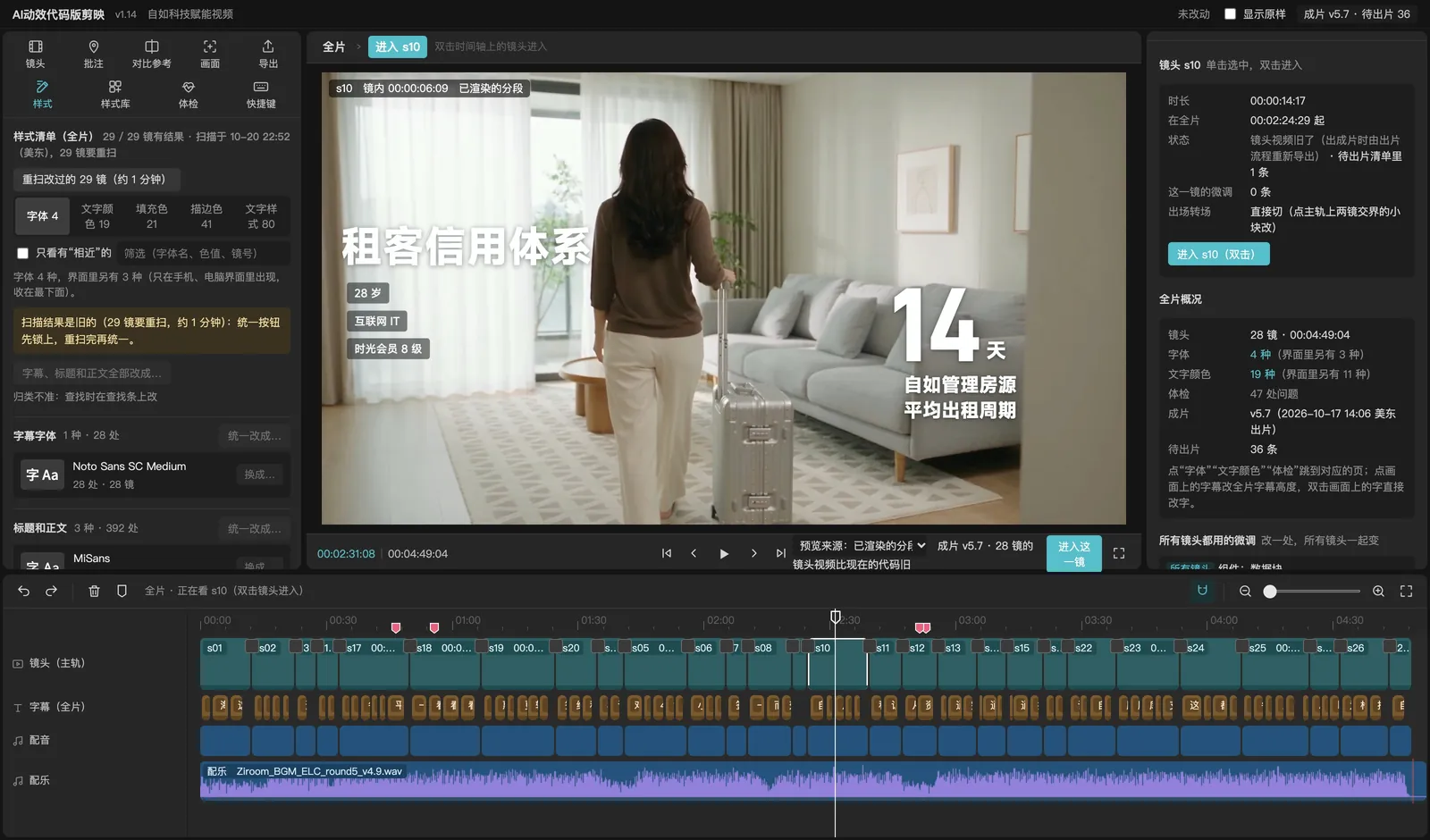
01 / Easy to pick up
Three panels plus a timeline, laid out like CapCut Pro; space to play, J/K/L, arrow keys to step frames, I/O to set ranges—the same shortcuts.
02 / Live edits in meetings
We share the screen in the meeting, change each point as the client makes it and play it back at once; anything bigger becomes a note for Claude in the background. By the end of the meeting, half the work is done.
03 / Automatic records
Every move and every word changed is saved and explained in plain language—which element, which line of code, by how much—and changed shots are queued for rendering automatically, so nothing slips.
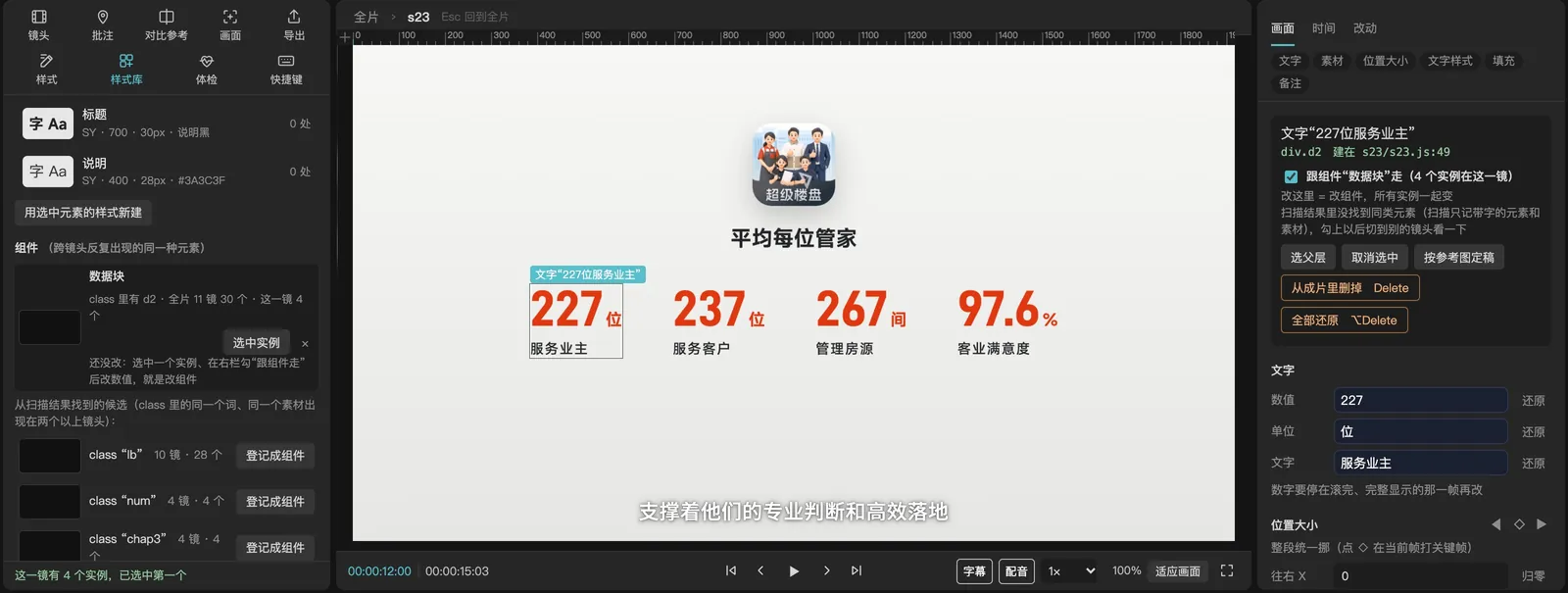
04 / Film-wide components
Recurring data blocks, titles and icons become components: change one in any shot and every instance updates. A single shot can still be adjusted on its own without being overwritten.
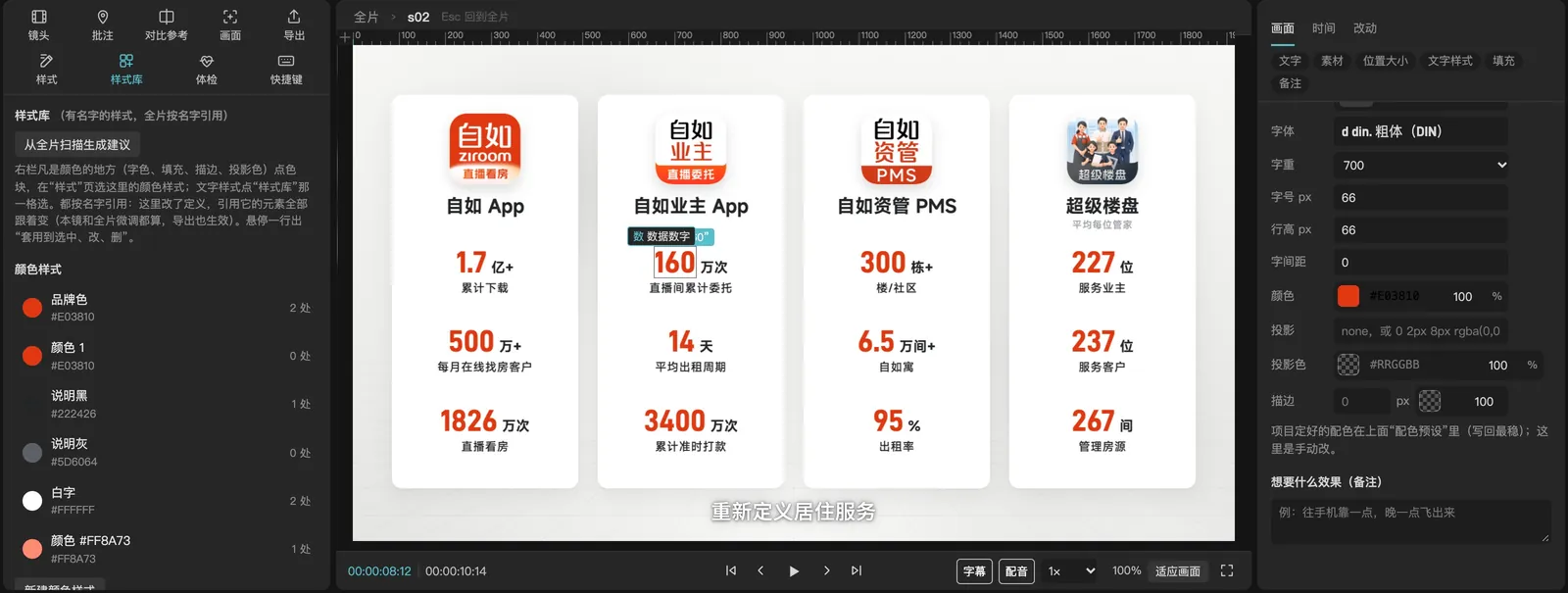
05 / Film-wide styles
Fonts, colors and text styles are named and managed like in Figma—change one and the whole film follows; it scans which fonts and colors are used and merges near-duplicates in one click.
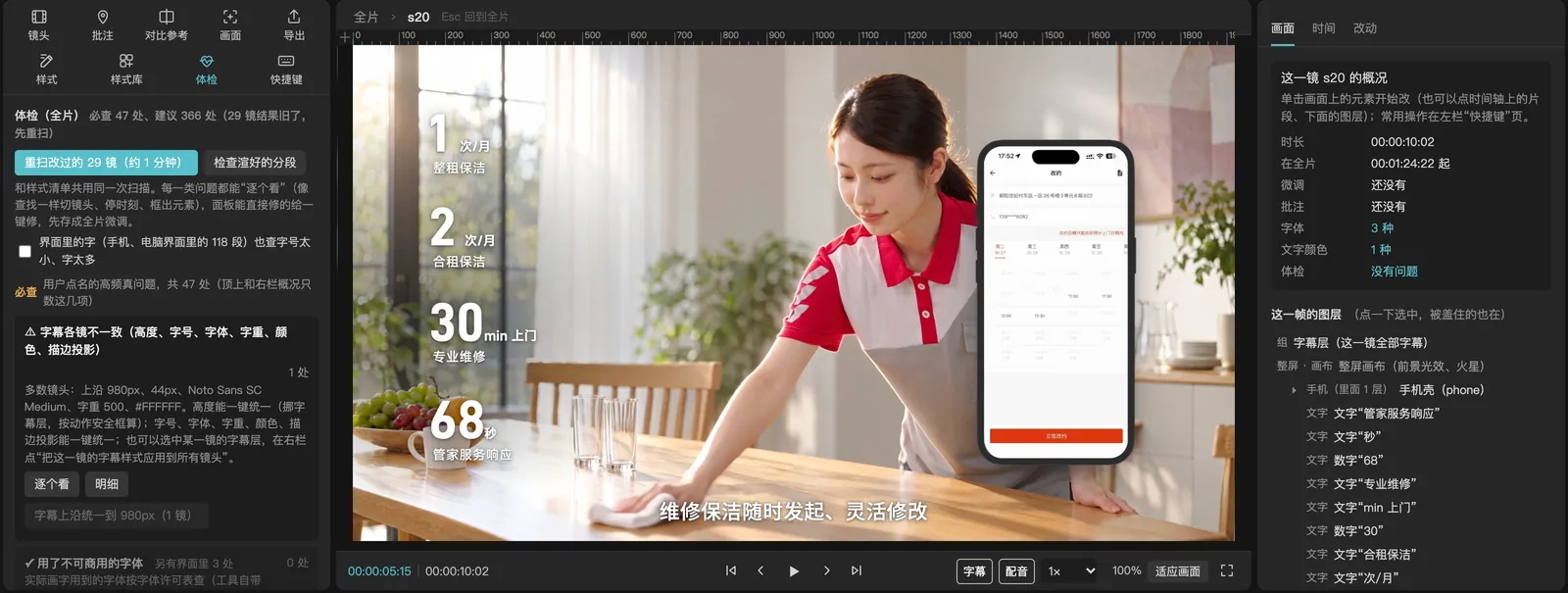
06 / Before delivery
Subtitles out of sync with the voice, text too small, low contrast, outside the safe area, fonts not licensed for commercial use… a dozen checks at once, with rules you can customize per project.
07 / Working with AI
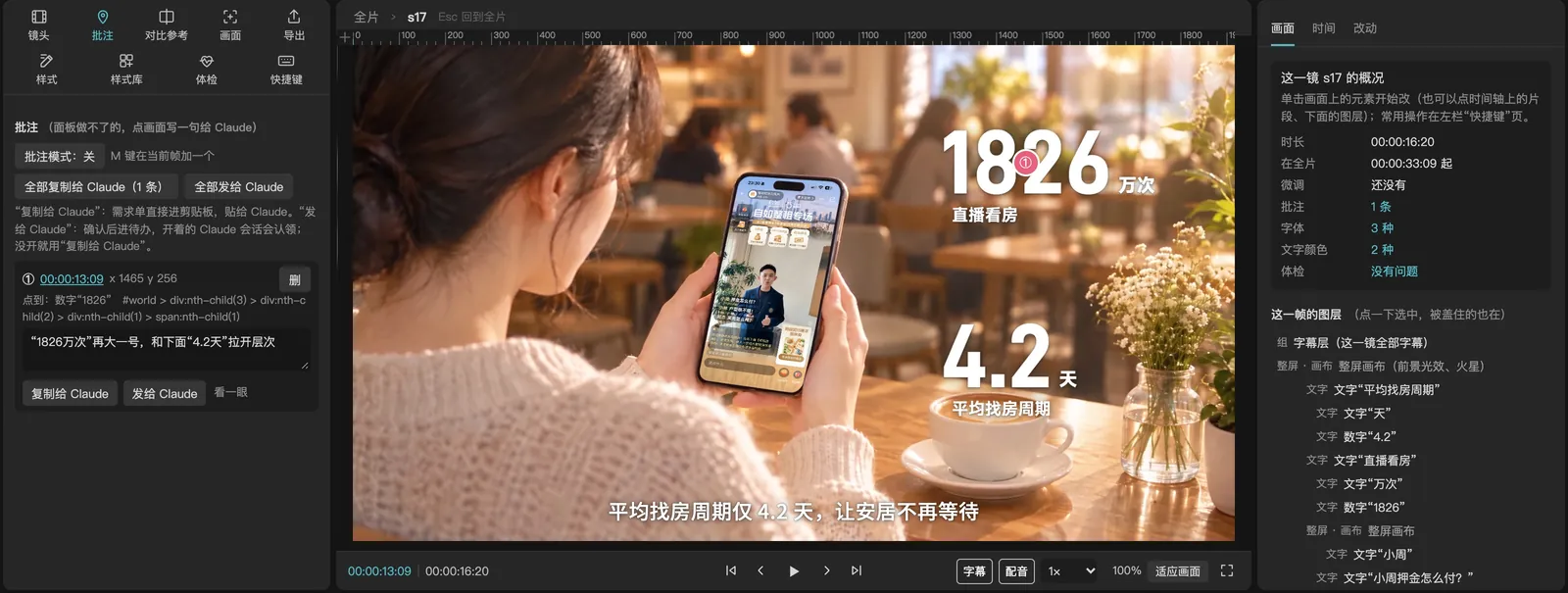
Click the frame and write a sentence: it records the shot, the second and the element. Send it to Claude in one click; a background session picks it up, makes the change and marks it done.
08 / Ready to deliver
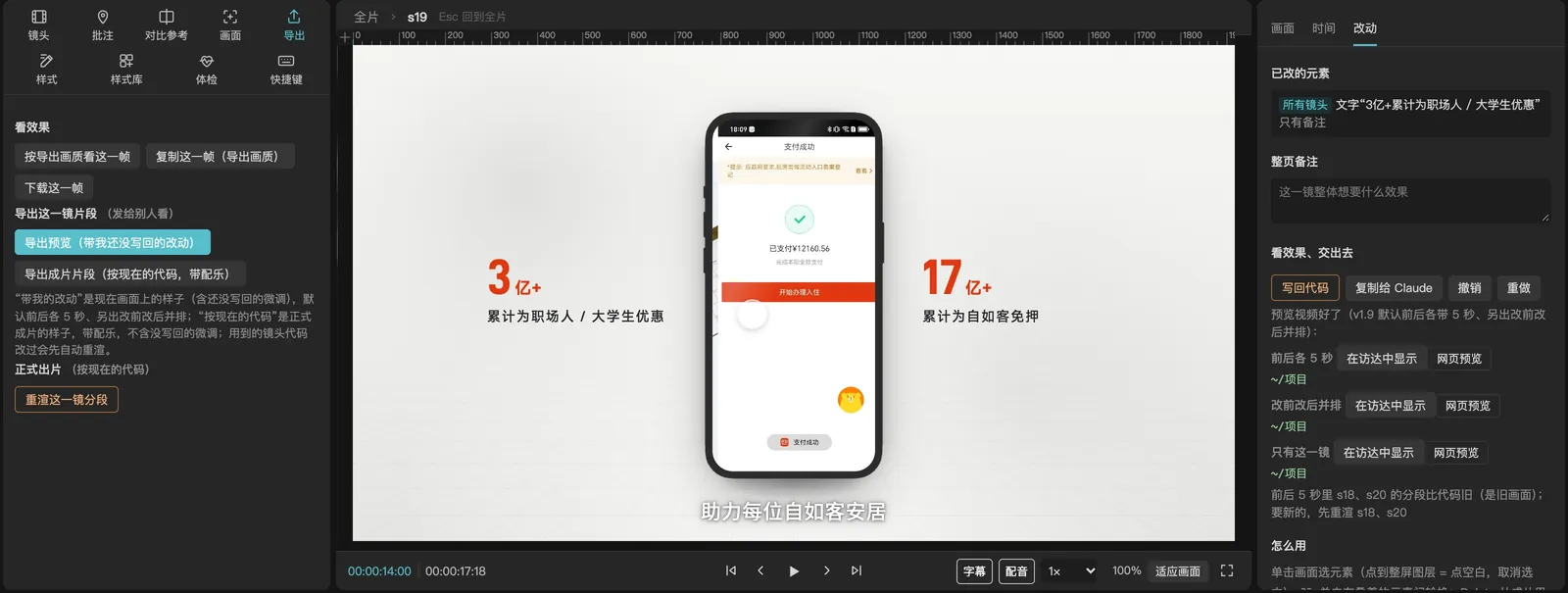
Write-back touches only the lines that changed and checks the same frame pixel by pixel before and after; only the changed shot is re-rendered, with eight Chrome instances capturing frames in parallel—no full re-export.
IN PRODUCTION
A 4-minute-56-second corporate technology film. Through several rounds of revisions we used it to move elements, change text and leave notes, re-rendering only the changed shots, and finally produced a 6048-pixel-wide giant-screen version.
See the full caseFOR STUDENTS
Students of our AI Creator Course can use it too, editing their own AI-made motion videos by clicking and dragging, just like in CapCut, until they are ready to deliver.
About the AI Creator CourseMORE TOOLS
QC, music, film breakdowns, prompts, GIF conversion and version comparison—small tools we use every day.

01 / QUALITY CONTROL
Import a CapCut project or finished video to check black bars, blank frames, volume, subtitles, frozen images, font licensing, and other common delivery issues.

02 / MUSIC LIBRARY
Coming soon: an AI music library you can filter by mood, scene, and style, with preview and download. Commercial licensing terms will be announced at launch.

03 / VIDEO BREAKDOWN
Built on the Eagle library, it turns a whole reference video into a script structure covering visuals, dialogue, and pacing, focusing on the overall narrative for review and re-creation.

04 / PROMPT HELPER
A structured prompt editor for AI image and video creation: enter one simple request and it expands it into a complete prompt covering subject, setting, visual style, composition and camera position, focal length, lighting and color, and mood, with custom presets you can save and adjust.

05 / SHOT BREAKDOWN
Built on the Eagle library, it splits a reference video shot by shot and records each shot's visuals, dialogue, and pacing, focusing on an actionable shot list.

06 / GIF CONVERTER
Quickly convert video clips into GIFs for stickers, motion assets, and social media content.

07 / VIDEO COMPARE
Compare two video versions quickly to review changes, shot differences, and delivery files.
Ideal for brand launches · public-sector communications · cultural-tourism campaigns · IP transformation · event openers · earnings visualization · social campaigns · AI workflow development