Liandan AI Studio
Contact Us
AI COURSE

Taught by AI Alchemist Zhongzhong · AI FILM · AD · PROMO

AI Story, Ad & Promo FilmMasterclass

From Zero to Paid Client Work: Audiovisual Language × AI Generation × Commercial Delivery

No background neededTwo audiovisual librariesClaude Opus 5.5 for teaching and courseware100+ real projects · selected deep dives
See the full syllabus
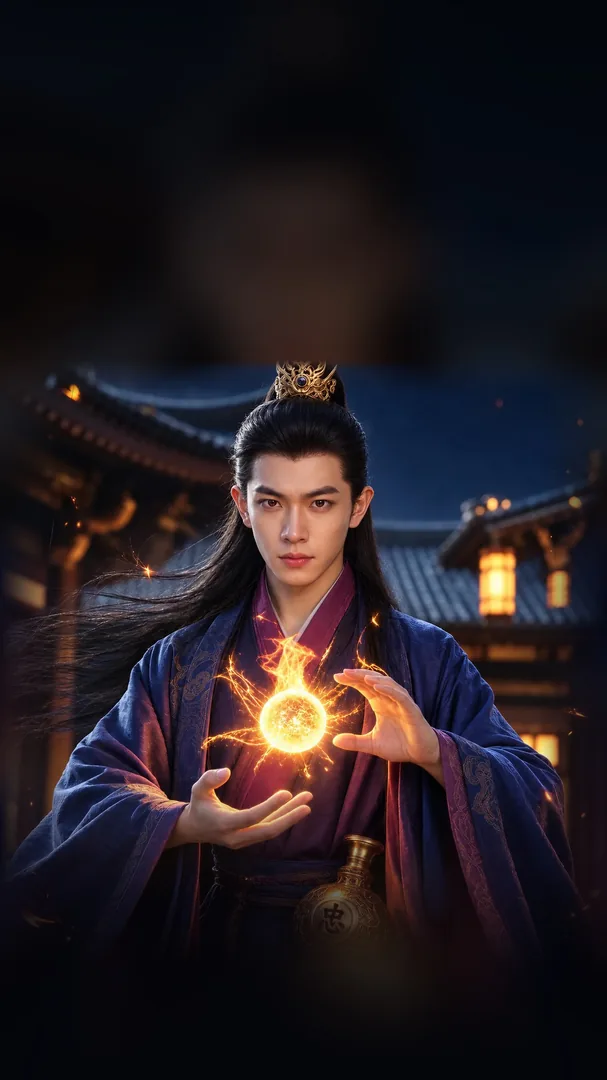
Course key visual: an AI alchemist holding a golden orb of light
course modules
9
core lessons
71
audiovisual tags
618
real projects
100+
01Who It's ForWHO IS IT FOR

Who is this course for?

Whether you've never touched design or film, or you already work in design or video, this course fills in the piece you're missing.

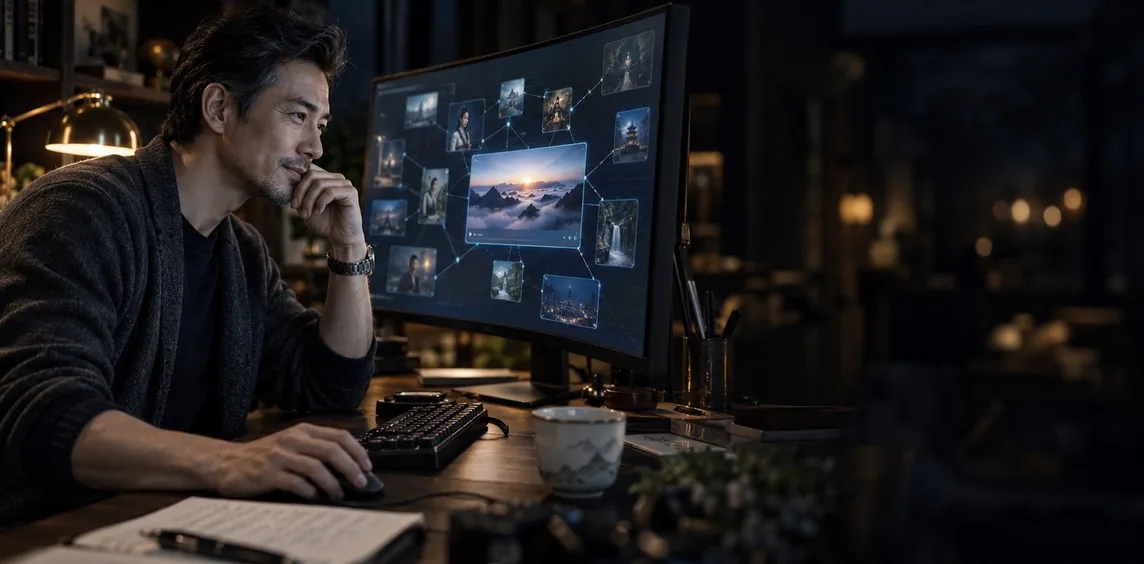
A middle-aged man making a video on an infinite-canvas AI video workspace
Key audiences

Career changers with no background

Engineering, biology, pharma, sales, finance... if your field has nothing to do with design or film and you still want to move into AI video. No filming experience, art training or camera knowledge needed: start by reading a single frame and work up step by step to delivering commercial films.

Graphic / UI designers

Graphic / UI designers

You have solid art skills and can make posters and interfaces. Learn motion video production and take your work from static to moving.

Ad / promo film professionals

Ad / promo film professionals

Directors, writers, editors and post-production artists who want to bring AI into real client projects to cut costs and speed up delivery.

Creators and solo studios

Creators and solo studios

You want to make content with real quality, build a personal brand, and land steady commercial orders.

Key Highlight

A learning plan made for you, by the instructor himself

After you enroll, instructor Huang Zhongzhong personally gets to know your background, current skills and learning goals, then builds a learning plan for you: which modules to start with and which kinds of projects to practice first, all arranged around your situation.

02AI WorkflowAI WORKFLOW

A Brand-New AI WorkflowBuilt ahead of the curve on Claude Opus 5.5 and DeepSeek 1017

Workflows that used to be impossible now work: from winning clients to promotion, every step comes with Liandan AI Studio's own skills and in-house tools.

ACROSS EVERY STEP

AI inspection and revision tracking: less rework, no disputes

Liandan AI Studio's AI QC assistant follows every step, catching problems early so you rework less; every revision is logged, so nothing is missed and there's no arguing with clients

AI QC assistant
CLIENTSPREPSCRIPTVISUALSTOOLSPROMOTION
AI inspection · revision log, across every step
  1. 01
    CLIENTS

    Win clients with AI: get Doubao to recommend you

    From building your own website with AI, to running social media, Xinpianchang and WeChat, to earning organic traffic and leads through GEO + SEO: the full experience and skills, shared

    End-to-end client skills
  2. 02
    PREP

    Organize references and build knowledge bases 100x faster with AI

    Liandan AI Studio's own skills organize and study references far faster and better than doing it by hand

    Exclusive skills
  3. 03
    SCRIPT

    Write scripts with AI that feel human, not machine-made

    Liandan AI Studio's own skills and how to use them, to write scripts that feel human, fast

    Exclusive skills
  4. 04
    VISUALS

    AI images and video: same model, a level higher

    Break down shot scripts and write prompts backed by Liandan AI Studio's own knowledge bases and frameworks, with results clearly better than the defaults

    Exclusive libraries & frameworks
  5. 05
    TOOLS

    Build tools with AI: make your own editing tools

    Get Liandan AI Studio's custom AI video editor, plus our development experience and shared foundation, to build editing and helper tools that fit you

    AI video editor
  6. 06
    PROMOTION

    AI retrospectives: turn every project into a promo video

    An AI retrospective framework and a base library for recap videos, so you can easily make high-quality recap videos after each project

    Recap video library
03Libraries & Self-StudyKNOWLEDGE LIBRARY

Two audiovisual language libraries you can keep consulting

A film audiovisual reference library built by our instructor team: every lesson comes with a definition, film examples and usage. When you get stuck mid-project, look it up by tag.

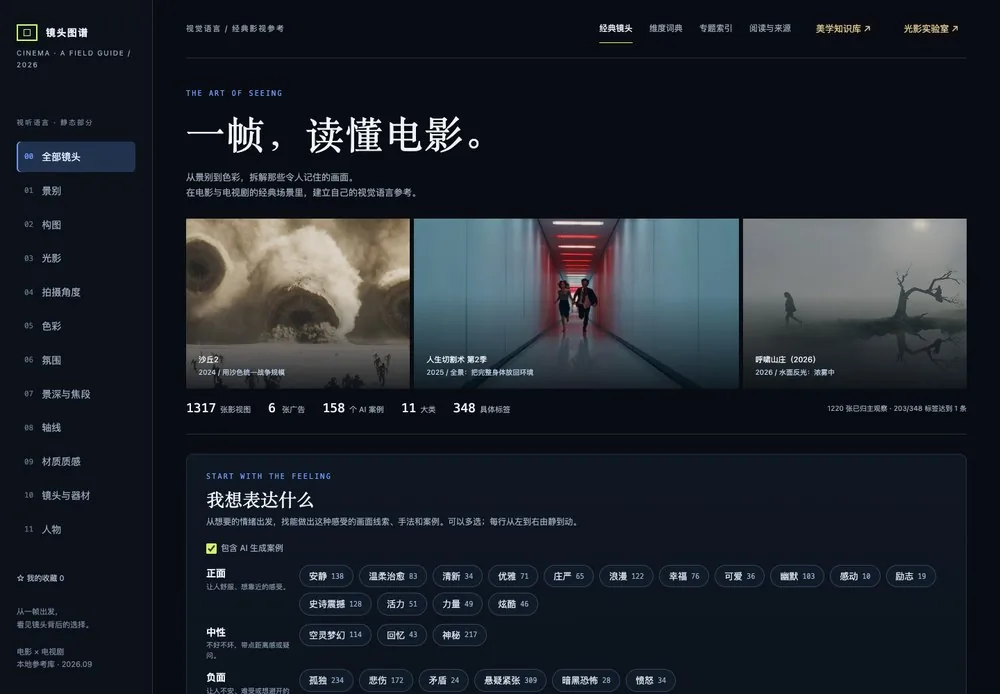
Static Audiovisual Language Library

One frame, understand cinema

categories
11
groups
86
specific tags
348
film examples
1,493
Static Audiovisual Language Library, live page
Shot SizeLightingCompositionCamera AngleDepth of Field & Focal LengthAxisAtmosphereColorMaterial & TextureLenses & EquipmentCharacters
  • Look up by emotionWant "tender" or "tense"? See the matching visual techniques directly
  • Shot CombinerPick shot size, lighting and angle to automatically assemble a frame description
  • Chinese & English promptsCopy the result in one click and feed it straight to AI

Dynamic Audiovisual Language Library

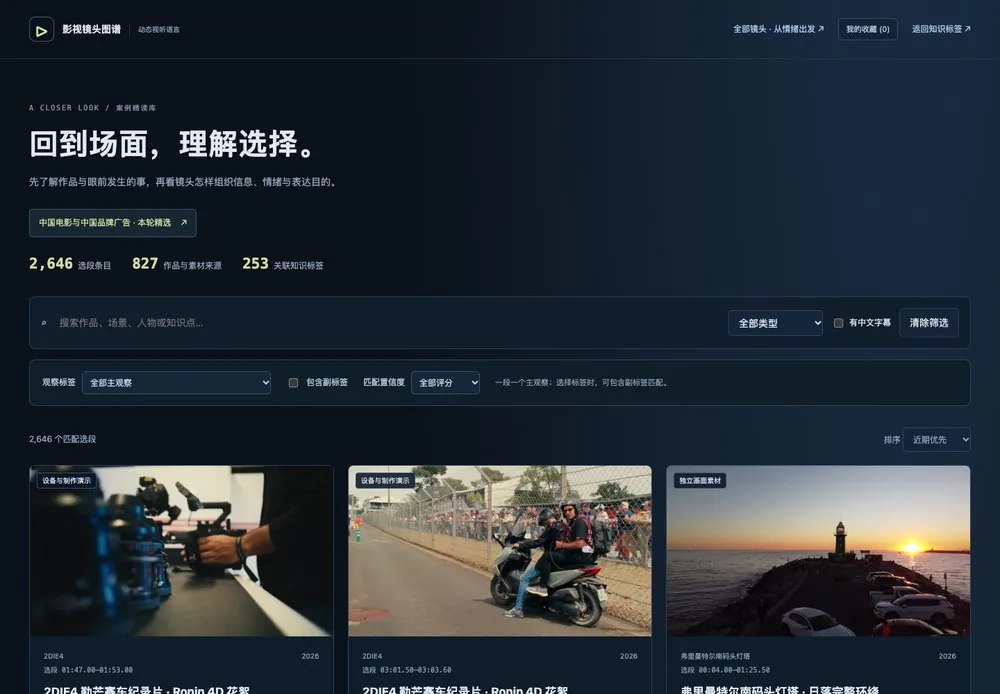
Back to the scene, understand the choices

categories
11
dynamic tags
270
3D demos
291
video examples
2,355
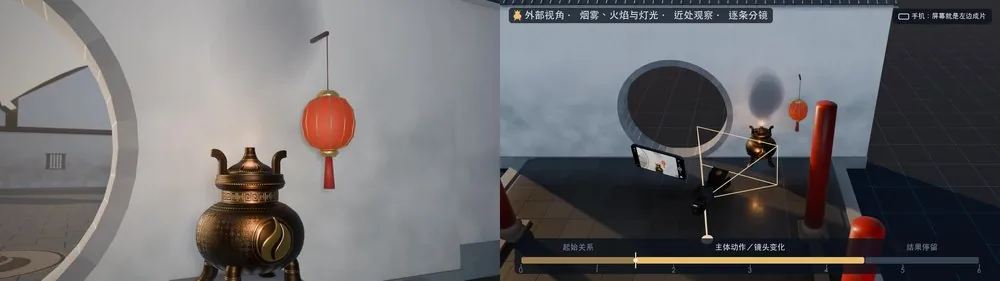
3D demo: the left shows what the camera sees, the right shows how the camera moves
Dynamic Audiovisual Language Library, live page
Camera MovementSubject MovementCamera-Subject RelationshipMovement Direction & SpeedFocus ChangeDynamic CompositionMise-en-scèneFrame RateEditing & Shot ConnectionTransitionsRhythm & MontageSound & Sound-Image Relationship
MORE LIBRARIES

Extended libraries: every fundamental you need to make films, in one place

Beyond audiovisual language, the fundamentals of design, art, motion, UI and music are organized as cards in the same format as the two AV libraries: what it is, what it's for, how to get AI to make it, and common misuses. Released progressively with the course and continuously updated.

Graphic Design Library

Layout, type and color: the basics of a poster

Layout & gridsType & typesettingColor schemesShapes & compositionPrint sizes & production

Art & Aesthetics Library

Know what looks good before you can prompt for it

Art movements & stylesComposition & color in masterpiecesEastern aesthetics & moodAesthetic keyword index

Illustration Library

What each style is called, how it's drawn, how to get AI to draw it

Illustration stylesLine & formCharacters & IP designPicture books & GuochaoStyle prompts

Motion Library

How things on screen should move to look good

Timing & easingEnter & exitText motionTransitionsLight effects & atmosphereRhythm & sound sync

UI Library

Read interfaces, fix them right and animate them

Components & guidelinesSizes & adaptationInteraction statesIcons & fontsUI product promo motion

AI Music Library

Write good music prompts without knowing theory

Keys & moodChords & melodyRhythm & tempoSong structureInstruments & mixingBuilding music prompts
Copyright-safe

Liandan Original AI Music Library

Original AI music made in-house by our team. Drop it straight into your videos without worrying about BGM licensing, and use it in commercial work with peace of mind.

Promo filmsCommercialsShort videosMV
Time-saving highlight

Leading AI Tools · Latest-Version Self-Study Guides

AI tools update too fast, so every tool comes with a self-study guide for its latest version: how to use the features, how to choose parameters, and which pitfalls to avoid. No need to figure it all out yourself, and you save a lot of trial and error.

Video Generation

Kling AIJimeng (Dreamina)LibTV

Images & Design

LovartMidjourney

Music & Voice

SunoElevenLabsHailuo AudioDoubao Voice

More tools added as new versions arrive

04SyllabusCURRICULUM

Course content: full syllabus of 9 modules

71 core topics, with 11 static and 11 dynamic audiovisual language categories broken down to every tag. Here is the full syllabus.

01

AIGC Video Workflow & Tool Ecosystem

Stage 12 lessons
  1. The most advanced AI video workflow today

    Two core workflows, from a single image to a finished film

    Image-to-video workflow: single-image video and first/last-frame videoOmni-reference workflow
  2. Industry insight and model selection

    What each top model does best: browse by model, or pick by need

02

Pre-Production References, Video Collection & Library Building

Stage 13 lessons
  1. Once you have a brief, how to find the right video references

    Break the brief into search keywords and search on Xinpianchang, Xiaohongshu, Douyin, Bilibili and YouTube; which films are easy to find, which are hard, and how to step up your search methods

    General search techniquesSearch techniques for specific needs
  2. How to build up your own library over time

    Principles for building a general reference library, then dedicated libraries for different types of commercial orders

  3. Ways to collect and download videos of every kind

    Image and video collecting and downloading tools such as Hum Hum Cat and Eagle

03

Script & Narrative Design

Stage 24 lessons
  1. With a benchmark video, how to adapt it into your own script

    First break down the script of a strong reference, then rework it into your own; with hands-on examples

  2. With no close reference, how to write a script from basic materials

    Examples by film type, then fill in the details yourself

  3. How story films, promo films and commercial scripts differ

    Promo films broken down further: AE-graphics-heavy, IP-driven and more, with writing approaches distinguished by production method

  4. Side-by-side study of LLM writing ability

    Side-by-side tests of how leading LLMs perform at writing ad and promo film scripts

04

Art Direction & Visual Assets · Static Audiovisual Language

Stage 1 · 217 lessons
  1. How to turn a script into asset designs and a storyboard script

    AI conversion techniques and prompts, common problems, and what needs manual adjustment

  2. How to generate high-quality images

    Setting the style when you have a target referenceExploring a style when you have no referenceCharacter asset productionOther visual asset productionFrame-extraction image generationFinding image-generation referencesImage upscaling
  3. Static Audiovisual Language · 11 Categories

    Every category is broken down to specific tags: 86 groups in total.

    Shot Size2 groups
    Shot Size Scale
    Extreme Wide ShotWide ShotFull ShotMedium Full ShotMedium ShotMedium Close-upClose-upExtreme Close-up
    Named Shot Sizes
    Tight Close-upItalian Shot
    Lighting11 groups
    Horizontal Direction
    Front LightFront-Side LightSide LightBack-Side LightBacklight
    Vertical Direction
    Eye-Level LightHigh-Angle LightTop LightUnder Light
    Light Quality
    Soft LightHard Light
    Tonal Key
    High KeyLow Key
    Lighting Ratio (Key to Fill)
    Low Contrast RatioHigh Contrast Ratio
    Function of Light
    Rim Light / Hair LightBackground LightCatchlight
    Light Source
    DaylightSkylightWindow LightIndoor LampsStreetlightNeon LightCar HeadlightsScreen LightMoonlightFirelight
    Lighting Setup
    Single Dominant SourceThree-Point LightingMulti-Source LightingCross Lighting
    Facial Lighting Patterns
    Loop LightingRembrandt LightingButterfly LightingSplit LightingBroad LightingShort Lighting
    Light and Shadow Shaping
    SilhouetteVolumetric Light Beams (Tyndall Effect)Cast Shadows
    Medium & Surface Response
    Specular HighlightsGlass ReflectionWater ReflectionTranslucencyCausticsDispersion (Fire)
    Composition14 groups
    Aspect Ratio
    Vertical 9:16Square 1:14:3 Academy RatioStandard Widescreen (16:9)Ultra-Widescreen (2.39:1)Special Letterboxing
    Frame Division
    Single FrameLeft-Right Split ScreenTop-Bottom Split ScreenMulti-Panel Split ScreenPicture-in-Picture
    Subject Placement
    CenteredRule of ThirdsEdge
    Negative Space & Cropping
    Ample Negative SpaceTight FillFully in FramePartially Out of Frame
    Symmetry & Balance
    Left-Right SymmetryTop-Bottom SymmetryAsymmetrical Balance
    Lines & Shapes
    Horizontal LinesVertical LinesDiagonal LinesCurved Lines (S-Curve)Leading LinesTriangleInverted TriangleCircle & RadialGrid
    Spatial Layering
    Flat SpaceForeground / Midground / Background LayersDepth Arrangement
    Foreground & Occlusion
    No Clear ForegroundLeading ForegroundForeground Partial CoverHeavy Occlusion
    Frame Within a Frame
    Frame Within a FrameMultiple Nested Frames
    Facing & Eyeline
    Facing Into FrameFacing Out of FrameLooking at Camera
    Multi-Character Blocking
    Side by SideFace to FaceBack to BackTriangle ArrangementSurroundingLine-upCharacters Close TogetherCharacters Far Apart
    Perspective Organization
    One-Point PerspectiveTwo-Point PerspectiveThree-Point PerspectiveLow HorizonHigh Horizon
    Repetition & Disruption
    Repeating PatternBreaking the Pattern
    On-Screen & Off-Screen
    Open CompositionClosed Composition
    Camera Angle4 groups
    Tilt Angle
    Eye LevelHigh AngleLow AngleOverhead ShotExtreme Low Angle
    Direction Relative to Subject
    FrontFront Three-QuarterProfileRear Three-QuarterBack
    Camera Height
    HighLevelWaist LevelKnee LevelLowGround Level
    Rotation Angle
    LevelTilted Composition (Dutch Angle)Upside Down
    Depth of Field & Focal Length4 groups
    Depth of Field
    Shallow Depth of Field (Bokeh Background)Medium Depth of FieldDeep Depth of Field
    Focus Position
    Focus on ForegroundFocus on MidgroundFocus on BackgroundCharacter's EyesSpecific ObjectForeground Blur
    Perspective
    Exaggerated PerspectiveCompressed Perspective
    Focal Length
    Ultra-WideWide-AngleStandard to Short TelephotoMedium TelephotoTelephotoSuper Telephoto
    Axis3 groups
    Axis Types
    Character Relationship AxisEyeline AxisMovement Axis
    Shot Relationships
    Same-Side ShootingCrossing the Line
    Ways to Cross the Axis
    Neutral ShotRe-establishing Shot
    Atmosphere3 groups
    Natural Light by Time of Day
    Sunrise & Sunset (Golden Hour)Blue HourNight
    Weather
    SunnyPartly CloudyOvercastRainyStormySnowing
    Atmospheric Medium
    Crystal ClearLight MistDense FogHazeDust StormSmoke & SootDust ParticlesSteamHeat Haze
    Color9 groups
    Brightness
    High BrightnessMedium BrightnessLow Brightness
    Saturation
    High SaturationMedium SaturationLow SaturationNear-Achromatic (Black & White)
    Warm & Cool
    Overall CoolOverall WarmNeutral
    Color Schemes
    MonochromaticAnalogousComplementaryMulticolorTriadic
    Color Contrast
    Light-Dark ContrastHue ContrastWarm-Cool ContrastSaturation ContrastArea Contrast
    Color Roles
    Dominant ColorSecondary ColorAccent ColorCompeting Colors
    Skin Tone Treatment
    Natural Skin ToneWarm Skin ToneCool Skin ToneDesaturated Skin ToneRich Skin ToneSkin Tinted by Colored Light
    Skin Tone & Environment
    Skin Separated from EnvironmentSkin Blended into Environment
    Color Styles
    Pastel (Macaron Colors)Orange & TealVintage SepiaLimited Palette
    Material & Texture7 groups
    Skin
    Realistic TextureSmooth & FlawlessDewy & LuminousMatte Soft-FocusOily Sheen
    Hair
    Smooth & GlossyFrizzy
    Fabric Rendering
    Silky DrapeSoft VelvetyCrisp & SharpSheer & See-Through
    Surface Sheen
    High-Gloss MirrorSatin Soft SheenFrosted MatteIridescent (Pearlescent / Holographic)
    Texture Display
    Smear & SwatchDripping & FlowingSplash FreezeStringy Stretch
    Detail Treatment
    Enhanced DetailSoftened Detail
    Surface Treatment
    WetAgedCondensation (Ice-Cold Look)
    Lenses & Equipment4 groups
    Special Lenses
    Split DiopterFisheye
    Filters & Imaging Media
    Soft / Low-Contrast Filter (Black Pro-Mist)Infrared PhotographyFilm & Large Format
    Flare
    Lens Flare (Light Spots)StarburstAnamorphic Streaks
    Bokeh Characteristics
    Bokeh ShapeSwirly Bokeh
    Characters4 groups
    Features & Body Type
    Face Shape
    Round FaceOval FaceHeart-Shaped FaceSquare FaceLong Face
    Bone Structure
    Soft Bone StructureDefined Bone Structure
    Feature Intensity
    Soft FeaturesBold Features
    Eye Shape
    Large Round EyesAlmond EyesNarrow Long Eyes (Phoenix Eyes)
    Outer Eye Corner
    Droopy Eyes (Puppy Eyes)Straight Outer CornersUpturned Eyes (Fox Eyes)
    Eyelid
    MonolidHidden Double LidDouble Eyelid
    Brow Shape
    Straight BrowsArched Brows (Willow-Leaf Brows)Angled Brows (Sword Brows)
    Apparent Age
    ChildTeenYoung AdultMiddle-AgedElderly
    Body Type
    Slim (Bony)Well-ProportionedMuscularCurvy (Slightly Plump)
    Facial Aura
    Youthful (Baby Face)Cool & AloofBright & GlamorousHeroic
    Makeup & Styling
    Makeup Intensity
    Bare-Faced LookLight Makeup (No-Makeup Look)Polished Full MakeupHeavy Makeup
    Makeup Focus
    Eye-FocusedLip-FocusedComplexion-Focused
    Makeup Lines
    Soft Lines (Gentle Makeup)Sharp Lines (Bold Makeup)
    Hairstyle
    Hair DownTied UpUpdoBraidedShort Hair
    Hair Condition
    Sleek & NeatFluffy & AiryMessyWet-Look HairWind-Blown
    Styling Complexity
    Plain, No OrnamentsSubtle AccentsOrnate Outside, Simple Inside (Accessories Framing the Face)Elaborate Head to Toe
    Face Coverings & Decor
    Face DecorationGlitter MakeupSpecial-Effects MakeupMask / VeilGlasses / Sunglasses
    Expression & Posture
    Expression
    Blank ExpressionSmileLaughterSorrowAngerSurpriseFear
    Body Posture
    StandingSittingCrouching / KneelingLying DownLeaningWalking
    Body Twist
    Body and Face Same DirectionLooking Back (Body and Face Opposed)Triple Curve (S-Shaped Pose)
    Head Posture
    Head StraightHead RaisedHead LoweredHead Tilted
    Hands
    Hand Touching FaceHand in HairHolding an ObjectHand Covering
    Posed & Candid
    Posed FreezeCandid Moment
    Styling
    Era & Genre Styles
    Ancient XianxiaImperial Court CostumeRepublican EraHong Kong RetroY2KCyberpunk
    Contemporary
    Clean BeautyGirlish LookHigh FashionStreetwear CoolSporty & EnergeticForest-Girl NaturalDark Gothic

  4. How to Write Image Prompts

    Write a good prompt in the order subject → shot size and angle → lighting → composition → color → texture, built straight from audiovisual tags; how to pair reference images and choose Chinese or English; how to avoid common traps like stray text in the image or moderation blocks

    Prompt structureCombining AV tagsReference imagesCommon traps
  5. How to Edit Images

    Which tool to use for inpainting, restyling, changing expression and pose, outpainting and upscaling; keep the face beautiful first, then fix light and color, composition and background; if two rounds of edits don't work, regenerate with a new approach instead of grinding on one image

    Local editsStyle editsPortrait retouchingOutpainting & upscaling
  6. Image Model Benchmark

    The same prompts tested on Seedream, Nano Banana, GPT Image, Midjourney and more, compared on quality, price and supported parameters, so you can pick a model for each kind of shot; retested with new models every 3 months

    QualityPriceParametersChoosing by need
  7. How to Save Credits on Images

    Draft on a cheaper tier and move up only once the direction is set; approve one image before making the next; understand time-of-day pricing, rounding and multipliers so the same image costs less; in class we do the math with Liandan AI Studio's own image-model price calculator

    Draft tier firstTime-of-day pricingMultipliers & roundingPrice calculator
Key · Frame-to-image

Generate video from your assets, then grab a frame and refine it

Direct image generation often looks stiff, with fake expressions. Instead, turn your locked character and scene assets into a short video so the person moves, then pick the best frame and refine it into a still: expressions, motion and lighting look more natural, and one clip gives you dozens of candidates.

① Prepare assets② Generate video③ Pick a frame④ Refine the still
05

Video Generation & Continuity Control · Dynamic Audiovisual Language

Stage 217 lessons
  1. Dynamic audiovisual language · 11 categories

    Every category broken down to tags, 76 groups in total.

    Sound & Sound-Image Relationship11 groups
    Dialogue
    Sync DialogueVoice-over
    Ambient Sound
    Ambient SoundCrowd Sounds
    Action Sound Effects
    Action sound effects (Foley)
    Music
    Rhythmic music and songsAmbient MusicTheme Music
    Sound-Image Sync
    Sound-Image SyncBeat Sync (Cut on the Beat)
    Sound Space
    Near / FarDry sound and reverbStereo panning
    Narrative Levels of Sound
    Diegetic SoundNon-Diegetic SoundOn-Screen & Off-Screen SoundInternal VoiceSource Music Turning into Score
    Silence
    Silence and music drop
    Designed Sound Effects
    Whoosh and RiserHit and BoomDrone and Glitch
    Auditory Point of View
    Sound Source RevealSubjective Hearing
    Audio-Visual Counterpoint
    Audio-Visual Counterpoint
    Rhythm & Montage7 groups
    Shot length and cutting rate
    Short shots, fast cuttingLong shots, slow cuttingSingle Take (One Shot)Flash cuts
    Rhythm Variation
    Constant PaceAcceleratingDeceleratingFast-Slow AlternationSudden Pause
    Emotional Rhythm
    Tight and urgentRelaxed and restrained
    Narrative Montage
    ContinuousParallelIntercutRepetition
    Commercial Montage
    Commercial Montage
    Shot Combination & Meaning
    Shot order changes interpretationKuleshov EffectIntellectual Montage
    Expressive Montage
    ContrastMetaphor and symbolismAssociation
    Transitions9 groups
    Direct Transitions
    Hard CutFade In / Fade OutDissolveWipe
    Sound Transitions
    Sound Lead (J-Cut)Sound Carry-Over (L-Cut)Sound bridgeSound-Match TransitionSound-Effect-Triggered TransitionSilence Transition
    Match Transitions
    Match on ActionComposition MatchShape MatchColor, light and texture matchDirection and speed match
    Occlusion Transitions
    Foreground wipeDark-Area OcclusionPartial-Occlusion Match
    Subject-Action-Driven Transitions
    Exit/Enter Frame LinkOpen/Close TransitionAction-driven transition
    Camera Movement Transitions
    Whip pan transitionFast push/pull and zoomMatched camera movementOrbit LinkSpin transitionPass-Through Object
    Light & Focus Transitions
    Flash and light/dark transitionDefocus and blur transitionLight Sweep Transition
    Time & Rhythm Transitions
    Speed-Ramp LinkLooping First/Last-Frame LinkFreeze-Frame LinkReverse Playback Link
    Graphic, Texture & Effects Transitions
    Graphic and text maskSplit-Screen Reassembly TransitionMorph and particle effectsGlitch Transition

    Narrative Time & Information Structure2 groups
    Information Control & Suspense
    Audience Learns With the CharactersAudience Knows More Than the CharactersAudience Knows Less Than the CharactersSetup & PayoffDelayed RevealSudden RevealOff-Screen Event
    Narrative Time Structure
    FlashbackReverse ChronologyTime ExpansionFlash-ForwardMulti-Perspective Retelling of One Event
    Editing & Shot Connection6 groups
    Continuity Editing
    Action ContinuityEyeline MatchDirection MatchPosition MatchSound Continuity
    Dynamic Use of Spatial Continuity
    180-Degree Rule30-Degree RuleEyeline Height MatchMulti-Character AxisCrossing the Line During Continuous MovementDeliberately Creating Directional Confusion
    Shot/Reverse Shot
    Two-person shot/reverse shotMulti-Person Dialogue
    Shot Size Changes
    Gradual ProgressionSkipping Sizes
    Cut Points & Attention Flow
    Cut Before the ActionCut After the ActionCut to the Speaker or the ListenerHold on ReactionLinking Visual Points of Interest
    Jump Cut
    Jump CutTime Jump
    Frame rate, shutter and speed6 groups
    Frame Rate
    Common frame rates
    Shutter & Motion Feel
    Shutter vs. Frame RateShutter speed and shutter angleStaccato Feel of Short Exposure
    Motion Blur
    Motion blur and smearing
    Slow motion and fast motion
    Slow MotionUltra Slow MotionFast MotionStutter Effect
    Speed ramps and time control
    Speed rampFreeze frameReverse and loop
    Time-Lapse
    Time-Lapse
    Mise-en-scène & Shot Storytelling4 groups
    Narrative Function of Shots
    Establishing ShotMaster ShotReaction ShotInsert ShotRe-establishing ShotCutaway
    Point of View & Looking Relationships
    Objective ShotSubjective Shot (POV)Addressing the Audience DirectlySwitching Between Subjective and Objective
    Mise-en-scène
    Actor BlockingChanging Distance Between CharactersAttention Handoff Between CharactersForeground and Background Performing SimultaneouslyCoordinating Characters and CameraIn-Shot Montage
    Motivations for Camera Movement
    Following ActionFollowing the EyelineRevealing InformationTracking SoundPsychological ApproachLingering After the Action EndsLeading AheadDelayed Follow
    Dynamic Composition5 groups
    Subject position and visual weight
    Shifting subject position and weight
    Composition Reveal
    From Part to WholeFrom Hidden to Revealed
    Foreground, midground and background layers
    Foreground Pass-BySpace Unfolding Layer by Layer
    Frame Changes
    Frame within a frame, forming and breaking
    Dynamic Balance
    Dynamic Balance
    Focus & Focal Length Changes6 groups
    Follow Focus
    Follow Focus
    Rack Focus
    Rack Focus
    Zoom
    Zoom in and outFast Zoom
    Dolly vs. Zoom
    Dolly vs. Zoom
    Defocus & Focus Pull-In
    Coming into and out of focusDeliberate Defocus
    Dolly Zoom
    Dolly zoom / Hitchcock zoom
    Subject Movement9 groups
    Character actions
    Walking, running and jumpingTurning around and looking backStanding up and sitting down
    Performance details
    Eyes and headExpressions and micro-movementsGestures and body posture
    Object Movement
    Spinning and rollingFalling, bouncing and flyingCollision and shattering
    Environmental Movement
    Natural environment motionSmoke, fire and lights
    Group Movement
    Same direction and formationsGathering and dispersingCrossing and random flow
    Direction of motion
    Lateral motionVertical motionDiagonal MovementMotion in depthDirection ChangeOpposing and crossing motion
    Speed and force
    Fast and slowAcceleration and decelerationSudden start and stopMovement IntensitySteady and shaky
    Movement Path
    Curved and S-shaped pathsCircular and spiral pathsRandom Path
    Motion relative to the camera
    Entering and exiting frameCrossing the FrameFollowing at Equal SpeedCamera Catching Up to SubjectSubject Overtaking CameraChanging distanceChanging angleOrbiting to Change Character RelationshipsApproaching and passing
    Camera Movement11 groups
    Static Shot
    Static Shot
    Push / Pull
    Push-InPull-OutSlow Push/PullFast Push/Pull
    Pan
    Horizontal PanVertical Pan (Tilt)Diagonal PanWhip Pan
    Follow
    Trailing FollowLeading FollowSide FollowParallel FollowOrbiting Follow
    Sliding
    Truck LeftTruck RightLateral TrackingMove ForwardMove BackwardTop-down tracking
    Rising & Falling
    RiseDescendSmall Rise/FallLarge Rise/FallSkyward rise
    Orbit
    Small-Angle OrbitHalf OrbitFull OrbitMulti-Rotation OrbitTurntable comparison orbit
    Rotation
    Tilted roll180° flip360° roll
    Compound Movement
    Push + PanPush + orbitPull + RiseDescend + pushSlide + OrbitOrbit + riseComet shotRise/Fall + RotationPush + roll
    Special Movement
    HandheldBody-mounted cameraObject POVGimbalHyperlapseDolly TrackSteadicamDroneCable camCar MountJib / CraneRobotic ArmProbe lens shotFPVFly-through foregroundImpossible shot
    Stylized and signature camera moves
    Michael Bay hero orbitBullet timeDouble dollySymmetrical truck with whip pan
  2. How to Write Video Prompts

    Image-to-video, first/last frame and all-in-one reference each covered separately; how to write subject action, camera movement, pacing and sound, using dynamic AV tags directly

    Image-to-videoFirst/last frameAll-in-one referenceCamera & action
  3. How to Fix Videos

    When a clip misses, decide whether to reroll, rewrite the prompt or change the first frame; how to extend from a captured frame, patch locally, remove marks and replace screens; if several tries fail, switch models or redesign the shot

    Reroll or rewriteNew first frameExtend from a frameLocal patching
  4. How to make video smooth and continuous

    Keeping continuity from the generation side: first/last-frame linking, so even hard cuts look smooth

  5. How to keep consistency

    Techniques for keeping characters and scenes consistent across real-world cases

  6. Video Model Benchmark

    The same shots tested on Seedance 2.5, Kling 4.0, Wan 3.0, MiniMax H3 and more, compared on quality, price and supported parameters, so you can pick a model for each kind of shot; retested with new models every 3 months

    QualityPriceParametersChoosing by need
  7. How to Save Credits on Video

    Test motion in low resolution and short duration, then render the HD final once it works; how to set duration when billing is per second; how prices for the same model differ across platforms, and how to use memberships and limited-time discounts; in class we do the math with Liandan AI Studio's own video-model price calculator

    Test in low resSetting durationPlatform price comparisonDiscounts & promos
06

Post-Production Editing & Sound Design

Stage 29 lessons
  1. BGM Generation & Selection

    AI-generated music, and picking BGM from licensed music libraries

  2. Sound Effects

    AI-generated sound effects, and picking from licensed sound effect libraries

  3. Voice-Over

    AI voice-over, and finding real voice talent

  4. Song Production

    Case studies of AI-generated songs

  5. Improving Continuity Through Editing

    Smooth-editing techniques such as handling the seams in a single-take shot

  6. Basic Editing

    Basic editing rules (such as where to place the logo), with a must-read CapCut standards guide

  7. After Effects Work

    For beginners without AE skills, using GPT to operate AE; plus advanced UI-style promo effects

  8. Video Upscaling

    Comparison of the different ways to upscale video

  9. Audio Model Comparison Topics

    Traits and comparison of each audio model

07

Full Project Practice · Project Management, Copyright Review & Commercial Delivery

Stage 37 lessons
  1. Project Scheduling

    How to schedule for different project types and team sizes

  2. Project Quoting

    Break down your costs before quoting, spell out revision rounds and payment stages, and hold your price

    Cost-based pricingRevision roundsPayment milestones
  3. Project Risk Control

    Spotting and controlling classic risks such as "too many revisions turning the job into a loss"

  4. Asset Copyright Review

    Copyright basics for fonts and music BGM

  5. Full Delivery: Process Files & Final Product

    How to set up useful collaboration docs and workflows

  6. Standards for common project collaboration issues

    Size standards
Key Topic

Pre-Delivery QC: Catch Problems Early, Fix Them in One Pass

  • The most common flaws in AI videoDropped frames, jittering text, white edges and black lines, squashed or cropped screenshots, missing subtitles, music gaps… all drawn from rework records on real projects.
  • AI video QC toolAutomatically checks every frame for logic and detail problems, so you fix once instead of reworking endlessly.
  • AI editing toolDrag, retype and recolor like in a video editor; change one spot and the whole film updates.
  • Real caseOne client film took 200+ revisions in three days; many could have been caught and fixed earlier, cutting back-and-forth and raising client satisfaction.
08

Building a Personal Brand, Government & Business Support, Winning Commercial Orders

Stage 37 lessons
  1. Building a Personal Brand

    Positioning, portfolio and consistent output, using the instructor's move from UI designer to AI creator as the example

  2. How to Earn Platform Certifications and Rankings

    Pick the right platform and publish on its key dates: the shared playbook behind three platforms

    Kling AI Super CreatorLiblibAI No. 1 design modelXinpianchang quarterly Top 13 and multiple daily No. 1s
  3. How to Win Government Support

    How to get it, and what the concrete benefits are

    Longgang District Outstanding AI Entrepreneur
  4. How to become a partner of state media and institutions

    Where the first collaboration comes from, and how to turn it into a long-term one

  5. How to become a guest lecturer at schools such as Guangzhou Academy of Fine Arts and Shenzhen University

    Where university and corporate training opportunities come from

  6. How to land flagship projects and leverage them

  7. Channels for Winning Commercial Orders

    Private network: referrals from friends (how to promote, how to pay referral fees)Private network: subcontracted orders from peersPrivate network: anchor clients such as Kling AI and government agenciesPublic channels: showcasing on professional platforms such as XinpianchangPublic channels: showcasing on WeChat Official Accounts and Xiaohongshu (RED)Public channels: showcasing on WeChat Moments
Key Topic

SEO + GEO Client Acquisition: Get Doubao and Other AIs to Recommend You

How to do SEO on your website and content so clients can find you, and GEO so that AI models like Doubao recommend you when answering questions, bringing in leads and commercial orders automatically.

SEO (Search Engine Optimization)GEO (Generative Engine Optimization)Automatic AI Recommendation Traffic
09

Claude Model Intensive

Stage 35 lessonsKey Module

Go beyond generating images: use Claude to build your website, knowledge library, motion video and entire workflow.

  1. Build your own website with Claude

    Portfolio sites, course pages and event pages, from brief to launch, even if you can't code

  2. Build a web-based knowledge library

    Turn materials, notes and cases into a searchable, filterable web library, just like this course's two audiovisual libraries

  3. Make motion videos with Claude

    Title animations, text-and-image packaging, data visualization and other motion videos, made directly with Claude

  4. Let Claude control your computer to run task workflows

    Have Claude operate software on your computer and run entire repetitive workflows for you

  5. Import into CapCut and Premiere Pro: truly ready for commercial use

    Videos made by Claude can be imported into CapCut and Premiere, with layers and timelines precisely adjustable, so you can still revise any detail before handing off to the client

Key Topic

Instructor's Field-Tested Skills: 20 Workflow Packs, Continuously Updated

The Claude skills our team uses on real client work come with the course. Install them and Claude works the way we do, following our rules. Every pack comes from real commercial projects and retrospectives, and new lessons and methods keep being added as the course updates.

AI tool tutorialsPromo motion graphicsClient revision workflowFinal-cut QCVoiceover & musicViral short-film breakdownsWeb pages & websitesAE automation
05Real ProjectsREAL PROJECTS

Real Commercial Projects, Selected Cases Broken Down for You

Experience from 100+ real projects: the brief, the creative, the visuals and the pitfalls, all explained in depth. Selected projects come with 1 breakdown lesson + 1 post-mortem article.

Cumulative AI video views
400M+
projects with million-level reach
30+
projects with 100M-level reach
4
Key Highlight

Original image prompts + video prompts, fully shared!

The original prompts actually used in course projects, exactly as written, ready to adapt and use.

Featured Commercial ProjectsOpen any project to see the full case: final film, storyboard and production post-mortem.

Plus Feishu (Lark), vivo, CCTV.com "Harvest Chant" and 100+ other projects, with selected ones broken down in the course.See all project cases

06InstructorINSTRUCTOR
Portrait of AI Alchemist Zhongzhong

Huang Zhongzhong

AI Alchemist Zhongzhong · Founder of Liandan AI Studio

  • AIGC visual expert, AI video artist
  • Kling AI Super Creator
  • No. 1 Design Model Author of 2023 on LiblibAI
  • Grand Prize, AI-Created MV Contest at the Global Digital Economy Conference
  • Adjunct Lecturer at Guangzhou Academy of Fine Arts, Industry Mentor at Xi'an University of Technology
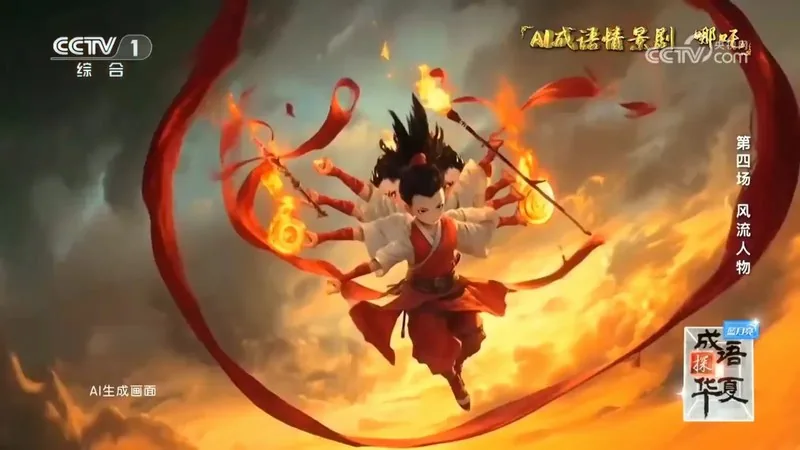
  • Led teams on CCTV "Idioms of China", Kuaishou and other projects

Your instructor is a career changer too: trained as an art student, spent years in UI design (design lead of the open-source component library Element Plus), moved into AI model training in 2023 and AI video in 2024, and now leads an AI video team making films for CCTV and major brands. He has just walked the road you are about to take.

Extensive hands-on experience mentoring AI newcomers:all 10 full-time staff at the studio were trained by him personally, starting as interns or career changers.

Honors & CertificationsSee the "Awards & Honors" section for original certificate and award images.

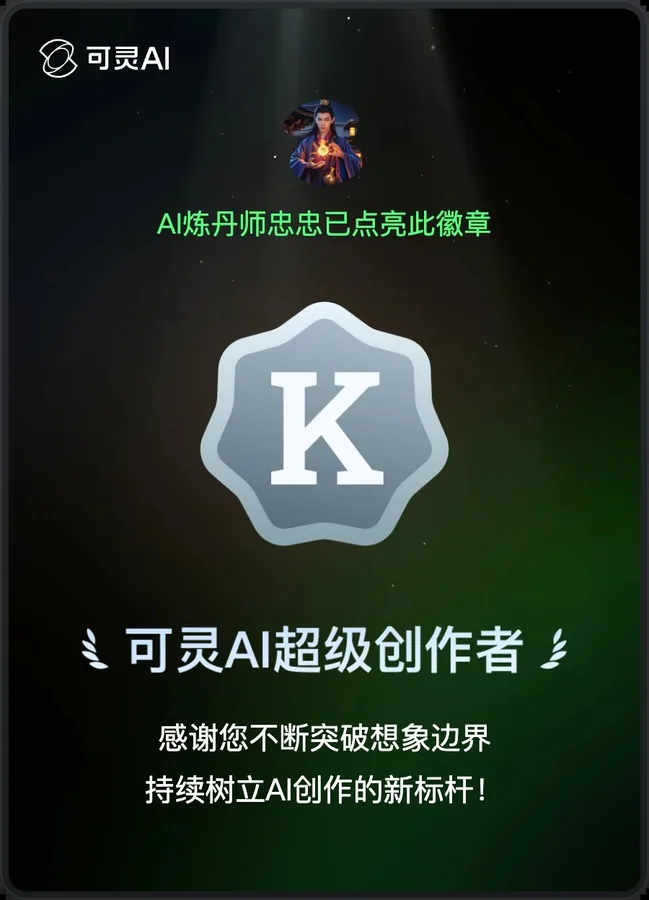
Kling AI official "Super Creator" honor poster
  • Kling AI Super CreatorOfficially certified by Kling AI; only about a hundred selected from millions of users
  • LiblibAI Design Model Author No. 12023 annual ranking; No. 6 on the overall model author list, with works used 1.58 million times
  • Grand Prize, AI-Created MV ContestGlobal Digital Economy Conference "Digital Beijing Welcomes You", played at the opening ceremony
  • Xinpianchang AIGCer Ranking No. 13Top Creator, Q2 2026
  • AIGC creator partner of CCTV.com and CCTV VideoTook part in AI video creation for programs such as "Idioms of China"
  • AI Mentor, China National Arts FundGuest Corporate Mentor at Guangzhou Academy of Fine Arts and Sichuan Fine Arts Institute
  • Longgang District Outstanding AI EntrepreneurCompany based in Shenzhen Longgang Galaxy Moli Valley
  • Alibaba Design Guest AI CreatorGuest Speaker, Alibaba AIGC Council
  • Researcher, Xiamen Generative AI Research InstituteAppointment valid through December 2029
  • Industry Mentor, Xi'an University of TechnologyDesign undergraduate and master's programs, 2024-2027

Training & Speaking ExperienceVisiting companies, universities and industry conferences to bring frontline creative experience into the classroom.

trainings and talks
30
university lectures
10
industry conference talks
11
corporate trainings and community courses
9
TencentHuaweiAlibabaChina Railway GroupPing AnCanvaJuewei FoodsMicrosoft ReactorPixsoComfyUI CommunityVACAT AwardsGuangzhou Academy of Fine ArtsSichuan Fine Arts InstituteShanghai Institute of Visual ArtShenzhen Technology UniversityShenzhen UniversityJinan UniversityChina University of GeosciencesNanchang UniversityMinjiang UniversityHigh School Affiliated to Renmin University of China
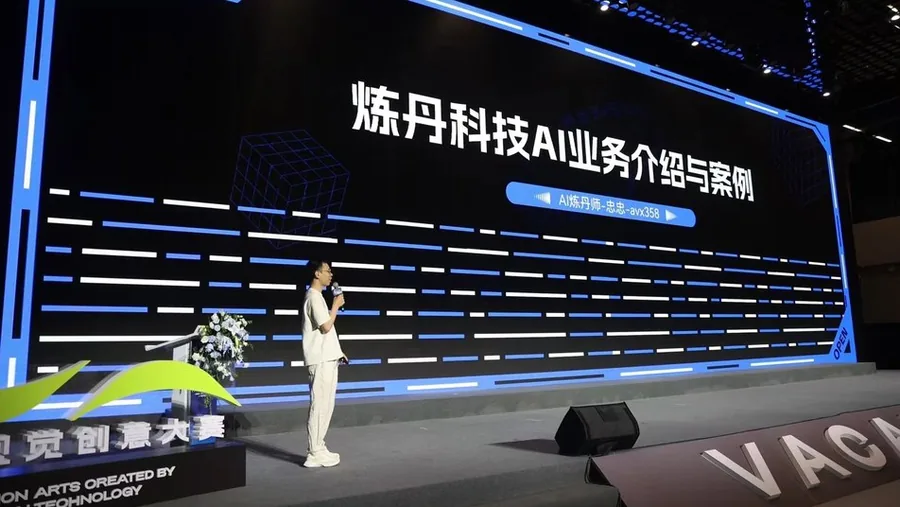
Global AI Visual Competition (VACAT Awards) · Model Main Stage · 2024.10.20
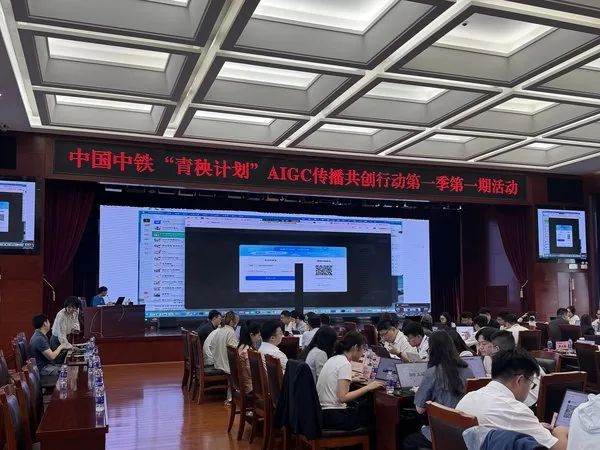
China Railway Group Qingyang Program · two sessions, about 100 people each
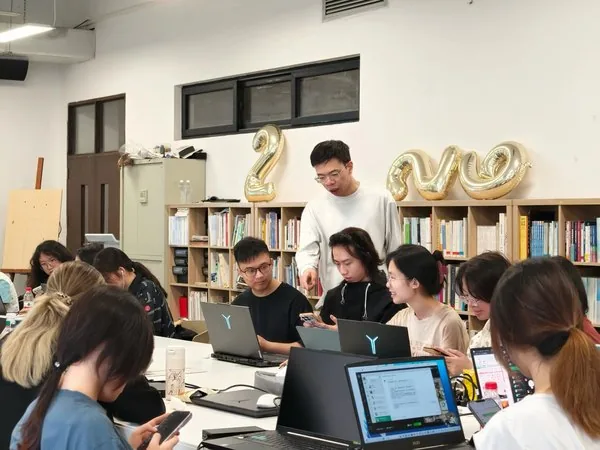
Guangzhou Academy of Fine Arts · Digital Matte Painting course
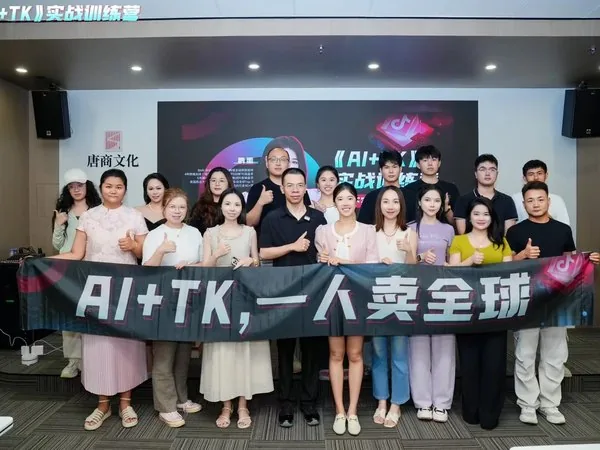
“AI+TK” Cross-Border E-Commerce Bootcamp
VACAT Awards · Model Breakout Session host
Huawei UXTC · SDXL model training talk
“New-Era Alchemy” Design Workflow Conference
Ping An Property & Casualty Insurance · in-house training
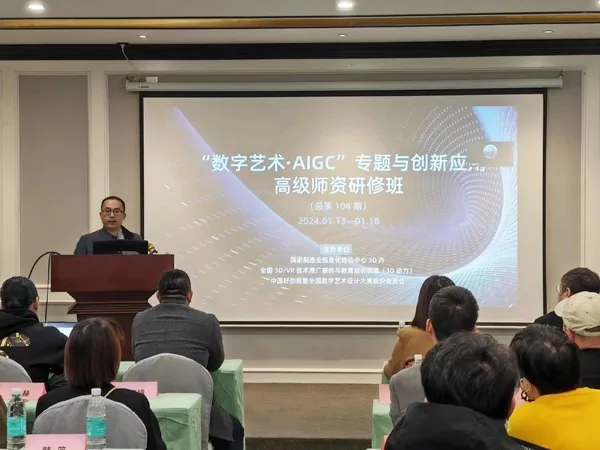
Advanced Faculty Workshop · Stable Diffusion module
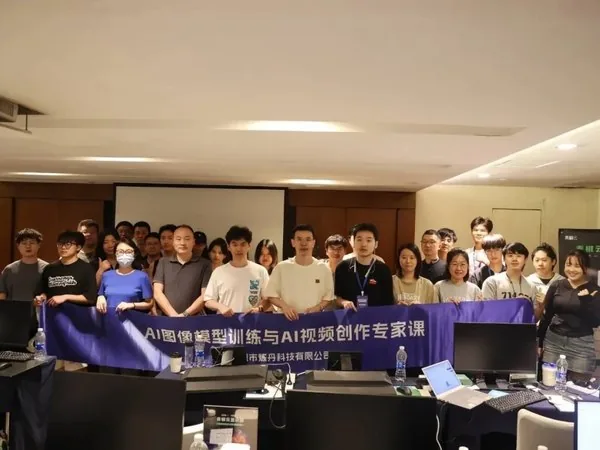
Shenzhen expert course in AI image model training & video creation
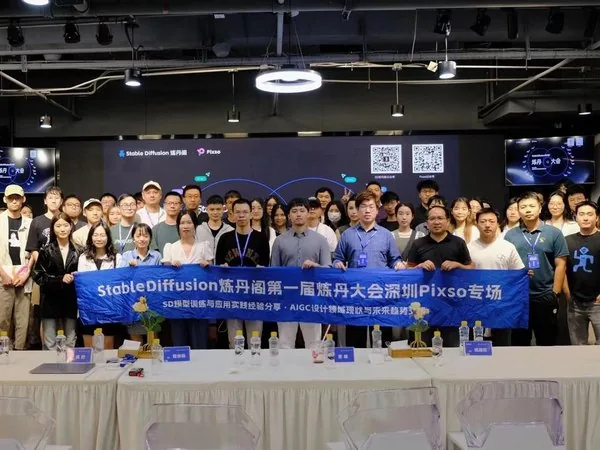
Alchemy Conference · Pixso Session
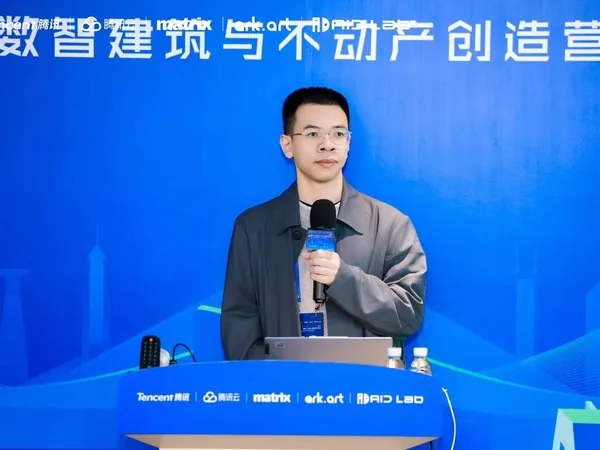
Tencent Cloud “Digital Intelligence in Architecture & Real Estate” Camp
2023 PART II Paoshe Design Meetup, Nanjing

All 30 sessions

  1. 2025.12.03Academic Teaching
    AI Video Workshop at Sichuan Fine Arts Institute

    Ran an AI video workshop at Sichuan Fine Arts Institute, exploring AI video creation with faculty and students.

  2. 2025.11.23Academic Teaching
    AI Video Lectures at the School of Creative Design, Shenzhen Technology University

    Gave a two-day AI video lecture series at the School of Creative Design, Shenzhen Technology University, exploring AI video creation with faculty and students.

  3. 2025.08.02Corporate Training
    AI Training for the “AI+TK” Cross-Border E-Commerce Bootcamp

    Showed participants of the “AI+TK” Cross-Border E-Commerce Bootcamp how AIGC applies to cross-border e-commerce: turning a single product image into a full set of marketing assets with AI tools such as Lib Xingliu, Kling and Hailuo.

  4. 2024.12.26Academic Teaching
    AIGC Session at the High School Affiliated to Renmin University of China

    Invited by the High School Affiliated to Renmin University of China to talk with students about how AIGC is reshaping art.

  5. 2024.12.25Conference Talks
    “Digital Intelligence in Architecture & Real Estate” Camp

    At Tencent Cloud's “Digital Intelligence in Architecture & Real Estate” Camp, shared how open-source communities help the AI ecosystem grow and introduced the ComfyUI Community Summit (CCS) community.

  6. 2024.10.20Conference Talks
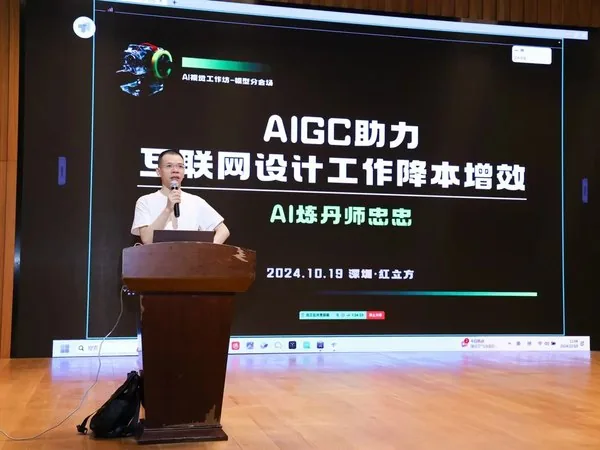
    Global AI Visual Competition (VACAT Awards) · Model Main Stage

    Liandan AI Studio took the Model Main Stage at the Global AI Visual Competition (VACAT Awards) to connect with guests and creators.

  7. 2024.10.19Conference Talks
    Global AI Visual Competition (VACAT Awards) · Model Breakout Session

    Led the Model Breakout Session at the Global AI Visual Competition (VACAT Awards), discussing AI model training with guests and model trainers. The event was an upgraded edition of the SD3 Alchemy Conference.

  8. 2024.08.31Academic Teaching
    AI Model Training & Generation Workshop at Minjiang University

    Returned to his alma mater, Minjiang University, to teach AI model training and generation.

  9. 2024.08.14Community Events
    Expert Course in AI Image Model Training & AI Video Creation

    Final session of the Expert Course in AI Image Model Training & AI Video Creation.

  10. 2024.08.12Community Events
    Expert Course in AI Image Model Training & AI Video Creation, Shenzhen Cohort 1

    Co-taught the in-person Expert Course in AI Image Model Training & AI Video Creation with Qinglong Shengzhe, Baima Shaonian, tangbohu and others. Topics covered applying and training models such as Stable Diffusion, Kolors, Tencent Hunyuan and Flux, along with AI video tools and techniques.

  11. 2024.06.02Conference Talks
    Model Training Talk at the ComfyUI Global Leadership Summit

    Shared model training experience at the ComfyUI Global Leadership Summit.

  12. 2024.05.20Academic Teaching
    AI Micro-Major at Shanghai Institute of Visual Arts

    Guided students in the AI micro-major at Shanghai Institute of Visual Arts through training SDXL checkpoint models.

  13. 2024.05.15Corporate Training
    Juewei Food & AIGC Industry Innovation Base

    An AI learning exchange with Juewei Food and the AIGC Industry Innovation Base.

  14. 2024.04.14Academic Teaching
    Stable Diffusion Training at Shenzhen Technology University

    Stable Diffusion (SD) training for faculty and students at Shenzhen Technology University.

  15. 2024.02.21Conference Talks
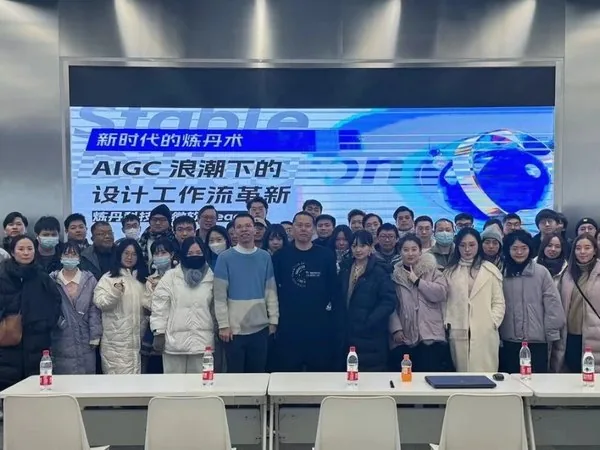
    “New-Era Alchemy: Reinventing Design Workflows in the AIGC Wave” Conference

    Highlights from the “New-Era Alchemy: Reinventing Design Workflows in the AIGC Wave” Conference, featuring talks by Maiju, Haixin, Yin Jun and other guests.

  16. 2024.01.26Corporate Training
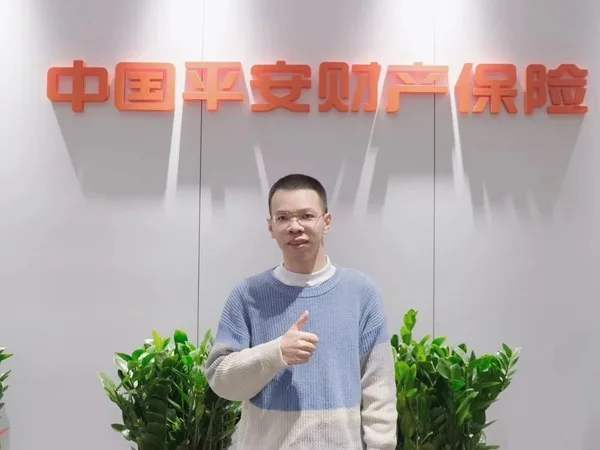
    In-House Training for Ping An Property & Casualty Insurance

    In-house training for Ping An Property & Casualty Insurance staff.

  17. 2024.01.20Academic Teaching
    Stable Diffusion Module, Advanced Faculty Workshop on “Digital Art · AIGC” and Innovative Applications

    Invited by the 3D Office of the National Manufacturing Informatization Training Center to teach the Stable Diffusion module of the Advanced Faculty Workshop on “Digital Art · AIGC” and Innovative Applications, exchanging ideas with faculty from Luxun Academy of Fine Arts, University of Science and Technology Beijing and other universities.

  18. 2023.12.27Conference Talks
    Knowledge-Sharing Session at Canva

    Invited by Canva for a knowledge-sharing session.

  19. 2023.12.24Conference Talks
    Conference on Reinventing Design Workflows in the AIGC Wave

    Liandan AI Studio and Microsoft Reactor co-hosted the “New-Era Alchemy: Reinventing Design Workflows in the AIGC Wave” conference, with the venue provided by Yunsai Space. Several guest speakers shared their experience with fellow designers.

  20. 2023.12.03Academic Teaching
    Guest Lecture at China University of Geosciences

    A guest teaching session at China University of Geosciences.

  21. 2023.11.29Academic Teaching
    Talk at the School of Arts, Nanchang University

    Invited by the School of Arts, Nanchang University, to discuss applying and training Stable Diffusion models with students.

  22. 2023.11.17Conference Talks
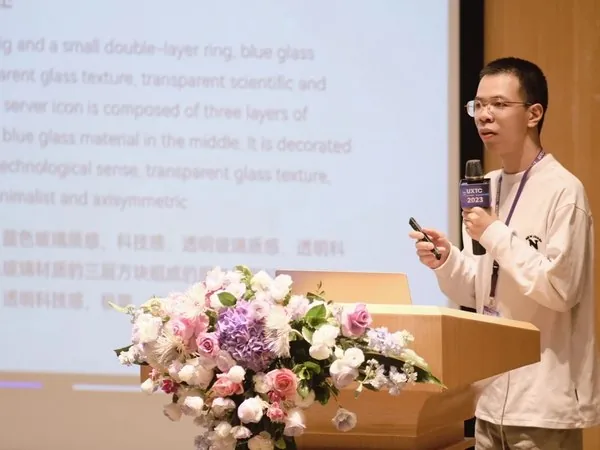
    Huawei UXTC Talk: “SDXL Model Training and Commercial Use Cases”

    Invited by Huawei UXTC to present “SDXL Model Training and Commercial Use Cases” and discuss model training and applied practice with attendees.

  23. 2023.11.08Community Events
    2023 PART II Paoshe Design Meetup

    Invited by the Paoshe organizing committee to join the 2023 PART II Paoshe Design Meetup in Nanjing, sharing AIGC and design practice.

  24. 2023.10.15Community Events
    Alchemy Conference · Pixso Session

    Pixso and the Stable Diffusion Alchemy Pavilion community co-hosted the Alchemy Conference Pixso Session, bringing together AIGC creators, model training experts and AI video creators to share SD model training, applied practice and emerging AI trends across fields.

  25. 2023.08.14Community Events
    Shenzhen Internet Design Circle AIGC Meetup

    Joined the Shenzhen Internet Design Circle AIGC Meetup, sharing AIGC practice with design speakers and attendees.

  26. 2023.01.07Conference Talks
    Huawei UXTC User Experience Design Technology Conference

    Invited by Huawei to attend the UXTC Huawei User Experience Design Technology Conference and exchange ideas with design leaders.

  27. 2022Conference Talks
    2022 Tencent Design Ecosystem Day

    In 2022, as Element Plus design lead, he was invited to Tencent Design Ecosystem Day to give the talk “Element Plus Design System Upgrade,” covering the design system, theme customization, dark mode and updated design resources.

  28. OngoingCorporate Training
    China Railway Group Qingyang Program Training

    On-site “Qingyang Program” training for China Railway Group key staff: two sessions of about 100 people each.

  29. OngoingAcademic Teaching
    Digital Matte Painting Lecturer, Guangzhou Academy of Fine Arts

    Lecturer for the Digital Matte Painting program at the Guangzhou Academy of Fine Arts.

  30. OngoingConference Talks
    Tencent Keyouhui AI Super Player Meetup

    Joined the Tencent Keyouhui AI Super Player Meetup to share AI creation experience.

Press

07OutcomesWHAT YOU GET

What will you get from the course?

Not just a few tools, but a complete filmmaking method that lets you take orders and deliver.

  1. 01

    A clear audiovisual language

    Use professional terms like shot size, lighting and camera movement to communicate precisely with clients and AI.

  2. 02

    Complete a commercial film on your own

    From script, art direction, generation, editing and sound through delivery, you can run the whole pipeline yourself.

  3. 03

    Libraries + project breakdowns

    Look things up whenever you're stuck, and compare your film against real projects to find the gaps.

  4. 04

    Methods for landing clients and growing

    Pricing and risk control, copyright and delivery, personal brand and acquisition channels, saving you years of detours.

  5. 05In-House Tools

    Exclusive In-House Tools: Create with Ease, Deliver with Polish

    Liandan AI Studio's in-house tools — the AI video QC tool, AI editing tool and video comparison tool — come with the course: automatically catch mistakes and flaws before delivery, change one spot and sync the whole film, and compare versions side by side to pick the best.

    AI video QC toolAI editing toolVideo comparison toolMore in-house tools on the way
08FAQFAQ

FAQ

The questions people ask most before enrolling.

I haven't studied design or film. Can I still learn this?

Yes. The course doesn't require any background in design, photography or editing. It starts from the tools and workflow, and every audiovisual language lesson comes with film examples and 3D demos, so you understand first and then get hands-on.

What computer and software do I need?

Any computer that runs the internet smoothly will do, Mac or Windows. Images and videos are mainly generated on online platforms such as Kling AI and Jimeng, so no high-end graphics card is needed.

Can I take on commercial orders after finishing?

Modules 7 and 8 focus on project delivery, copyright, pricing and risk control, and acquisition channels, with selected real projects broken down. It teaches what our instructor team uses to land orders every day.

AI tools update so fast. Will the course go out of date?

The course is a yearly subscription updated all 365 days: recorded lessons and the knowledge libraries are updated every week on a flexible schedule, valid for 1 year after purchase. Image, video and audio models each have a comparison track that is retested with new models every 3 months; mainstream AI software comes with self-study lessons for the latest versions, and all 8 knowledge libraries keep adding new cases.

How do I enroll or ask questions?

Add us on WeChat (avx358), tell us your background and what you want to make, and we'll share the start date, class format and how to enroll.

Before You Buy

After purchase: 1 year of access, 365 days of ongoing course updates

Content follows new models and tools, so you always stay at the front of AI.

Format: mainly recorded video lessons and knowledge bases, updated every week at no fixed time; other content is added based on learners' needs.

How to watch: recorded lessons are on Feishu. Part of the content is already online, and the rest is being added.

Access after purchase
1 year
flexible updates to lessons and libraries
Weekly
New models and tools keep joining the course
Cutting edge

One day in AI, a year in the world

In this fast-changing AI era,
we'd like you to walk the road with us

Scan to join the course inquiry group for start dates and enrollment details, or add the instructor directly on WeChat (avx358) to talk about your situation and goals.

See all contact options
QR code for the Liandan AI Studio course inquiry group
Course inquiry group
WeChat QR code of instructor Huang Zhongzhong
Instructor's WeChat

Course page v1.18 · Updated 2026-10-28

Build Your Next Creative Milestone with Liandan AI Studio

Ideal for brand launches · public-sector communications · cultural-tourism campaigns · IP transformation · event openers · earnings visualization · social campaigns · AI workflow development

Company Information
Chinese Name
Shenzhen Alchemy Technology Co., Ltd.
English Name
Shenzhen Alchemy Technology Co., Ltd.
Address
Room 201-5, Level 2, Tower F, Galaxy WORLD
No. 1 Yabao Road, Bantian, Longgang District, Shenzhen
Send a Project Brief

Add on WeChat

Scan with WeChat to connect, or long-press the QR code inside WeChat

Liandan AI Studio WeChat QR code
WeChat ID:avx358