The film first shows OHMAI's hardware clearly, then explains its concept as a personal life agent through work, travel and bedtime stories.
Project Type
Brand & Product
Client
OHMAI (UK AI hardware brand)
Year
2026
Our role
Storyboard, AI visuals & video, narration & music
Original format
3840 × 2160 · 01:25
Preview
Click an image to view it full size
OHMAI: UK AI Smart HardwareFilm keyframe · click to enlarge ↗Film01:25 · Film
01 / Background
Fitting AI Hardware Into the Rhythm of Daily Life
OHMAI's film had to introduce a piece of AI hardware and also a product concept, the “personal life agent”: viewers needed to understand the screen, the base and how they connect, and also when the device actually comes in handy. So the film introduces the product first, then lets it follow a person to work, on the road and back home.
The film needed an elegant, stylish tech feel, with its content built around three situations: multitasking at work, coordination between agents, and a bedtime story. It opens with a clean, restrained black-and-white product showcase, uses task interfaces for the work scenes, and ends with a warmly lit home and a fairy-tale starry sky. That way, “personal life agent” isn't just a slogan; viewers can see exactly what it helps people do.
02 / Creative Highlights
Letting the Device's Design Thread Through the Story
01
First, Use Light to Show the Device Clearly
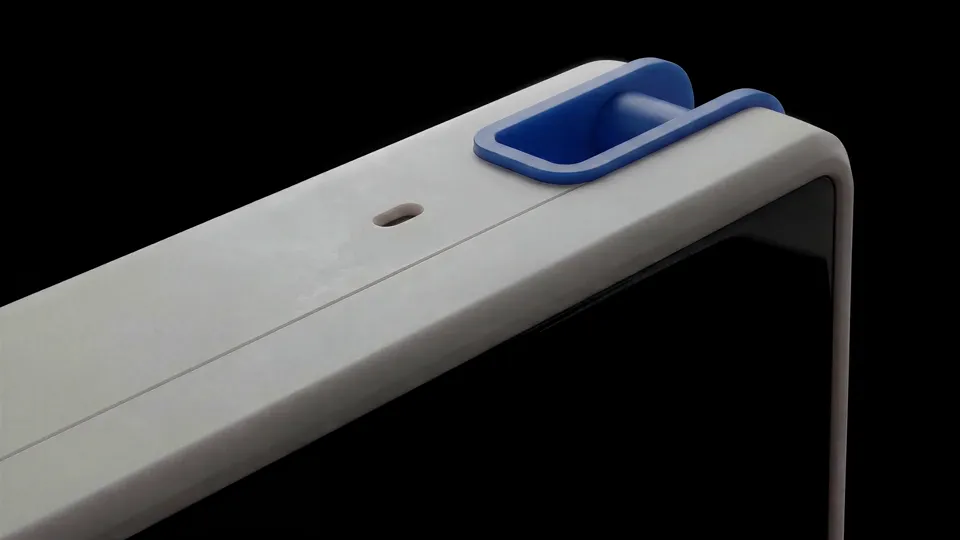
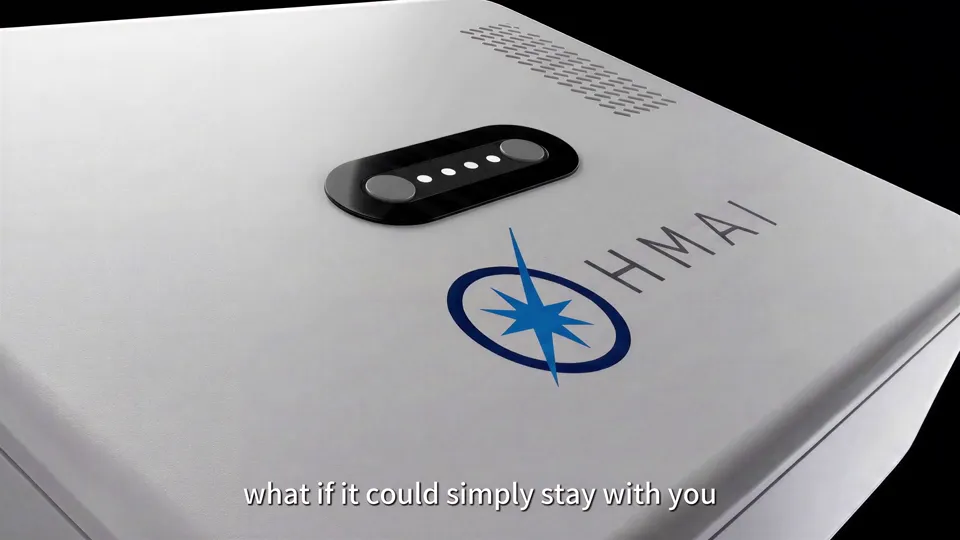
The opening shows the rounded corners, the blue connector, the logo on the back and the grille in turn. Close-ups and light grazing the surface bring out the texture of the small device; once it turns to the smiling face on the front, the product changes from a precision object into a character that responds to people. The cut from black to white also leaves clean space for the model graphics that follow.
02
One Module Across Many Scenes
The desk base, the back of the phone and the car all use the same expressive screen. Taking it off, attaching it and setting it down carry the film from scene to scene, with no need to reintroduce the device each time: by following this one screen, viewers understand it's a life agent that goes wherever you go.
03
Task Bubbles Bring Background Work to the Foreground
While the person is still working at the desk, task bubbles for email, home settings and car charging pop up around the device; then a meeting coordination screen appears on the phone. The person is busy with their own work while the device handles other things beside them, and the contrast makes the idea clear: “you do one thing, the device handles the rest.”
04
Entering the Bedtime Story Through a Child's Eyes
The bedtime story first shows the parents and child together, then a starry sky appears in the child's eyes, leading into the imaginary world of the space rabbit. This transition turns the story the device creates into an adventure the child lives first-hand, before returning to the bedside and the device's smiling face, closing on companionship rather than a list of features.
03 / Scene Breakdown
From Product Close-Ups to Bedside Company
Film · 00:00–00:12
Product Close-Ups in Darkness
On a black background, light sweeps across the blue clip, the rounded edges, the logo on the back and the speaker grille in turn; finally a smiling face lights up on the screen, and OHMAI greets the audience in the first person.
Clip · 00:00–00:04
Blue Clip and Rounded Corners
An extreme close-up starts on the blue clip at the top of the device, with the edges of the cream-white shell traced by light against the black background.
Clip · 00:04–00:09
Logo and Grille on the Back
The camera moves to the back, first showing the camera strip and the OHMAI logo, then moving in on the fine speaker holes.
Clip · 00:09–00:12
The Smile Lights Up
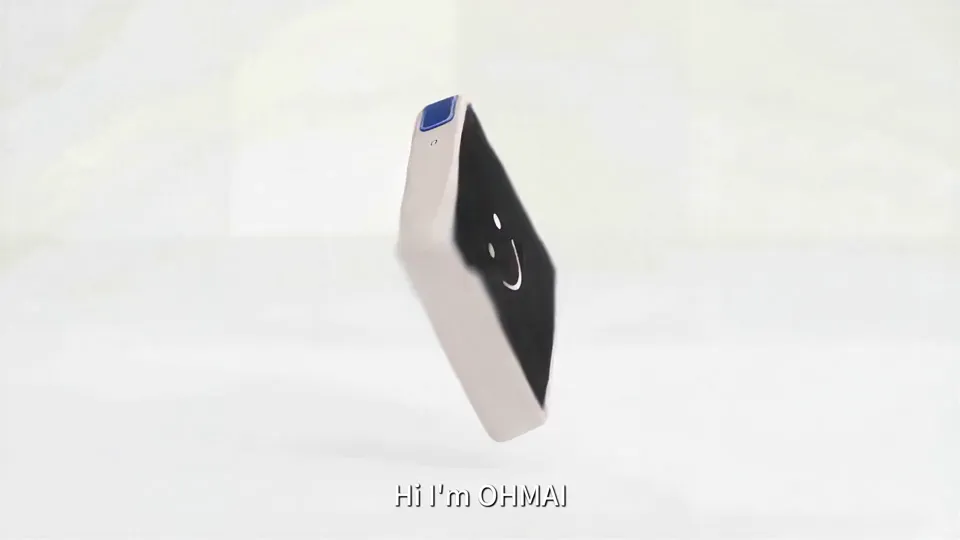
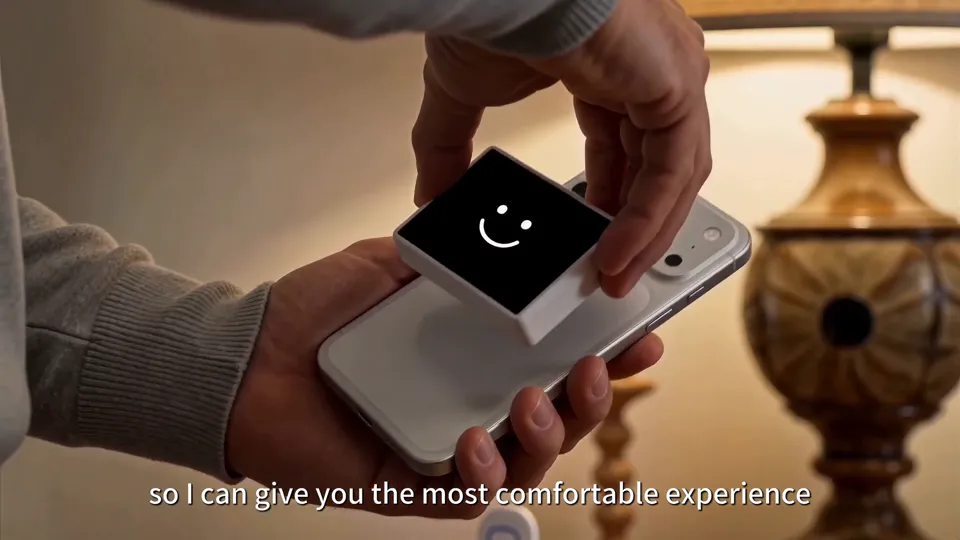
The frame turns white, with two devices in shot, one facing front and one facing back, and the smile on the screen matches the line “Hi, I'm OHMAI.”
Film · 00:12–00:23
One Account, Many Models
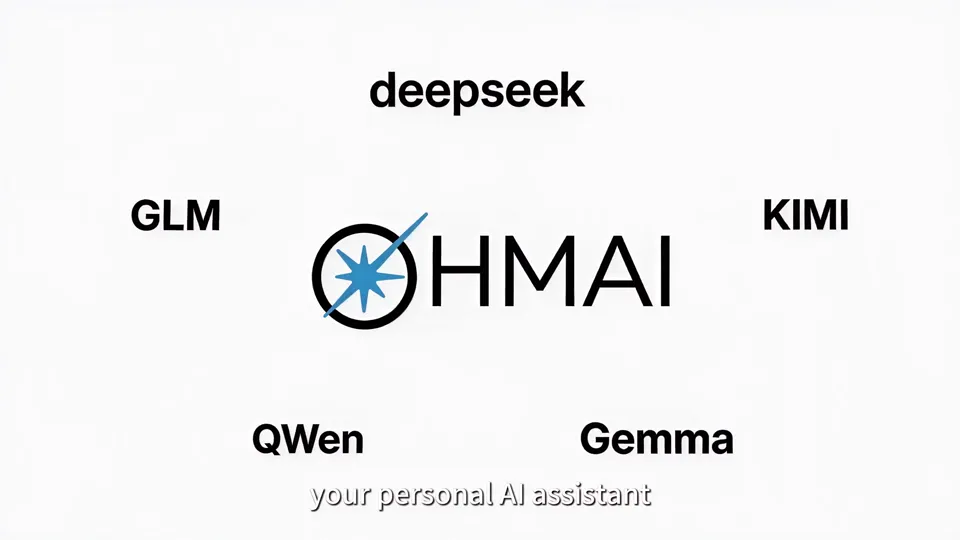
White-background graphics present the first selling point: one login and one monthly fee give you access to multiple large models, and OHMAI automatically picks the best one.
Clip · 00:12–00:16
Model Names Around the Logo
The names of several models are arranged around the OHMAI logo, followed by a diagram of two-way connections between it and the models.
Clip · 00:16–00:18
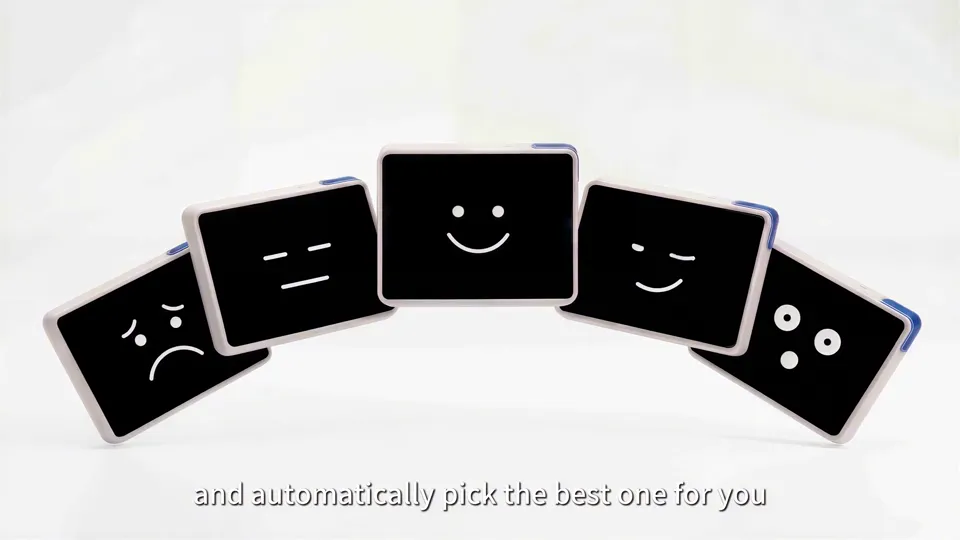
Five Screens, Five Expressions
One screen fans out into five, each showing a different expression, matching the voiceover line about choosing the model for you automatically.
Clip · 00:18–00:23
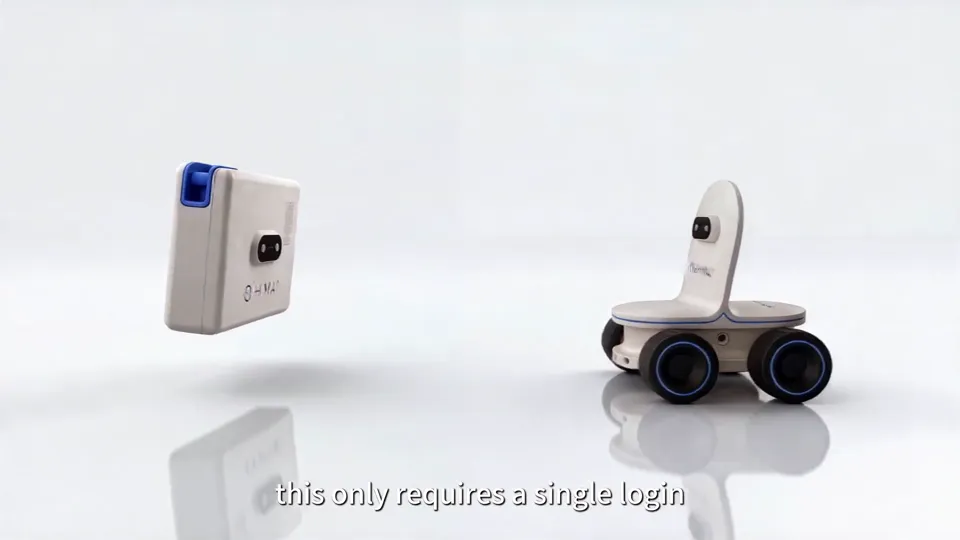
Screen Module and Wheeled Base
The screen module and the wheeled base first hang apart against the white background, then the sequence ends on a close-up of the backs of two devices.
Film · 00:23–00:35
You Work at the Desk, It Handles Things Beside You
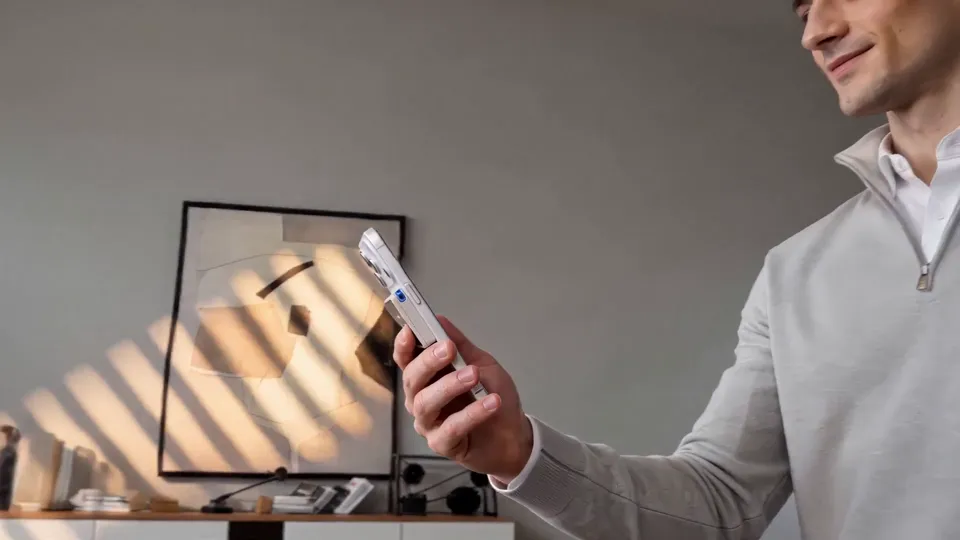
A designer draws at the desk while OHMAI handles email, dinner booking, home settings and car charging at the same time; once the work is done, he takes the screen off and attaches it to the back of his phone to take it with him.
Clip · 00:23–00:27
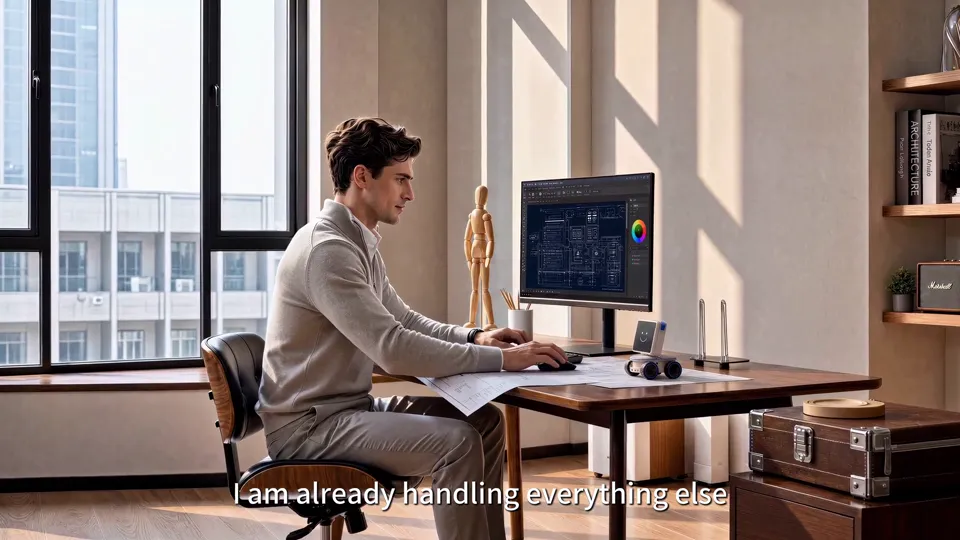
Task Bubbles Pop Up One by One
A low-angle shot first shows the person working, then task bubbles such as “Drafting Email” and “Booking Dinner” float up around the base and switch to done one by one.
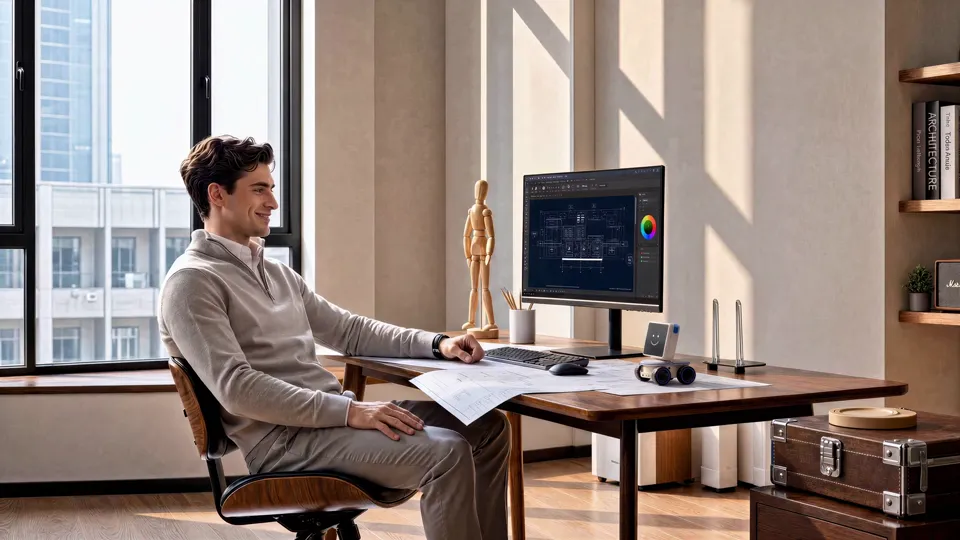
Clip · 00:27–00:32
The Same Screen Moves to the Phone
He leans back and says “Nice work,” takes the screen off the base and attaches it to the back of his phone, where it shows “Switched.”
Clip · 00:32–00:35
One Sentence to Hand Off a Meeting
A voice interface on the phone screen: he says “Handle the meeting with Jake's team” and leaves the rest to the device.
Film · 00:35–00:51
Agent to Agent, Then the Drive Home
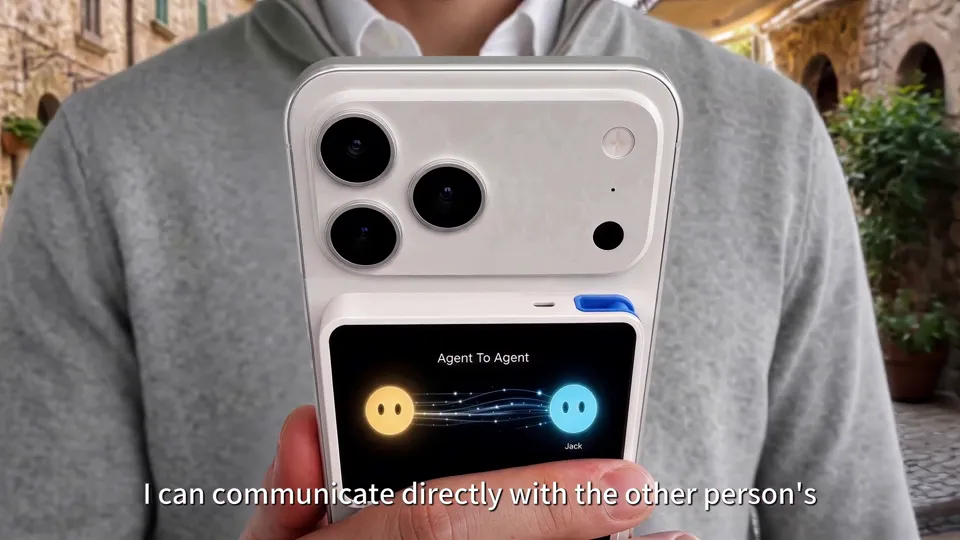
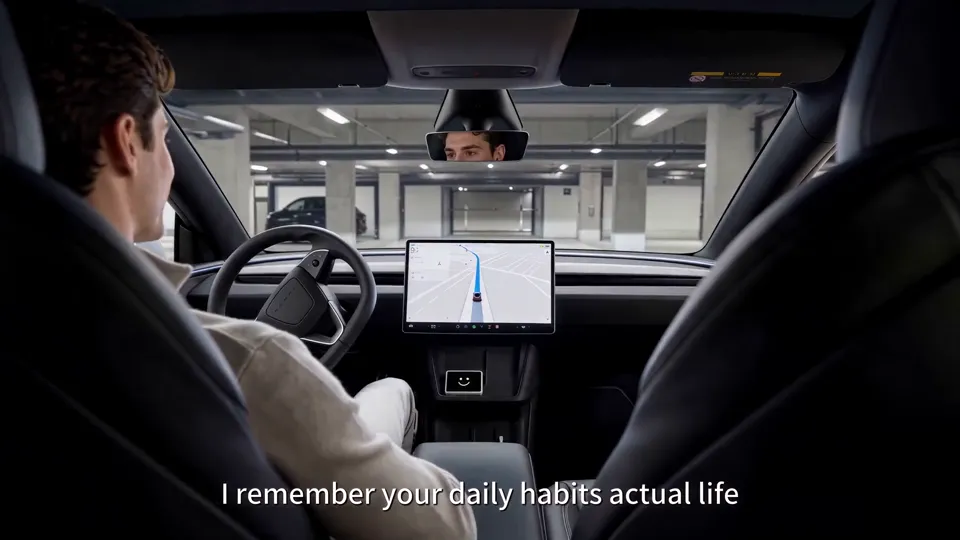
On the screen on the back of the phone, two agent avatars pass information back and forth and the meeting is quickly arranged; he gets into the car, places the module on the center console and says, “Take me home.”
Clip · 00:35–00:41
Two Devices Negotiate for Two People
The screen shows “Agent To Agent,” with dots of light traveling between a yellow and a blue avatar, followed by a notice that the meeting has been handed off.
Clip · 00:41–00:46
Getting Ready to Drive
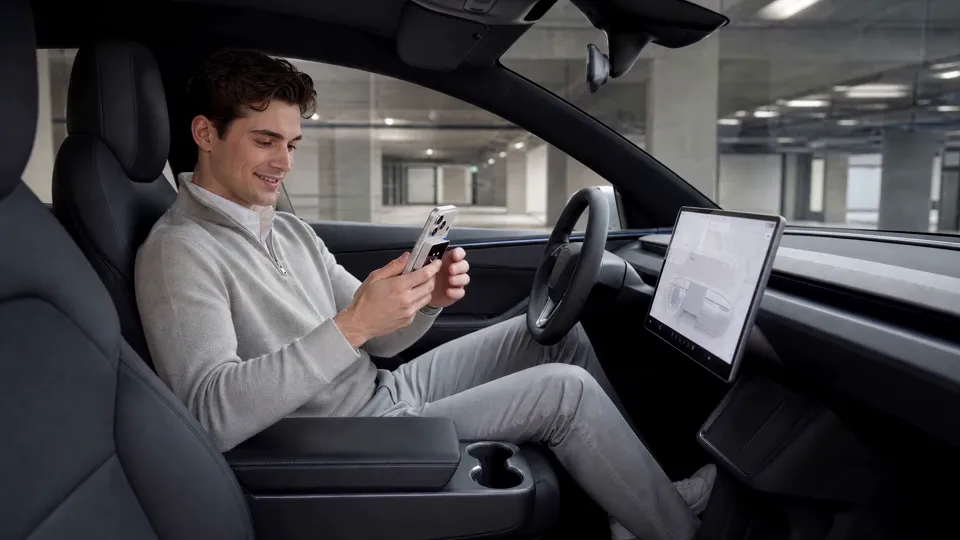
He checks his phone in the driver's seat; in the next shot the module is already clipped to the center console, with “Ready to go” on the screen.
Clip · 00:46–00:51
The Lights at Home Come On First
In the evening, the living room lights come on one after another, then he opens the door and walks in; getting home was arranged in advance.
Film · 00:51–01:21
Home Again, Time for a Bedtime Story
The module goes back onto the wheeled base by the bed, and the screen shows “Welcome home.” At night, the parents sit with their child and ask OHMAI to make up a story about a space rabbit, and the camera moves through the child's eye into a starry sky.
Clip · 00:51–00:57
Welcome home
A hand puts the module back on the base, the screen lights up with “Welcome home,” and he smiles and says, “Thanks, buddy.”
Clip · 00:59–01:06
The Family Asks for a Story Together
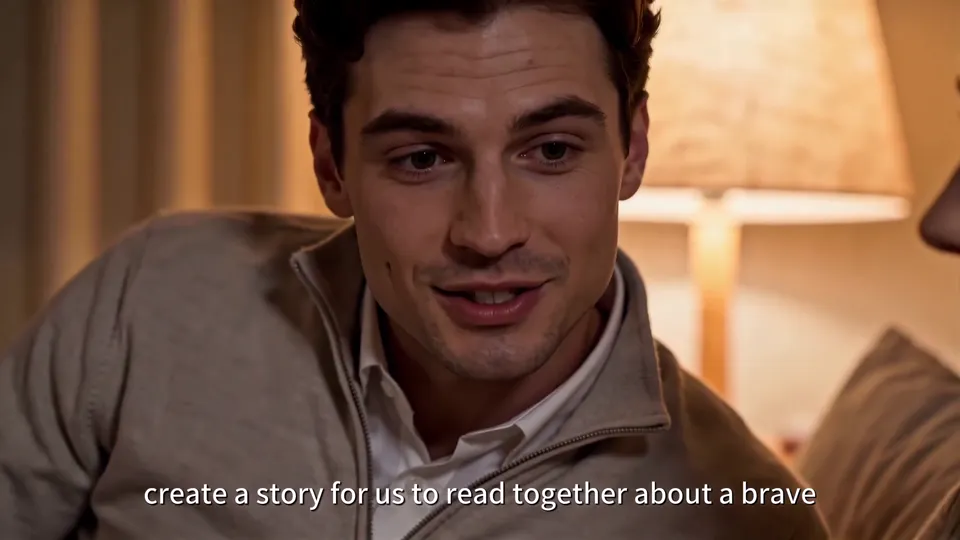
The parents lean against the bed; the father says, “create a story for us to read together about a brave space rabbit,” while the mother smiles beside him.
Clip · 01:06–01:13
Into Space Through a Child's Eye
OHMAI's eyes turn into a star and a moon, the camera moves in on the child's eye, and the next second the child is standing on a planet with a rabbit in a spacesuit.
Clip · 01:13–01:21
The Child Falls Asleep, and It Blinks
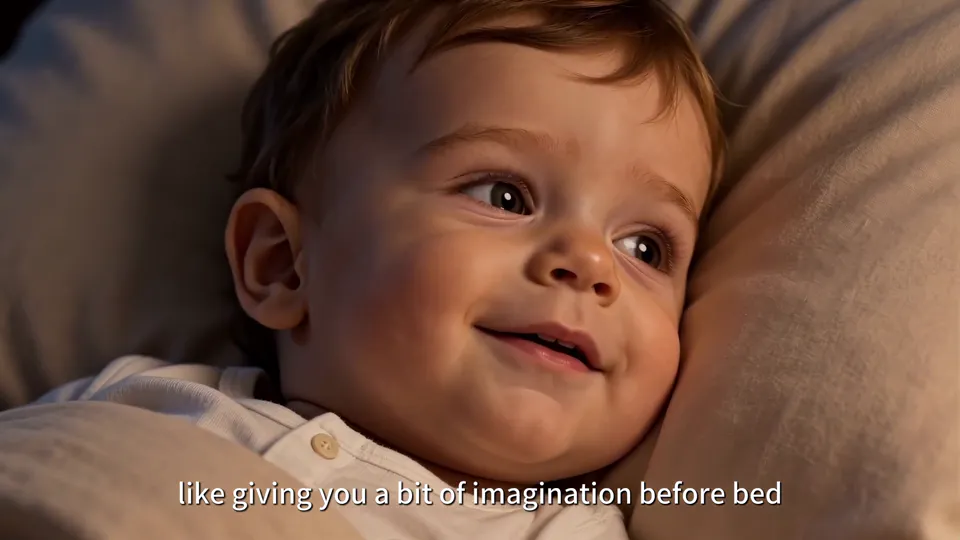
The child falls asleep beside the parents, and OHMAI on the bedside table switches from star-and-moon eyes back to its smile, ending with a blink.
04 / Storyboards & Final Frames
Every shot, from script to final frame.
Shown in the order they appear in the film, with shot numbers taken from the storyboard script in the production documents: each shot starts with what it shows, followed by the final frame used in the film.
01
Product Close-Ups in Darkness
In the film · 00:00–00:12
Shot 1.1
Blue Clip on Top
Pure black background, extreme close-up. Light moves slowly along the edge of the screen module, first revealing the blue clip on top.
Blue Clip on Top · Final 1
Shot 1.2
Rounded Edges
Light sweeps across the rounded corners of the screen module from behind and to the side, leaving a highlight along the curve.
Rounded Edges · Final 1
Shot 1.3
Logo and Camera Strip on the Back
Side backlight on the back of the device, clearly showing the OHMAI logo, the camera strip and the texture of the vents.
Logo and Camera Strip on the Back · Final 1Logo and Camera Strip on the Back · Final 2
Shot 1.4
The Screen Lights Up With a Smile
The camera circles to the front, a smile appears on the black screen, and the frame turns from black to white.
The Screen Lights Up With a Smile · Final 1
02
One Account, Many Models
In the film · 00:10–00:24
Shot 2.1
Front and Back, Then Five Screens
Two devices, one front and one back, are placed diagonally on the white background; then one screen splits into five, each showing a different expression.
Front and Back, Then Five Screens · Final 1Front and Back, Then Five Screens · Final 2
Shot 2.2
Screen Module and Wheeled Base
The screen module floats against the white background next to the wheeled base, followed by a close-up of the backs of two devices.
Screen Module and Wheeled Base · Final 1Screen Module and Wheeled Base · Final 2
03
You Work at the Desk, It Handles Things Beside You
In the film · 00:24–00:36
Shot 3.1
OHMAI on the Desk
Low angle, with the base on the desk in the foreground and a designer drawing behind it. The device watches the person work.
OHMAI on the Desk · Final 1
Shot 3.2
Leaning Back After Work
After the meeting, he leans back in his chair, glances at the device and says “Nice work.”
Leaning Back After Work · Final 1
Shot 3.3
Taking Off the Screen
A hand takes the screen module off the base and attaches it to the back of the phone, leaving the base on the desk.
Taking Off the Screen · Final 1Taking Off the Screen · Final 2
Shot 3.4
Attaching It to the Phone
The module snaps onto the back of the phone, and the screen shows “Switched”: connected.
Attaching It to the Phone · Final 1
Shot 3.5
One Sentence to Hand Off a Meeting
He walks and talks with the phone in hand, which shows a voice interface reading “Handle the meeting with Jake's team.”
One Sentence to Hand Off a Meeting · Final 1One Sentence to Hand Off a Meeting · Final 2
04
Agent to Agent, Then the Drive Home
In the film · 00:36–00:57
Shot 4.1
Agent To Agent
The screen on the back of the phone shows two agent avatars with dots of light passing between them; the background shifts from outdoors to inside the car.
Agent To Agent · Final 1Agent To Agent · Final 2
Shot 4.2
Ready to Go in the Car
He sits in the driver's seat looking at his phone and places the module on the center console; the screen shows “Ready to go.”
Ready to Go in the Car · Final 1Ready to Go in the Car · Final 2
Shot 4.3
Lights On at Home
A living room at night, with the floor lamp and TV already switched on, waiting for him to come home.
Lights On at Home · Final 1
Shot 4.4
Welcome home
After he comes in, the module goes back onto the wheeled base on the bedside table, and the screen shows “Welcome home.”
Welcome home · Final 1Welcome home · Final 2
05
Bedtime Story
In the film · 01:05–01:21
Shot 5.1
Star and Moon Eyes
On a small table in the child's room, OHMAI receives the request for a story, and its eyes change from a smile to a star and a moon.
Star and Moon Eyes · Final 1Star and Moon Eyes · Final 2
Shot 5.2
One Last Blink
After the child falls asleep, OHMAI switches back to its smile, blinks once, and the frame fades to black.
One Last Blink · Final 1
05 / Script Excerpts
Beyond the picture.
Character
Take me home.Script
Father
OHMAI, create a story for us to read together about a brave space rabbit!Script
06 / Results
A 1 min 26 s English Product Film
We completed a 1 min 26 s landscape English product film, delivered in 4K 50fps. The film strings the hardware design, desk work, agent coordination on the phone, the car and the bedtime story into one complete storyline, with OHMAI introducing itself in the first person throughout the voiceover.
Case Study
Liandan AI Studio × OHMAI | Letting a Little AI Robot Introduce Itself
A palm-sized expressive screen that sits on a little desk base, attaches to the back of a phone, and clips into a car.
UK AI hardware brand OHMAI came to us for an English product film: it had to show clearly what this new hardware looks like, and also make clear what it does for you in everyday life.
The final film runs 1 min 26 s. We had OHMAI introduce itself in the first person as it follows one person from the desk to the car and back home, ending at a child's bedside telling a bedtime story.
Client
OHMAI (UK AI smart hardware brand)
Project Type
AI Product Film (English)
Timeline
June 2026, under two weeks from brief to 4K delivery
Runtime & Specs
1 min 26 s, 16:9 landscape, delivered in 4K 50fps
Content
Product close-ups, multi-model selling point, desk work, agent coordination, the car, coming home, bedtime story
Produced by
Shenzhen Alchemy Technology Co., Ltd. (Liandan AI Studio)
01
A New Piece of Hardware Has to Be Seen Clearly First
The client was clear about the feel they wanted: like an Apple product film, elegant, stylish and restrained.
Before starting, the team went through years of Apple product films and several ads for desktop robots and smart assistants, and settled on the opening approach: black background, extreme close-ups, and nothing but light to introduce the product.
Light first sweeps over the blue clip on top, then glides across the rounded corners of the screen, then the logo, camera strip and speaker grille on the back. Before viewers know what it is, they've already memorized how it looks. When a smile lights up on the screen, the object becomes a character that says hello.
Opening: just the blue clip and one edge against blackBack: logo, camera strip and vents
Clip · 00:04–00:12
From Back Details to the Smile Lighting Up
After the logo and speaker grille on the back, the frame turns white, the smile lights up, and OHMAI says its first line: “Hi, I'm OHMAI.”
In the everyday scenes, the device also had to match the opening close-ups. The early concept sketch only showed “a little base on the desk”; the final frame drew the blue connector on the back according to the product's actual design, so viewers recognize it at a glance as the same OHMAI from the opening.
Early concept sketch: the base on the desk is only a rough shapeFinal: the blue connector on the back matches the opening close-up
02
How Do You Film “One Account for Every Model”?
OHMAI's first selling point: one login and one monthly fee give you access to multiple large models, and the device automatically picks the best one for you.
That's hard to show in live action. We turned it into a graphic animation on white: the names of several models circle the OHMAI logo, then the film cuts to a diagram of connections running back and forth between it and the models.
Next, one screen fans out into five, each with a different expression, just as the voiceover says it picks the best one for you automatically. An abstract feature becomes an image anyone can understand at a glance.
Two devices on white, one front and one backFive screens, five expressions
03
You Do One Thing, It Does Five
The first everyday scene the client asked for was “morning multitasking”: the person is busy with their own work while the device on the desk handles other things for them.
We set the scene at a designer's desk: drawings spread out, a wooden mannequin standing nearby, everything clean and design-minded rather than a boss's office. As he bends over his drawing, a string of task bubbles pops up around the base on the desk: drafting an email, booking dinner, adjusting the home settings, charging the car, each one switching to “done.”
OHMAI on the desk in the foreground, the person working behind it
When he's finished, he leans back, says “Nice work,” and takes the screen off the base to attach it to the back of his phone. This hand movement does the transition for us: viewers don't need another introduction to see that the same screen can go wherever you go.
Clip · 00:27–00:32
Taking Off the Screen and Attaching It to the Phone
The screen comes off the base and snaps onto the back of the phone, showing “Switched.”
04
Two Devices Set Up a Meeting for Two People
The second scene was the one the client found most novel, “agent to agent”: when two people need to set a meeting time, they don't trade messages back and forth; their two devices talk to each other directly.
On screen, the little display on the back of the phone shows “Agent To Agent,” with dots of light traveling between a yellow and a blue avatar, and a few seconds later a notice says the meeting is set. He keeps walking with the phone, the background shifts from outdoors to the car, and the device keeps working the whole time.
The “Agent To Agent” screen on the back of the phoneClipped into the center console, showing “Ready to go”
In the car, he places the module on the center console and says “Take me home.” In the next shot, the lights at home are already on; he opens the door, puts the module back on the base by the bed, and the screen reads “Welcome home.” From the desk to the phone, the car and the home, viewers follow this one screen the whole way.
05
Bedtime Story: Letting the Child Step Into the Story
The first two scenes were about efficiency, so the client wanted the last one to come back to family and something warmer.
The client wanted this part to be more interactive, so we changed the father's line to “create a story for us to read together about a brave space rabbit”: one sentence says what the story is about and who's listening. Both parents are at the bedside as OHMAI's eyes turn into a star and a moon and it begins the story.
Clip · 01:06–01:13
Into Space Through the Child's Eye
The camera moves in on the child's eye, and the next second the child is standing on a planet with a rabbit in a spacesuit.
The starry sky and the space rabbit aren't shown on a screen for the child to watch; they're an adventure the child walks into, so the story becomes something he lives himself. Finally we return to the bedside: the child has fallen asleep beside his parents, and OHMAI switches back to its smile and blinks.
OHMAI on the small table in the child's roomThe closing blink
06
What this project achieved
More than twenty shots appear in this film, and the product had to be exactly the same object in every one. Using the three-view drawings and renders the client provided, we first put together a multi-angle reference set, and every frame after that was generated from it; small details like the blue clip, the vents, the logo and the expressions on the screen were then corrected by hand, frame by frame.
For sound, the client wanted OHMAI to narrate the whole film itself, in a lighter tone. We rewrote the voiceover as a first-person self-introduction, chose a new voice, and split the music into a tech-flavored opening and a light, warm section for the everyday scenes.
From setting up a group chat to discuss the brief to delivering the finished English film in 4K 50fps took less than two weeks. For new hardware without much live-action footage, AI production can quickly place it in an office, a car, a living room and a child's bedroom, letting audiences see it in everyday life before launch.
FAQ
FAQ
How does an AI product film keep the product identical in every shot?
From the client's three-view drawings and renders, we first put together a multi-angle reference set covering the front, back and sides of the product and the wheeled base, and every shot was generated from it. Each generated frame was then checked for the blue clip, vents, logo and screen expression, and anything off was corrected by hand in Photoshop.
Can you make a product film for a new product with no live-action footage?
Yes. The office, Tesla interior, living room and child's bedroom in the OHMAI film, along with the people and the child, were all built by first designing the settings and characters, then generating the images and motion with AI. No sets or live shoots were needed.
How long does a product film like this take from brief to delivery?
The group chat for the brief was set up in early June, the storyboard script was done within a few days, and about a week later we had a full version, then revised the voiceover and visuals based on client feedback. The 4K 50fps version was delivered on June 16, less than two weeks in total.
Can you do English voiceover and the specs overseas markets need?
Yes. This film has English voiceover and English subtitles, with settings, characters and vehicles designed around Western lifestyles. It was made to the client's 16:9, 50fps spec, and the final delivery was a 4K 50fps version.
Approach
Lock Down the Device Design First, Then Fix the Small Details
We first organized the designs for the characters, office, car interior, child's bedroom and product, then advanced the hardware showcase and everyday scenes according to the storyboard. The front, back, sides and complete base of the device share one multi-angle reference set; all later AI generation and retouching followed these structures, so the device has a solid reference from every angle.
The detail fixes were there to make these small parts believable: the logo and vents, the proportions of the device on the back of the phone, the blue connector, the car mount and the screen expressions were all adjusted, the English text was typeset separately, and some details were painted in with Photoshop. That way, wherever the module appears and from whatever angle, viewers still recognize it as the same product.
The Chinese and English storyboards share one set of shot numbers, with visuals, voiceover and revision notes matched line by line. The voiceover is light in tone and told by OHMAI in the first person, with a build-up at the start, pauses at the turns and a calmer ending, following the film's emotional shift from tech showcase to family companionship.
In the bedtime sequence, the father's request is “create a story for us to read together about a brave space rabbit.” It says what the story is about and makes clear the whole family is reading together; the final film keeps the shots of both parents present, the child's reactions and the return to the bedside, so the device's companionship is shown through the family's interaction.