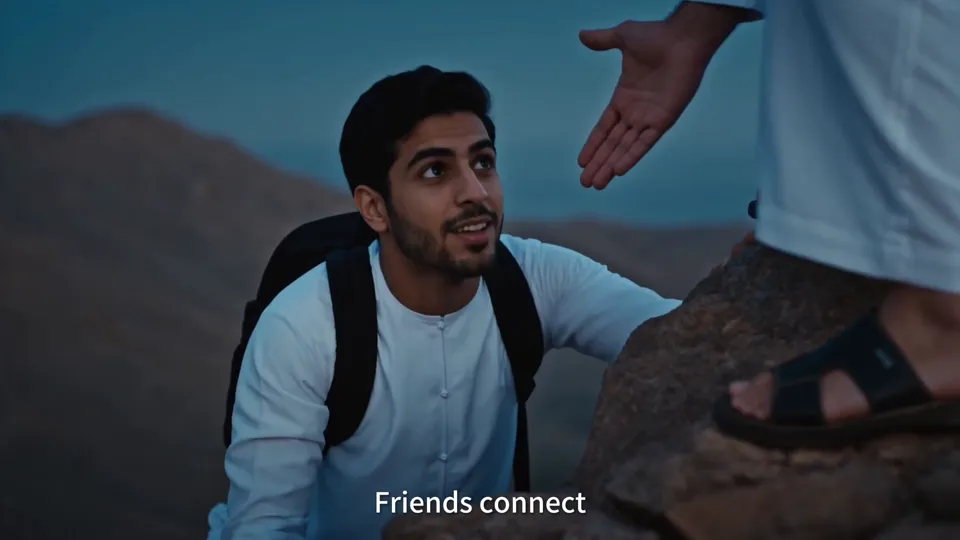
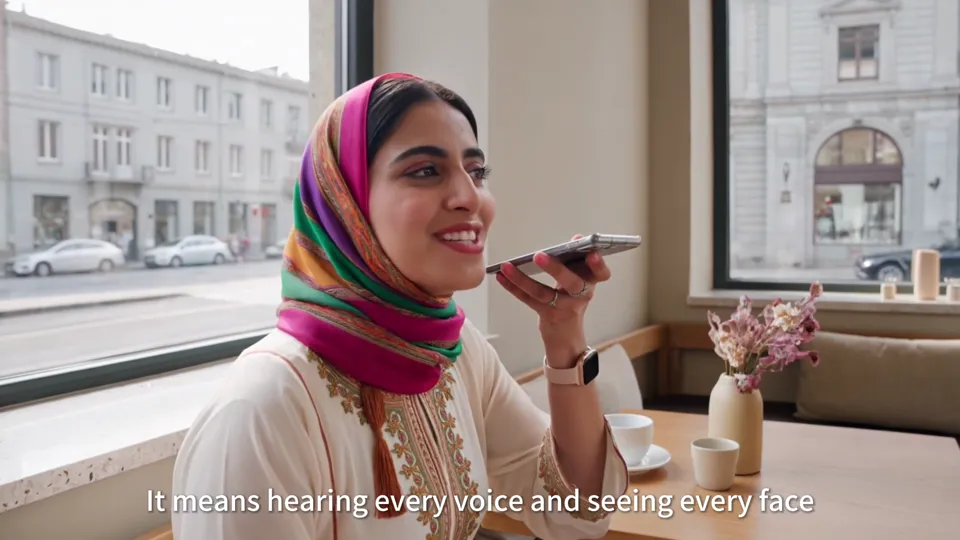
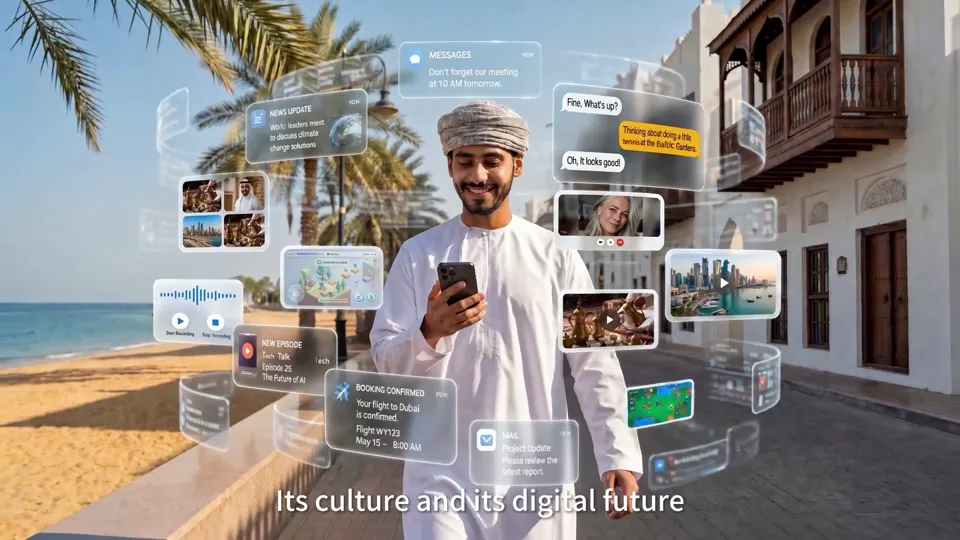
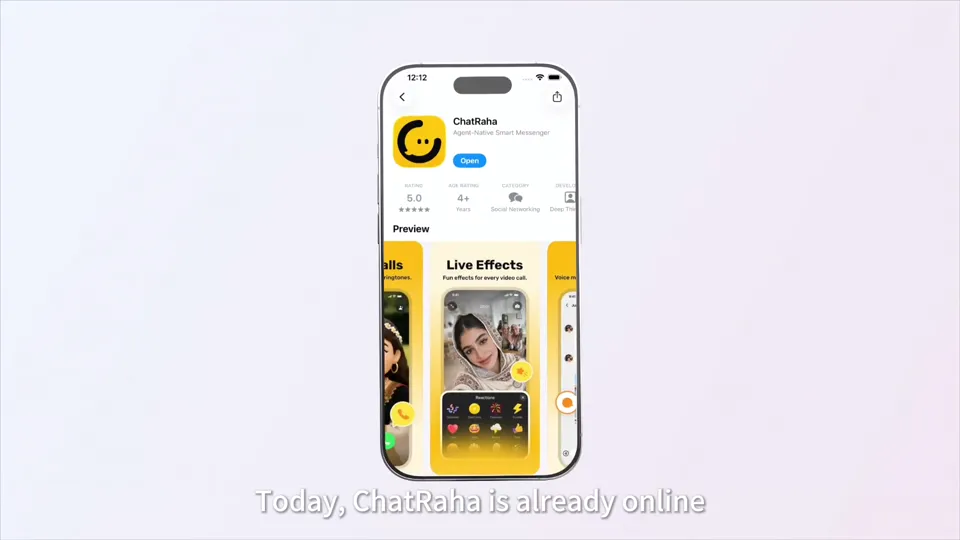
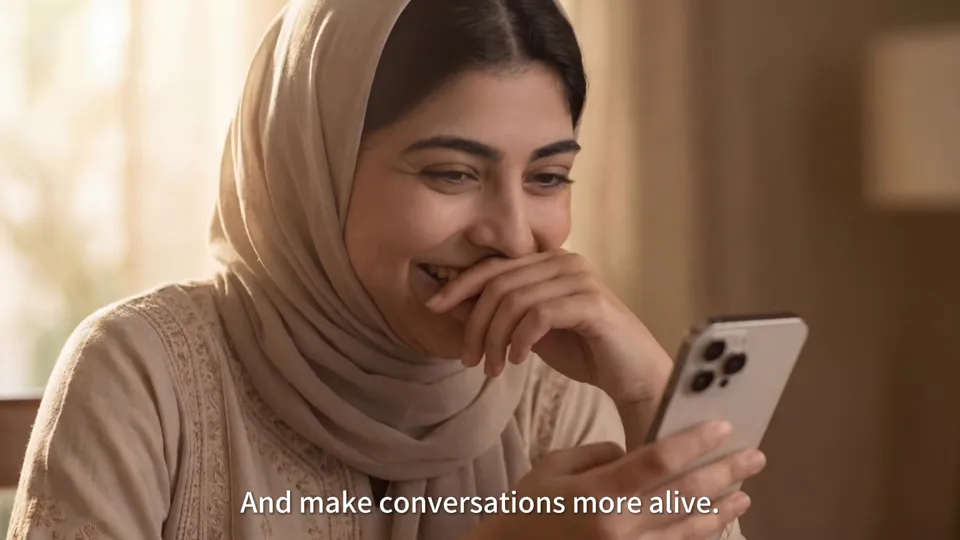
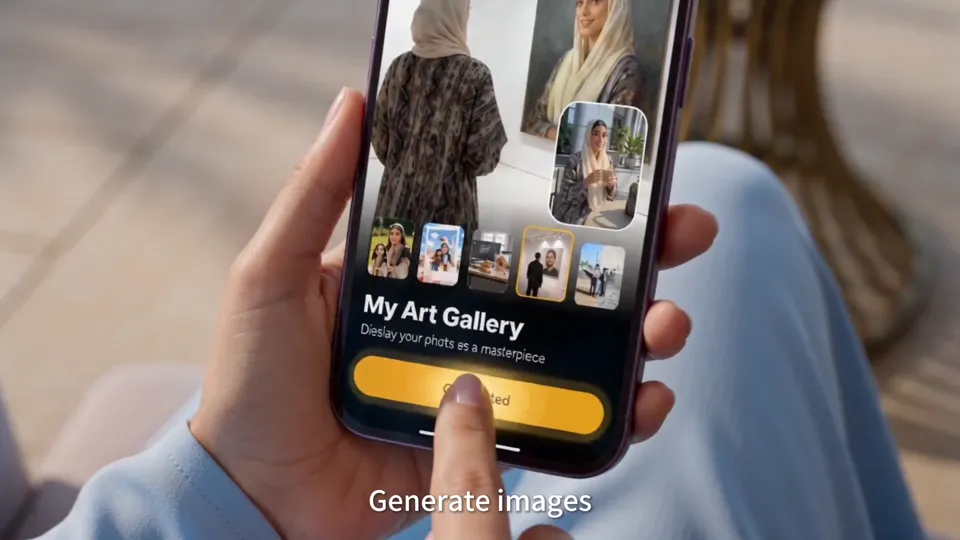
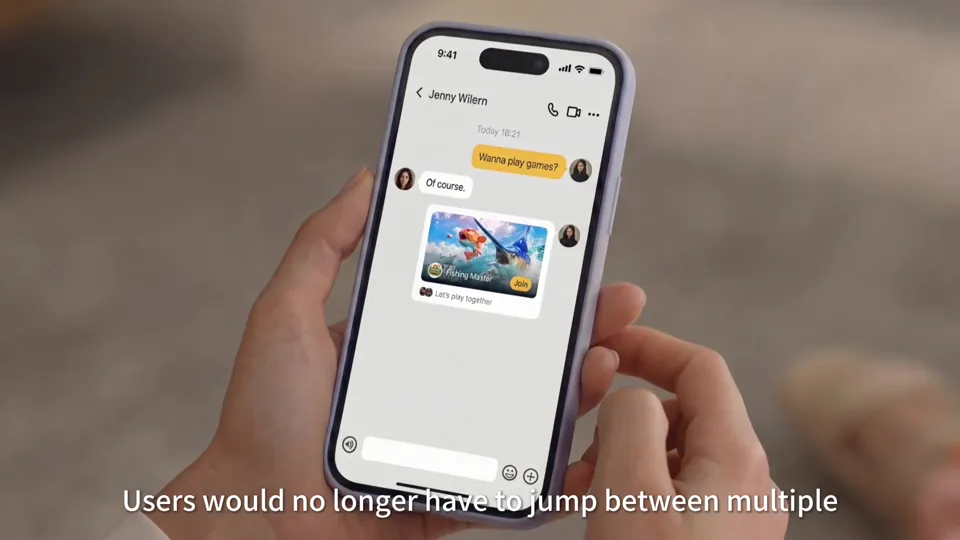
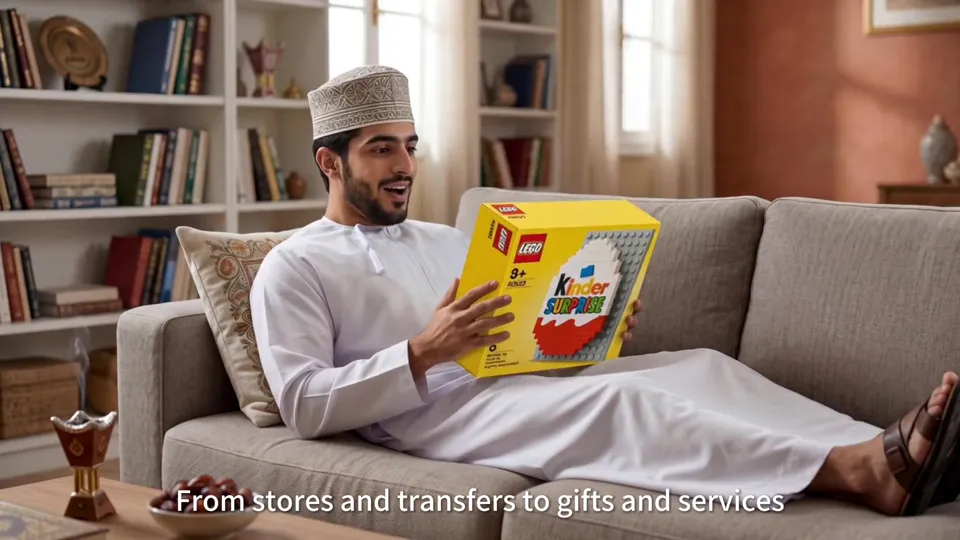
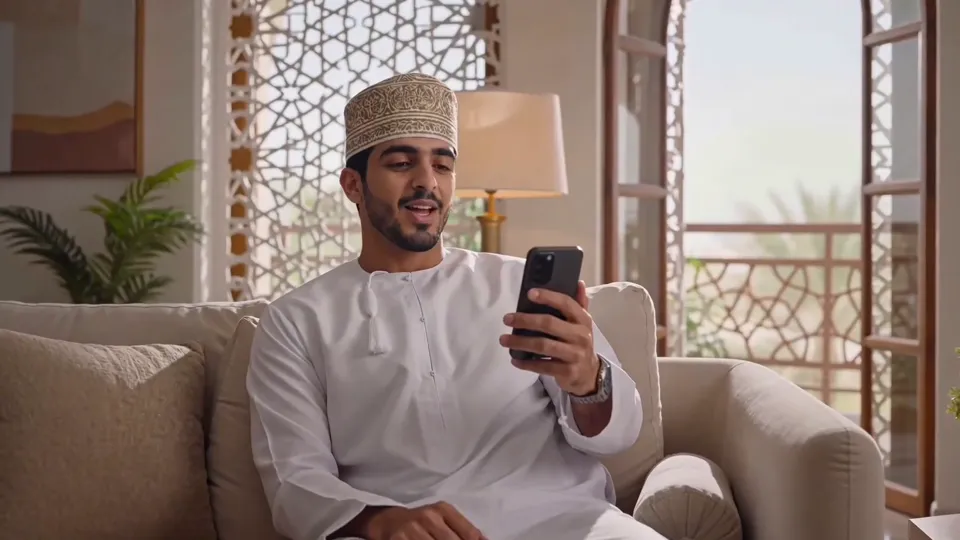
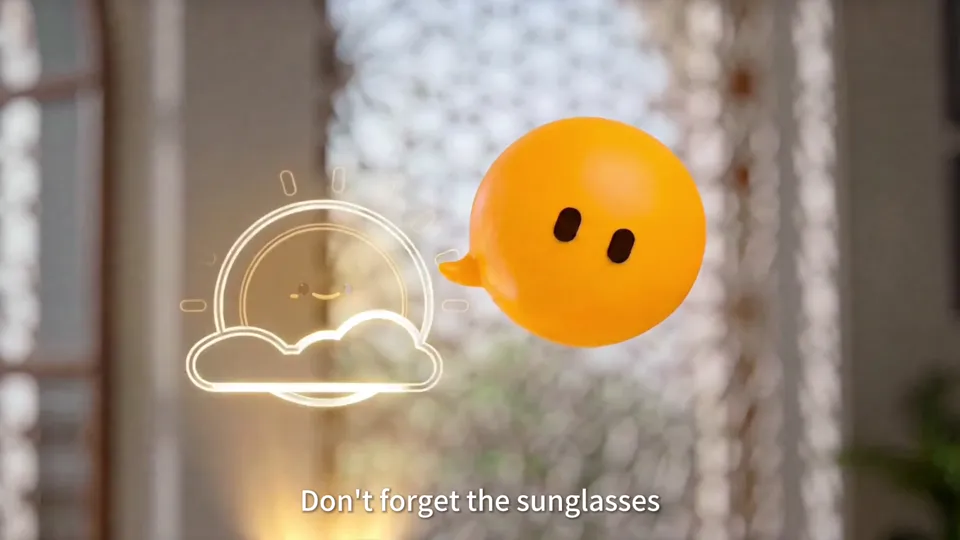
The AI assistant's role in helping people communicate, find information and get things done is set in everyday Omani life, with each product demo growing out of a character's need.
Project Type
Brand & Product
Client
ChatRaha (Oman)
Year
2026
Our role
Rebuilt AI visuals & video from client script
Original format
1920 × 1080 · 05:17
Film05:17 · Film
01 / Background
Connecting a Localized AI Platform to Local Life
ChatRaha's product film had to convey a product vision that runs from communication to smart services, while letting Omani viewers recognize their own lives in the architecture, clothing and home scenes. So the film starts with people talking to each other, then moves step by step to the personal assistant, finding services and getting things done.
With so many features, the visuals and the interface had to work together to make clear who is using it, what they want to do and what result they get. During production we paid special attention to keeping both sides of a call moving continuously, making chapter titles clear, and making the transition from starting a task to getting the result feel natural. The film first uses familiar everyday scenes to raise a need, then completes the process with interface cards.
02 / Creative Highlights
From People Who Need to Connect to Tasks Completed
01
Local Details Give the Features Real Users
Omani architecture, local dress and home settings appear throughout, and every need, from video calls to travel to life at home, is voiced by a specific character. The product is no longer just a list of feature names; viewers understand what kind of life these features serve.
02
Giving the Birthday and the Trip a Clear Cause and Effect
In the birthday sequence, the assistant sends a reminder first, then several friends each take on a task such as the card or the gift, before cutting to the party. In the travel sequence, the family first asks for a trip, the itinerary and weather appear, and then come the ride, the beach and the dinner booking. Following one need from conversation to cards to a real-life result makes it easier for viewers to see what the personal assistant is good for.
03
The Interface and the Yellow Assistant Each Have a Job
Chat bubbles and translucent cards carry the feature information, while the yellow bubble mascot stays by the characters' side in every scene. On the beach it puts on sunglasses, a booking confirmation card pops up, and the film cuts to the family at dinner. The playful character feels approachable, and the clear prompts tell viewers the task is done.
03 / Scene Breakdown
Five product chapters, one section at a time.
Film · 00:00–01:11
Opening: Oman's Day Begins With Connection
Aerial shots of the city, a phone on a bedside table in the morning, a hiker on a mountaintop and family on a video call: the voiceover opens with “Every day in Oman begins with connection,” explains that ChatRaha is run by a local Omani company, and then introduces the product through its website.
Clip · 00:08–00:15
Friends, Families, Communities
On a mountaintop, a man reaches out to pull up a friend, then holds up his phone to video-call his family, who are gathered around the dinner table on screen. The captions appear one by one: Friends, Families, Communities connect.
Clip · 00:18–00:24
Hearing Voices, Sharing Views
In a café, a woman sends a voice message; in the next shot a man on a mountaintop raises his phone to capture the sunset and share it.
Clip · 00:35–00:42
Info Cards in the Old Town
In an old seaside town, a man looks down at his phone as message, photo and video cards float up around him; then the ChatRaha logo appears over the old town at sunrise.
Clip · 01:01–01:08
The Product Page on the Website
The film cuts to a web-style product introduction with a group video call card in the middle, showing that the app is already live and ready to download.
Film · 01:11–01:43
Layer 1: Communication
A yellow chapter title lists voice, video, messages, groups, polls and location; each feature that follows is demonstrated by a specific person in a specific scene.
Clip · 01:11–01:17
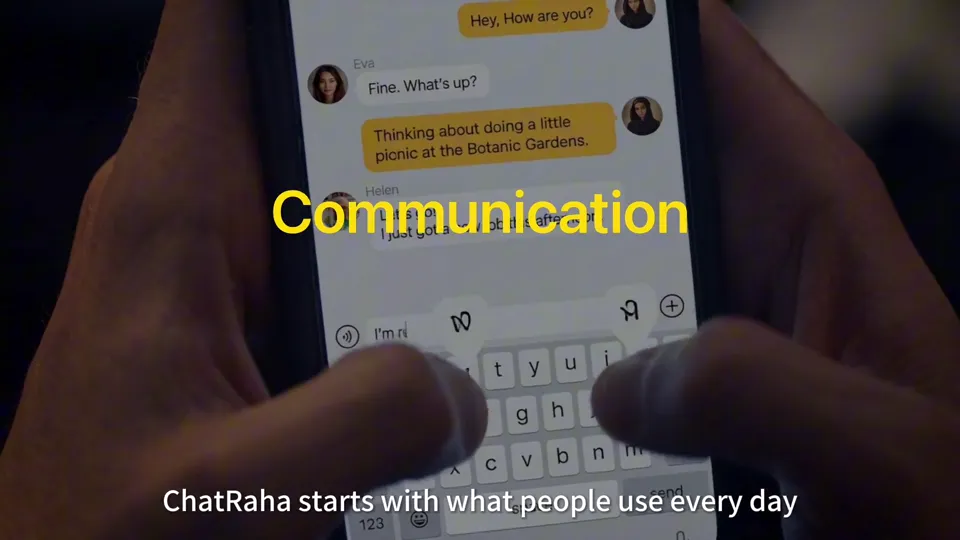
Chapter Title: Communication
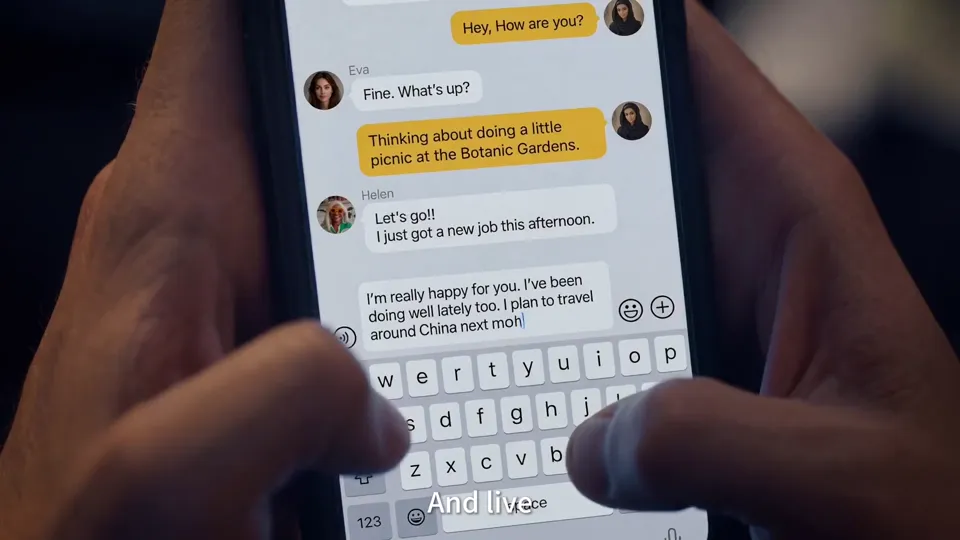
A yellow chapter title sits over a phone keyboard, with a line of small text listing the six features in this chapter, so viewers know at a glance which part of the film they're in.
Clip · 01:22–01:28
Voice-to-Text and Video Calls
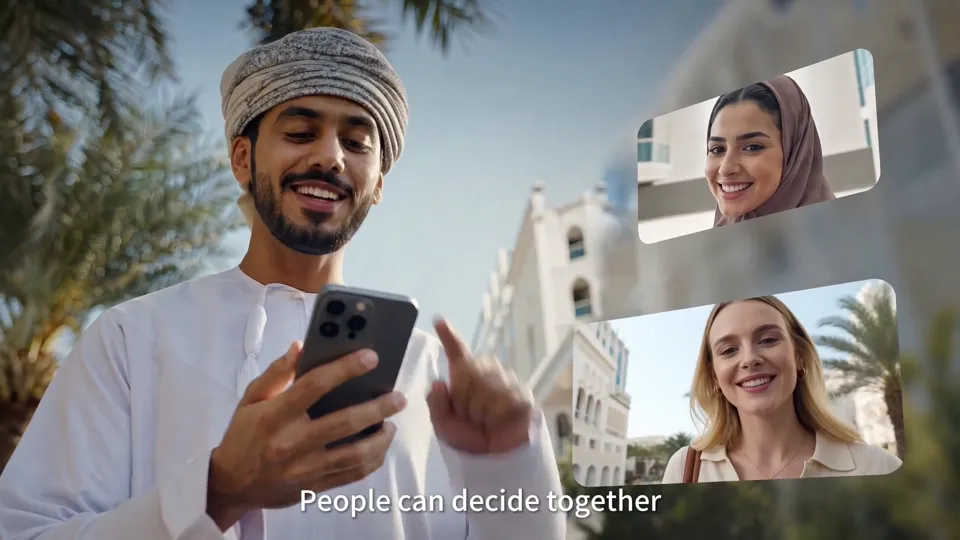
A voice message turns into a yellow text strip; then a man at his desk video-calls his family, and the woman on screen smiles at him.
Clip · 01:28–01:35
Four-Way Video and a Weekend Poll
Four people share a call in a four-panel grid; then a man on the street starts a poll about where to go this weekend, and the options pop up one by one.
Clip · 01:36–01:43
A Set of Stickers Arrives
A man lies on the sofa looking at his phone as a set of stickers made by a friend pops up beside him.
Film · 01:43–02:34
Layer 2: RahaAI Joins the Conversation
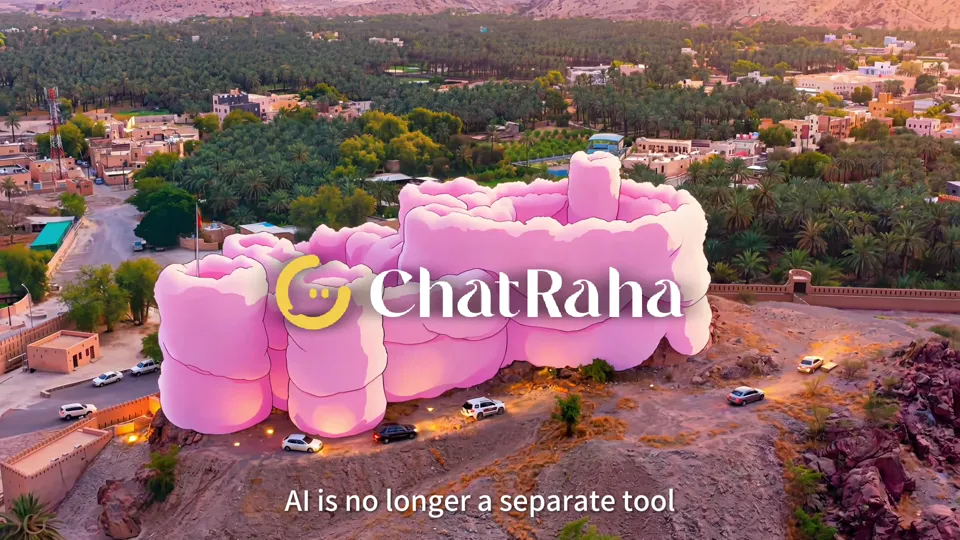
AI is no longer a separate tool; it helps right inside the chat: translating, adjusting tone, making stickers and adding video effects. The chapter ends on the logo in three art styles.
Clip · 01:43–01:49
Chapter Title: RahaAI in Communication
In an airport lounge, a man types on his phone as the yellow title RahaAI floats at the top of the frame.
Clip · 02:03–02:09
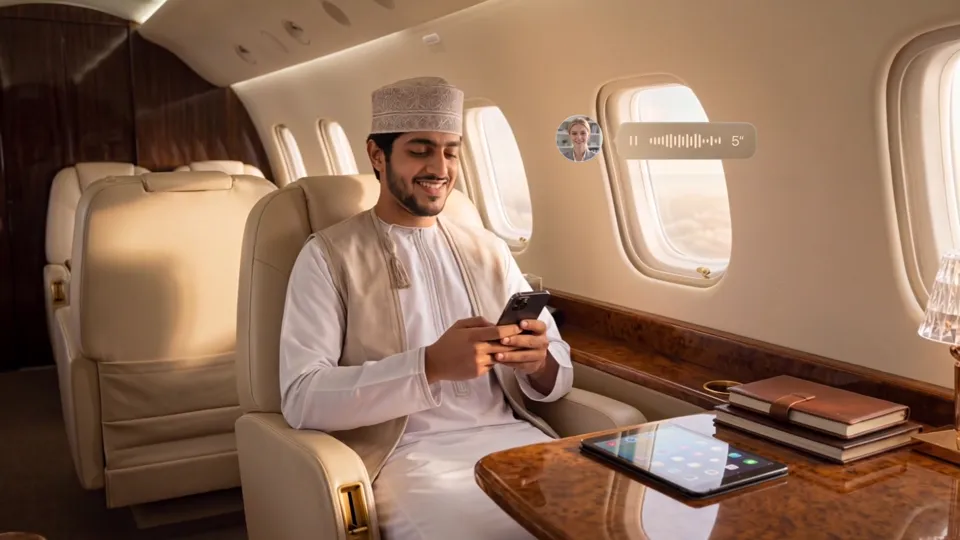
Bilingual Messages on the Plane
In the cabin, a man receives a voice message, and the card beside it shows English and Arabic side by side, placing cross-language chat in a travel setting.
Clip · 02:14–02:18
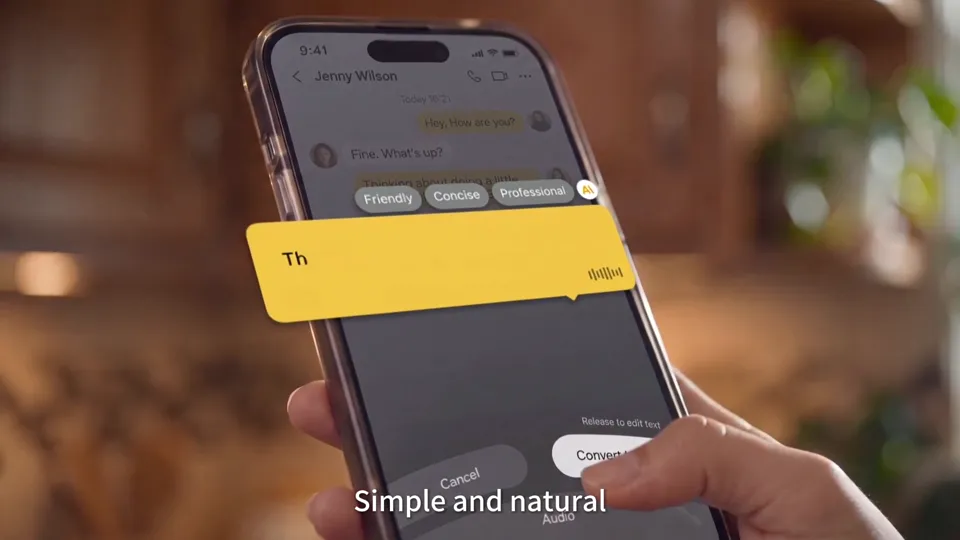
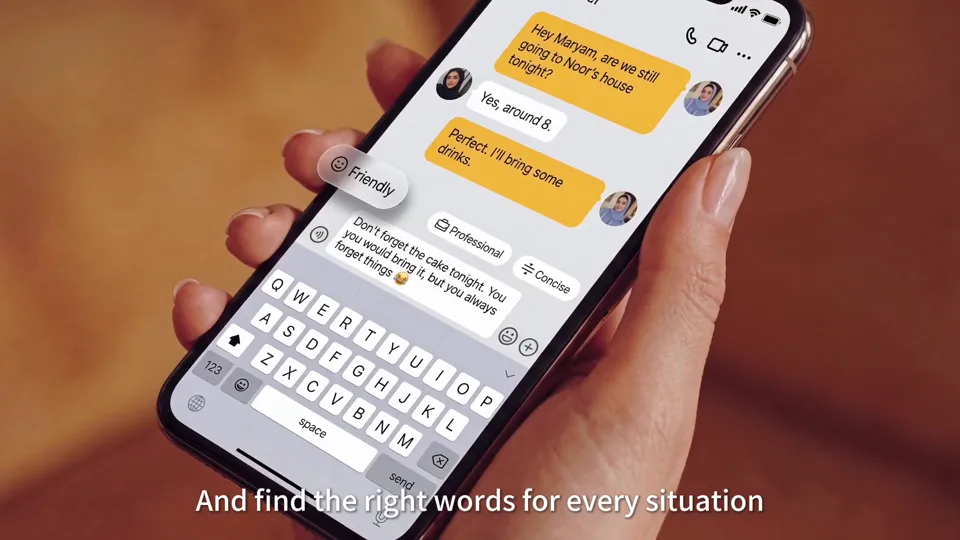
One Sentence, Three Tones
Three buttons, Friendly, Professional and Concise, appear above the input box; one tap rewrites the message in a different way.
Clip · 02:18–02:25
Selfies Turned Into Cartoon Stickers
A photo of two women is turned into several cartoon versions, with the sticker cards lined up in front of her.
Clip · 02:25–02:29
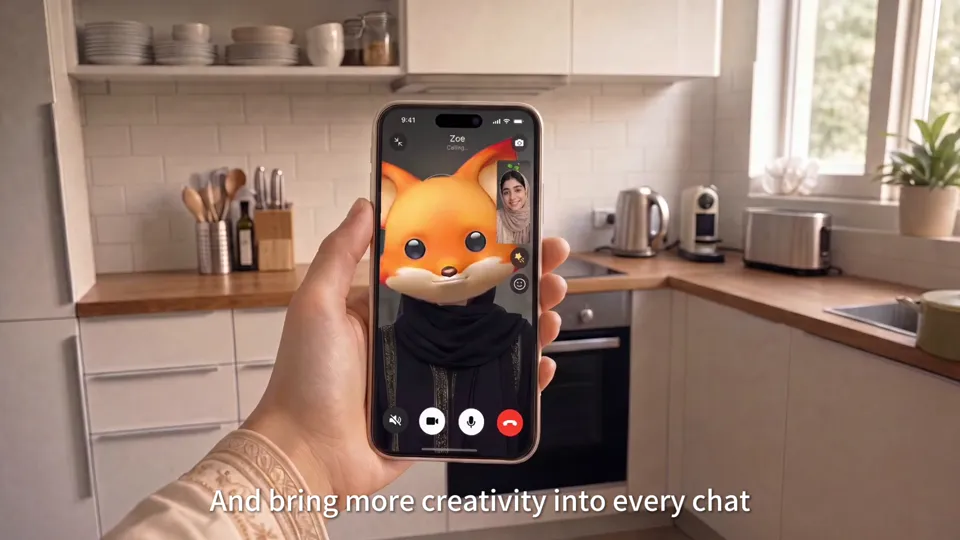
A Fox Effect on a Video Call
In a kitchen, the face of the person on the phone call turns into a cartoon fox.
Clip · 02:29–02:34
The Logo in Three Art Styles
The same fort turns first into pink cotton candy, then into a hand-drawn illustration and pop-art color blocks, matching the voiceover “AI becomes part of communication.”
Film · 02:34–03:04
Layer 3: Personal Assistant · Planning a Birthday
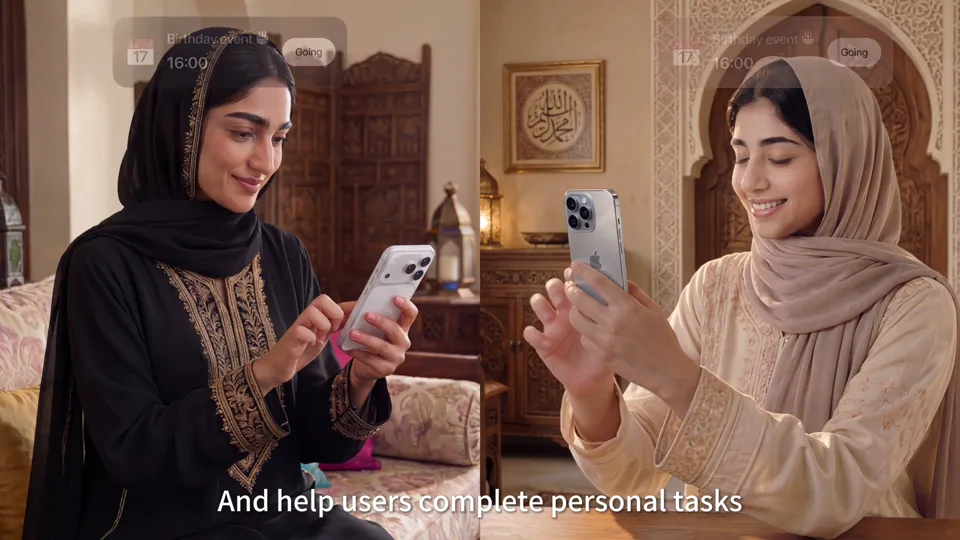
This chapter uses a birthday party to show going “from intention to completion”: the assistant sends a reminder, helps order a gift and send invitations, and it all ends in two celebrations, one in the living room and one in the courtyard.
Clip · 02:34–02:39
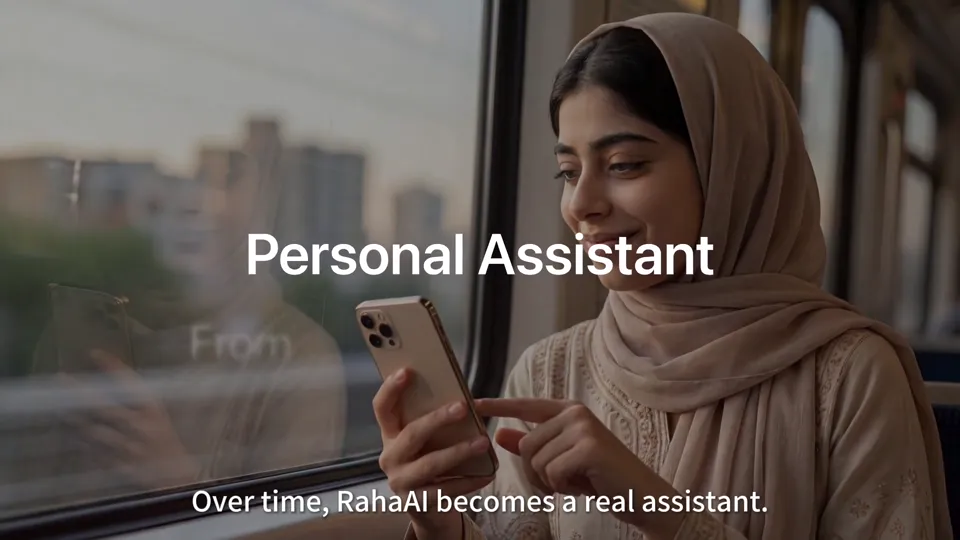
Chapter Title: Personal Assistant
A woman by the window looks at her phone under the title From Intention to Completion; the yellow word Completion is the keyword of this chapter.
Clip · 02:40–02:48
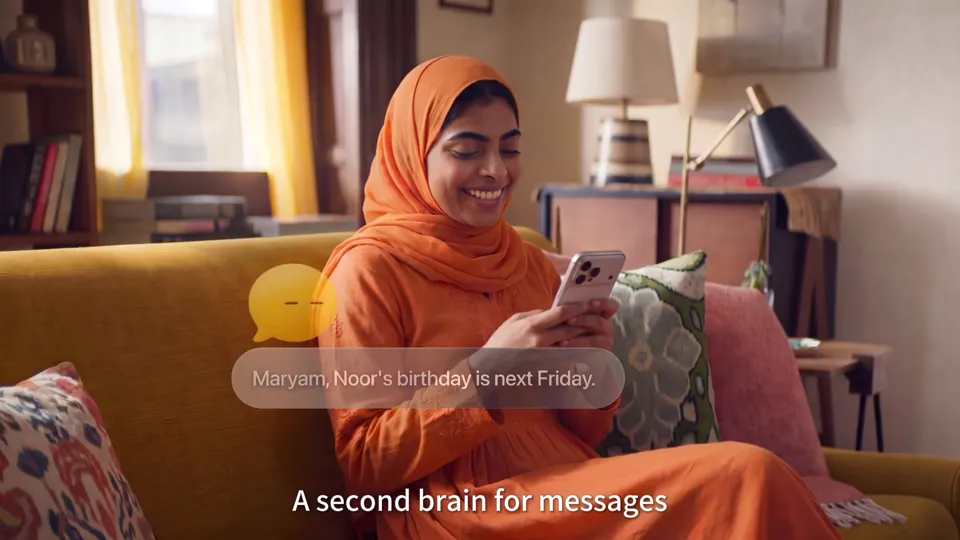
A Birthday Reminder on the Sofa
A woman in orange sits on the sofa as the yellow assistant reminds her that a friend's birthday is next Friday, then two gift cards pop up, ready to order.
Clip · 02:53–02:58
Friends Receive the Invitation
In a split screen, two friends receive the birthday invitation at the same time and tap Going on the 16:00 event card.
Clip · 02:58–03:04
From the Living Room to the Courtyard
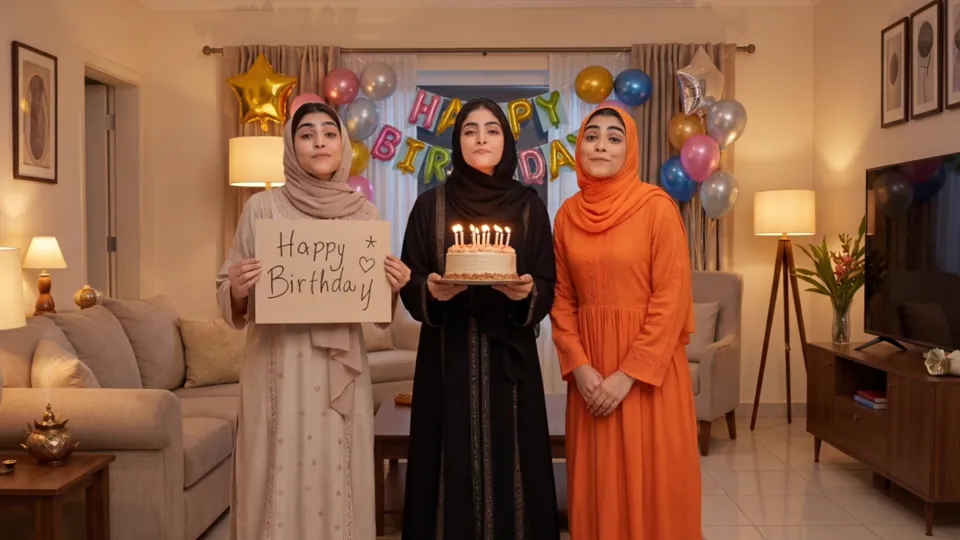
Three women walk in holding a Happy Birthday sign and a cake; the next shot cuts to a birthday dinner in the courtyard at night, with the music card prepared by the assistant on the table.
Film · 03:04–03:48
Layer 4: Open Platform
Third-party services move into the chat: checking public services, ordering food, playing games, sending gifts and paying by QR code, all without leaving the conversation.
Clip · 03:04–03:09
Chapter Title: Open Platform Ecosystem
In the back seat of a car at night, a woman looks at her phone as the chapter title lights up in the middle of the frame.
Clip · 03:10–03:17
Renewing a Driving License in Chat
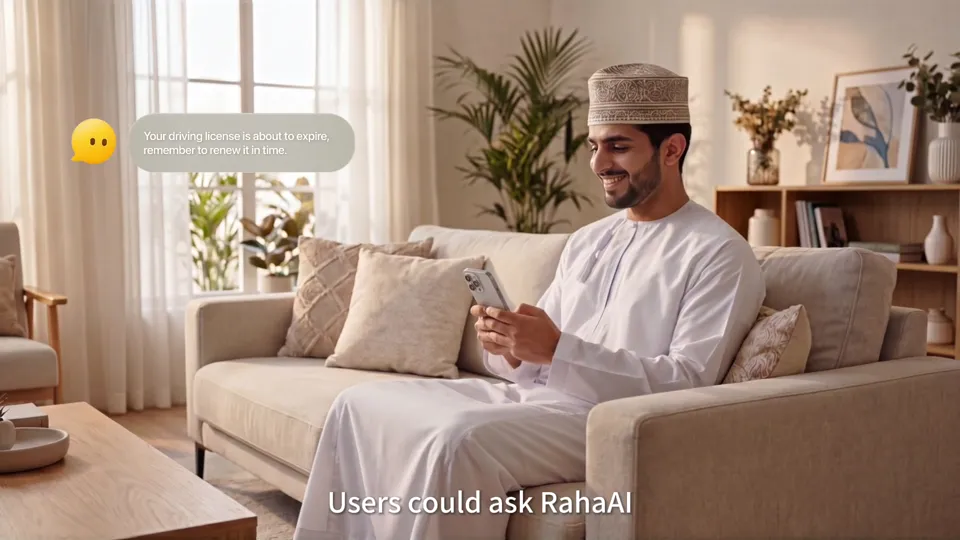
A man sits on the sofa as the assistant reminds him his driving license is about to expire; a renewal card pops up, and one tap pays the fee right in the chat.
Clip · 03:19–03:26
Ordering Lunch at the Office
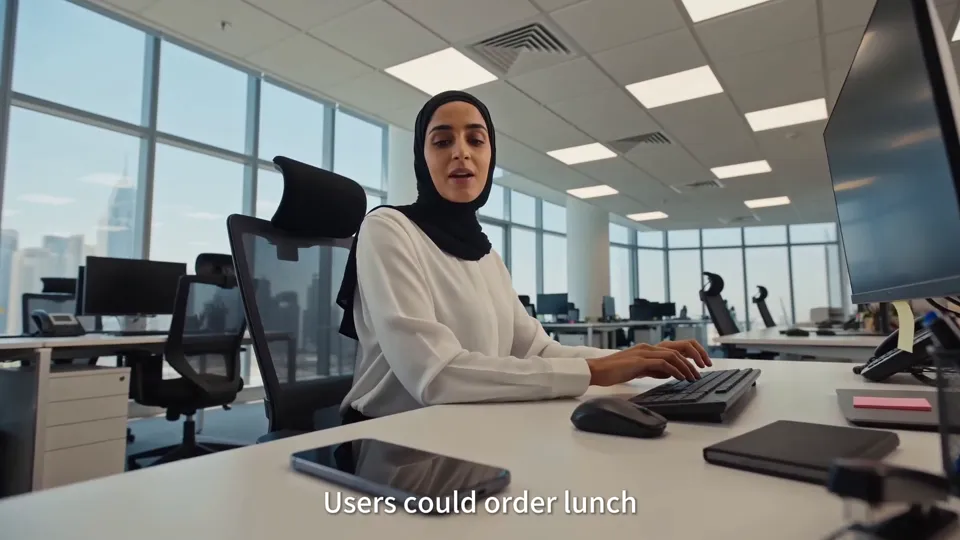
At her desk, a woman tells her phone what she'd like to eat; the phone shows “Order placed,” and in the next shot the delivery arrives at the office door.
Clip · 03:28–03:33
Setting Up a Game in Chat
A friend sends a game invitation card, and the film cuts to an undersea mini-game on a phone held sideways.
Clip · 03:35–03:42
Sending Gifts and Paying by QR Code
A woman sends a friend a gift in the chat, then scans a QR code at a convenience store and confirms a payment on the street.
Film · 03:48–05:17
Layer 5: AI Super Gateway and Finale
The last chapter uses a family weekend outing to string every earlier feature into one complete task: one sentence states the need, and the assistant plans the itinerary, books the ride and reserves the restaurant. The ending recaps the film with quick cuts and a grid of images.
Clip · 03:49–03:55
Yellow Bubbles on the Street
After the title User. ChatRaha. AI. Everything. appears, every passer-by on the street has a yellow bubble assistant floating beside them.
Clip · 04:06–04:14
“Raha, Plan a Family Outing”
In the living room, a man tells his phone what he needs, and a day-trip itinerary for Muscat appears on screen right away, spelling out when to leave and why to avoid midday.
Clip · 04:16–04:21
Don't Forget Your Sunglasses
A sun icon lights up beside the assistant as a heat warning; the next second the living room fills with big, colorful sunglasses, and a little girl happily puts on a pair.
Clip · 04:21–04:27
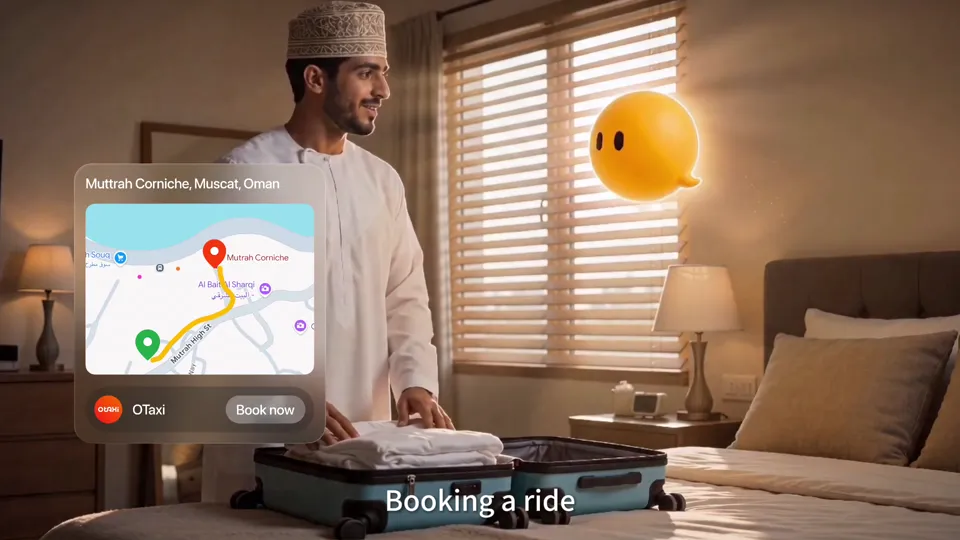
One Tap to Get a Ride to the Beach
As the man packs, route and ride cards pop up; then the little girl sits in the car pointing at the beach outside the window.
Clip · 04:29–04:34
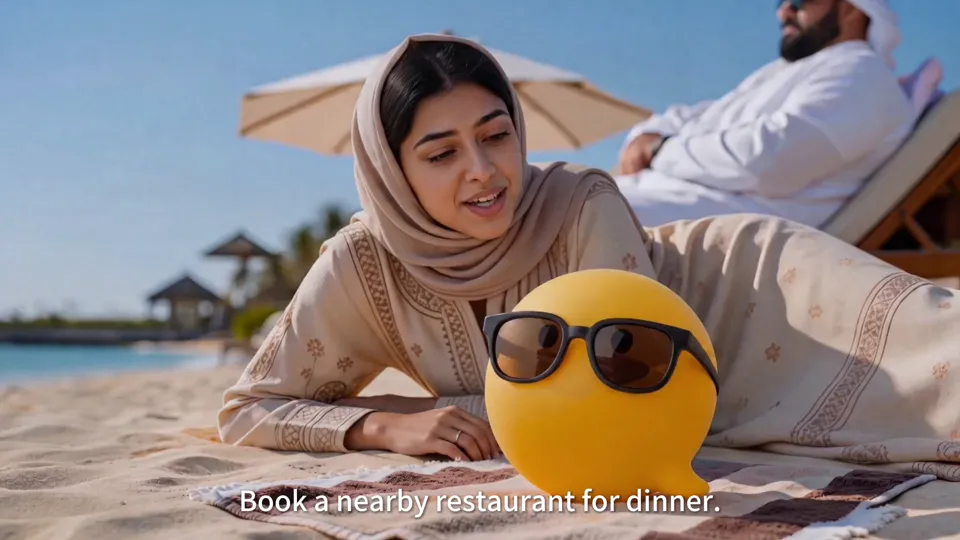
Dinner Booked on the Beach
The yellow assistant in sunglasses lies on a beach blanket as a restaurant booking confirmation pops up beside it: dinner nearby is booked.
Clip · 05:04–05:12
Payment Confirmed and an Image Grid
A phone on a café table shows a successful payment, then shots from the whole film come together in a wall of images, closing on ChatRaha's vision.
04 / Storyboards & Final Frames
Final frames, chapter by chapter.
Shown in the order they appear in the film, these are frames we redid or added after taking on the project and that made it into the final cut: each shot starts with what it shows, followed by the final frame.
01
Opening: Oman Wakes Up
In the film · 00:00–01:11
Shot 1.1
City Aerial
The opening panorama of an Omani city, later overlaid with the ChatRaha logo and the first line of voiceover.
City Aerial · Final 1
Shot 1.2
A Phone on the Bedside Table in the Morning
The alarm time glows on the screen, and the weather and schedule cards beside it say “a new day has begun.”
A Phone on the Bedside Table in the Morning · Final 1
Shot 1.3
Info Cards in the Old Town
In an old seaside town, message, photo and video cards float up around the character.
Info Cards in the Old Town · Final 1
Shot 1.4
Sunrise Over the Old Town
The city at sunrise, just before the ChatRaha logo appears.
Sunrise Over the Old Town · Final 1
Shot 1.5
Operations Team Meeting
Shows that ChatRaha is run by a local team in Oman.
Operations Team Meeting · Final 1
Shot 1.6
Company Reception
The reception area of Deep Thinking, paired with the voiceover introducing the operator.
Company Reception · Final 1
02
Layer 1: Communication
In the film · 01:11–01:43
Shot 2.1
Looking at Photo Messages on the Sofa
A man reclines on the sofa looking at photos sent by friends, illustrating the “Images” feature.
Looking at Photo Messages on the Sofa · Final 1
Shot 2.2
Voice Turned Into Text
A voice message on the phone becomes a yellow text strip, with clear, legible text that sits steadily above the input box.
Voice Turned Into Text · Final 1
Shot 2.3
Video Call at the Desk
Under a desk lamp, he video-calls his family, and the woman on screen smiles at him.
Video Call at the Desk · Final 1
03
Layer 2: RahaAI Joins the Conversation
In the film · 01:43–02:34
Shot 3.1
Airport Lounge
The background shot for the RahaAI chapter title: a man typing while he waits for his flight.
Airport Lounge · Final 1
Shot 3.2
Rewriting in Three Tones
Three rewrite buttons, Friendly, Professional and Concise, appear above the input box.
Rewriting in Three Tones · Final 1
Shot 3.3
Making a Set of Cartoon Stickers
A woman in a light blue robe turns a group photo into stickers.
Making a Set of Cartoon Stickers · Final 1
Shot 3.4
A Fox Effect on a Video Call
In a kitchen, the face of the person on the call is replaced by a cartoon fox, while a small window in the upper-right corner still shows the real person.
A Fox Effect on a Video Call · Final 1
04
Layer 3: Personal Assistant · Birthday
In the film · 02:34–03:04
Shot 4.1
A Birthday Surprise in the Living Room
Three women walk in holding a sign and carrying a cake, each with a different outfit and headscarf color.
A Birthday Surprise in the Living Room · Final 1
Shot 4.2
Birthday Dinner in the Courtyard
A courtyard at night with string lights and a table full of food, with the music card prepared by the assistant on the table.
Birthday Dinner in the Courtyard · Final 1
Shot 4.3
Receiving the Party Invitation
A woman in a black robe reads the invitation at home with the yellow assistant beside her; this final frame also appears in the flashback at the end of the film.
Receiving the Party Invitation · Final 1
05
Layer 4: Open Platform
In the film · 03:04–03:48
Shot 5.1
Renewing a Driving License on the Sofa
A man looks at his phone in the living room, overlaid with a license renewal reminder and a processing card.
Renewing a Driving License on the Sofa · Final 1
Shot 5.2
Ordering Lunch at the Office
At her desk, a woman tells her phone what she'd like to eat.
Ordering Lunch at the Office · Final 1
Shot 5.3
Sending a Friend a Gift
At home, a woman picks a gift and sends it straight from the chat.
Sending a Friend a Gift · Final 1
Shot 5.4
Paying on the Street
Walking down the street, he confirms the payment on his phone step by step.
Paying on the Street · Final 1
Shot 5.5
Paying at a Café
Paying with a phone in a café, matching the voiceover “Without cash.”
Paying at a Café · Final 1
06
Layer 5: AI Super Gateway
In the film · 03:48–04:44
Shot 6.1
“Raha, Plan a Family Outing”
Sitting in the living room, a man tells his phone the family wants to go on an outing.
“Raha, Plan a Family Outing” · Final 1
Shot 6.2
Itinerary Card
A Muscat day-trip itinerary on the phone: when to leave, which beach to go to and why to avoid midday.
Itinerary Card · Final 1
Shot 6.3
Mom Likes the Idea Too
Hearing they're going out, Mom looks excited.
Mom Likes the Idea Too · Final 1
Shot 6.4
The Yellow Assistant Appears
The phone lights up, and the yellow bubble assistant pops out from the edge of the screen.
The Yellow Assistant Appears · Final 1
Shot 6.5
Don't Forget Your Sunglasses
A sun icon warns of the heat, the living room fills with big sunglasses, and a little girl puts on a pink pair.
Don't Forget Your Sunglasses · Final 1Don't Forget Your Sunglasses · Final 2Don't Forget Your Sunglasses · Final 3
Shot 6.6
Packing Up, One-Tap Ride
A man packs a suitcase in the bedroom as the assistant pops up a ride card beside him.
Packing Up, One-Tap Ride · Final 1
Shot 6.7
The Assistant on the Beach
The yellow assistant in sunglasses lies on a beach blanket; the dinner booking confirmation card is overlaid on this shot.
The Assistant on the Beach · Final 1The Assistant on the Beach · Final 2
05 / Results
Landscape Product Film
We delivered a landscape English product film of about 5 min 17 s at 1920×1080, structured in five chapters: Communication, RahaAI, Personal Assistant, Open Platform and AI Super Gateway, each with its own title animation.
Case Study
Liandan AI Studio × ChatRaha | Fitting a Super App Into an Omani Day in Five Minutes
One app, five layers of features to explain: chat, an AI assistant, a personal assistant, third-party services, and finally “one gateway for everything.”
The film runs just over five minutes, and the audience is Omani.
The visuals had to look like their own lives, and the features had to be easy to follow step by step.
This is an AI product film we made for the Omani social and lifestyle services platform ChatRaha .
Client
ChatRaha (a local Omani social and lifestyle services platform)
Project Type
AI Product Film
Timeline
Jun–Jul 2026
Deliverables
About 5 min 17 s, 1920×1080 landscape, English voiceover and subtitles
Structure
Five chapters: Communication, RahaAI, Personal Assistant, Open Platform and AI Super Gateway
Produced by
Shenzhen Alchemy Technology Co., Ltd. (Liandan AI Studio)
01
With So Many Features, How Do Viewers Know Where They Are?
When the project reached us, the client already had a complete script and storyboard: five layers of product features, running from communication all the way to the “AI super gateway.”
The client cared most about three things:
The people and their actions within a scene had to flow, with a story and a human touch.
The steps of each feature had to be shown clearly.
Every chapter needed a clear title, with the big set pieces saved for the end.
So the first thing we did was give all five chapters layered title animations: a yellow keyword and a single line listing the features in that chapter, set over real-life footage.
Clip · 01:11–01:17
Chapter Title: Communication
The title sits over a phone being typed on, with a line below listing voice, video, messages, groups, polls and location.
In a five-minute film, viewers always know which layer they're watching.
02
Getting the Characters Right: Clearly Omani, and Easy to Tell Apart
Everyone in this film had to look like someone viewers might meet on the streets of Muscat.
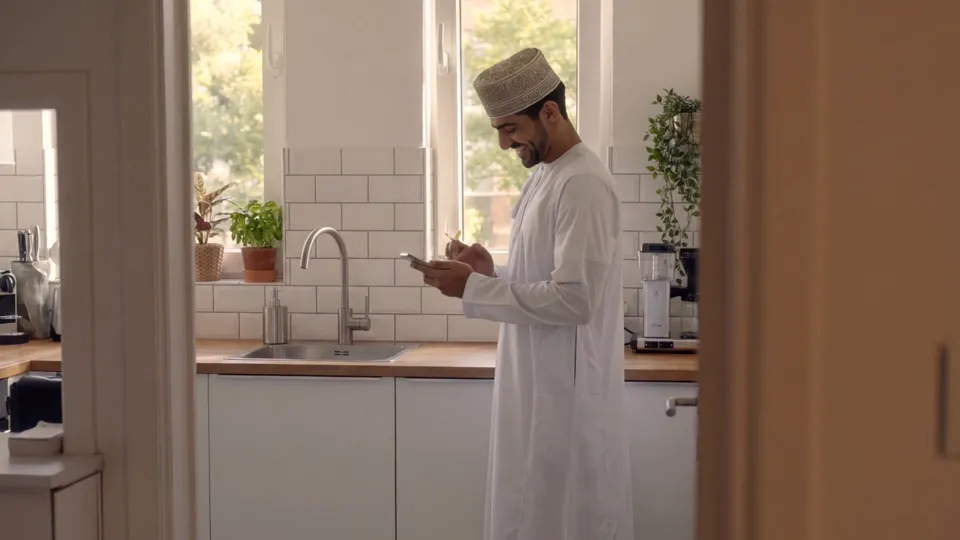
Men wear white dishdashas and embroidered caps; women's headscarves cover the neck; living rooms, courtyards, the old town and the seafront are all arranged according to Omani architecture and customs.
More characters brought another problem: several women in headscarves could easily look alike. For each main character we made a character sheet, breaking out front, side and back views, cuff embroidery, shoes and several angles of the face, and gave each person a headscarf in a different color and pattern.
Character Sheet · Woman in OrangeCharacter Sheet · Woman in a Beige RobeCharacter Sheet · Woman in a Black Robe
That way, viewers recognize the same person whether she's in close-up or full shot, on the sofa or in the courtyard.
03
A Yellow Bubble That Gives the AI a Presence
An AI assistant's abilities can easily end up as a string of interface screenshots.
We set one rule for the whole film: whenever RahaAI's messages or cards appear, its character must be in the frame: a little yellow bubble sprite.
Its message bubbles are always yellow; its replies are paced slowly enough for viewers to read; and typing and pop-up cards come with a chime.
So it's no longer just a line of text on a screen. It floats beside the woman getting a birthday reminder, reminds the family to bring sunglasses before the trip, and lies on the beach in its own sunglasses to tell you dinner is booked.
Clip · 04:29–04:34
Dinner Booked on the Beach
A restaurant booking confirmation pops up beside the yellow assistant in sunglasses.
The playful character feels approachable, and the clear cards tell viewers: it's done.
04
A Birthday Party That Shows “From Intention to Completion”
For the personal assistant chapter, the script's keyword was From Intention to Completion.
A shot of someone smiling at a phone doesn't show what the assistant did. So we broke the whole thing into a chain of visible actions:
The assistant reminds her of a friend's birthday next Friday → gifts pop up, ready to order → friends receive the invitation and tap Going → three women walk in with a cake → a birthday dinner in the courtyard at night.
For shots with several people, we first drew line sketches to set where each person stands and what they hold, then generated the live-action-style frames.
Line sketch first to set the composition: who holds the sign, who carries the cakeFinal: the three women's outfits and headscarves are all different
Clip · 02:58–03:04
From the Living Room to the Courtyard
The birthday surprise in the living room leads into the birthday dinner in the courtyard at night.
05
A Family Weekend Outing That Ties Every Feature Together
The last chapter had to deliver the biggest vision: the user says one sentence, and the AI gets it done.
We wrote it as a complete short story.
Dad says, “Raha, plan a family outing.” A Muscat day-trip itinerary appears on screen right away, spelling out when to leave and why to avoid midday. The assistant warns about the heat, and the living room fills with big, colorful sunglasses; then comes a one-tap ride, the beach, a dinner booking made from the sand, and finally the family eating together by the sea.
Itinerary card: departure time, beach and the reasons behind the plan“Don't forget your sunglasses”: the living room fills with big sunglasses
All dialogue between the characters and the assistant is voiced. For text-heavy interface shots, we checked again and again that the text on the phone screen was legible and spelled correctly.
Clip · 04:16–04:21
Don't Forget Your Sunglasses
A sun icon warns of the heat, and the next second sunglasses fill the living room.
06
What this project achieved
In a five-minute product film, the hardest part isn't making it look good; it's keeping viewers with you the whole way.
Chapter titles tell viewers which layer they're in.
Local characters and settings let Omani viewers see their own lives.
The yellow assistant stays alongside throughout, tying every feature to a concrete result.
For brands that want to use AI video to explain a complex product to overseas markets, this project shows one thing: however many features there are, they can be filmed as everyday moments that are easy to follow and easy to remember.
FAQ
FAQ
How can an AI product film explain lots of app features clearly?
This film is divided into five chapters following the product's five layers of features, each opening with a title animation. Every feature starts with a specific person raising a need in a specific scene, and interface cards then show the result, such as renewing a driving license, ordering food or booking a restaurant.
How do you make characters feel local in an AI film for an overseas market?
We designed the visuals around Omani dress, headscarves, architecture and home settings: men wear white dishdashas and embroidered caps, women's headscarves cover the neck, and every main character has a character sheet with front, side and back views and costume details.
How do you keep the same character consistent across a long film?
Each main character gets a character sheet first, and every frame is generated with it as a reference. Shots with several people start with line sketches to set positions and actions before the live-action-style frames are generated, and headscarves in different colors keep the characters distinct.
What are the specs and production timeline for this film?
The final film runs about 5 min 17 s, 1920×1080 landscape, with English voiceover and subtitles. The project started in late June 2026, was revised daily based on client feedback, and the final version was delivered in early July.
Approach
Local Settings, User Flows and Interface Cards
Regional references, character designs, stills, motion assets and UI storyboards were organized to match one another. Characters and settings were prepared shot by shot, then product interfaces, titles and prompts were added separately: calls had to show both sides clearly, reminders had to appear in scenes where someone is using their phone, and QR scans had to lead into a payment result. That way the visuals feel lived-in and the steps are easy to follow.
In the birthday sequence, we put the reminder, replies, task assignments and bookings on screen instead of just filming people smiling at phones. In the final film, task cards pop up one after another within the same sofa shot before cutting to the friends' split screen and the party. The travel sequence uses the itinerary, a 38℃ weather alert and booking cards to explain why the plan was made that way, so the everyday atmosphere and the feature demo connect.
Local details were checked down to faces, headscarves and clothing, architecture and shop settings. Character sheets also broke out front, side and back views, cuff embroidery, shoes and facial angles, so the same character is recognizable in both close-ups and full shots. The interface uses the brand's yellow and a translucent style, and the bubble mascot stays consistent; every feature chapter has its own title, so even in a promo this long, viewers can tell which part they're in.