Geek Ideas: City of the Future, Where Anything Can Be Made
Following Chen Yan as he sources parts, assembles, prints and tests, a wheel-legged robot's journey from blueprint to road shows how the street helps people turn ideas into reality.
Project Type
City & Tourism
Client
Longgang Robot Block, Shenzhen
Year
2026
Our role
AI visuals, video & editing from client script
Original format
3840 × 2160 · 02:41
Preview
Click an image to view it full size
Robot Street: Geek EntrepreneursFilm keyframe · click to enlarge ↗Geek Ideas | Full narrative promo (with the original “AI-generated” label)02:41 · Film
01 / Background
Starting from one prototype, seeing what the street offers
The second film in the Robot Street series is told from the angle of startups and R&D. It aims to turn parts supply, shared assembly, modeling and printing, peer feedback and testing into a process viewers can follow step by step. The lead, Chen Yan, has already designed a wheel-legged robot; next he has to gather the parts, solve a non-standard component and prove its performance, and each of the street's resources appears as he builds his product.
The film enters the street from a workbench at 2 a.m., first assembling the prototype, then moving through technical feedback and algorithm tuning to outdoor testing. The later part pushes the imagination further with a transforming flight, landing an investment and, “months later,” robots carrying people and cargo, ending with “City of the Future, Where Anything Can Be Made” in front of the twin towers at night.
02 / Creative Highlights
One part leads us through the street's services
01
Following one goal through every service
From picking parts in the showroom, to designing the missing part at the AI 6S Store, then back to the assembly bench, every stop has a concrete task. The places for supply, fabrication and R&D are strung together by the need for a single part, so the introduction to the street has cause and effect.
02
Turning technical capabilities into visible product changes
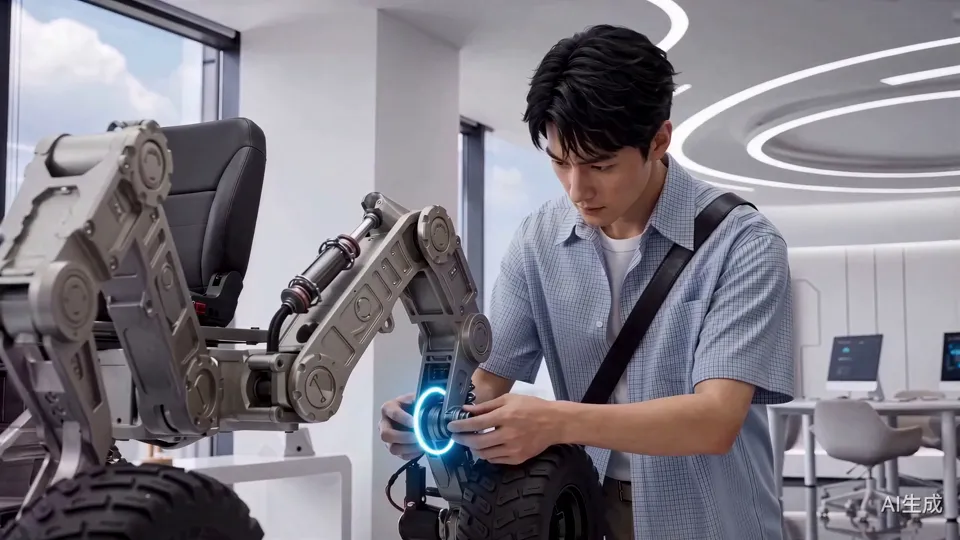
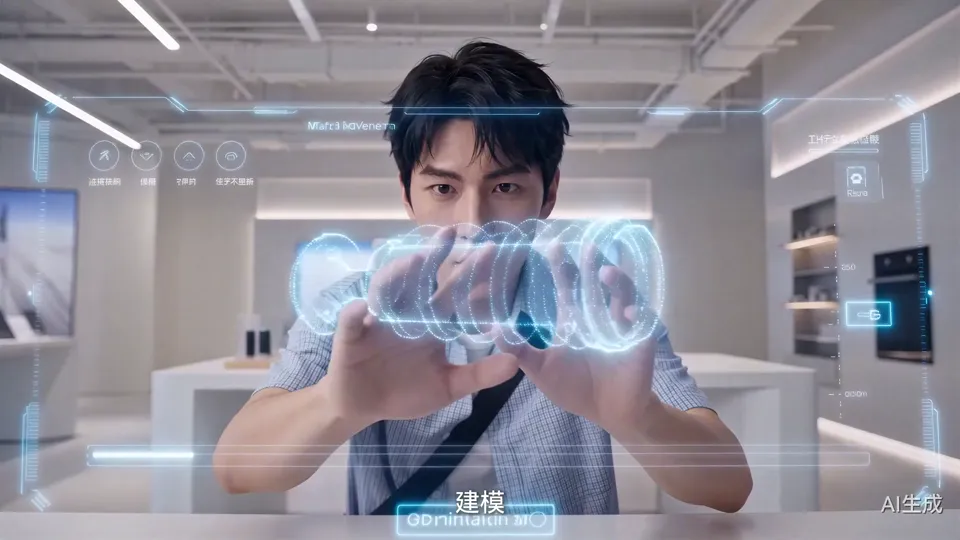
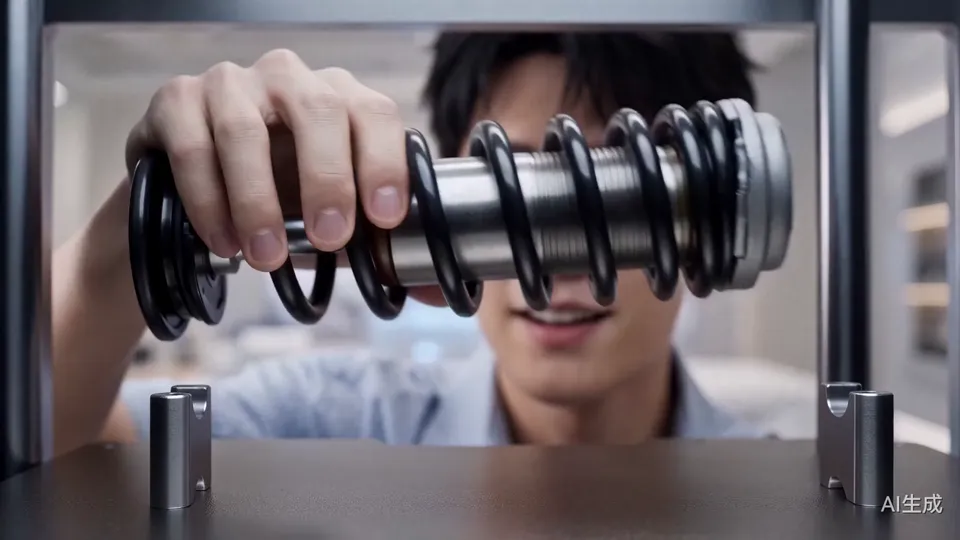
The blue hologram and the printed metal part have the same shape, and once it's installed, the structure lights up. Design, printing, removing the part and installing it happen in sequence, and by following the part from model to object, viewers can see how the prototype gets made.
03
Letting feedback drive the next step
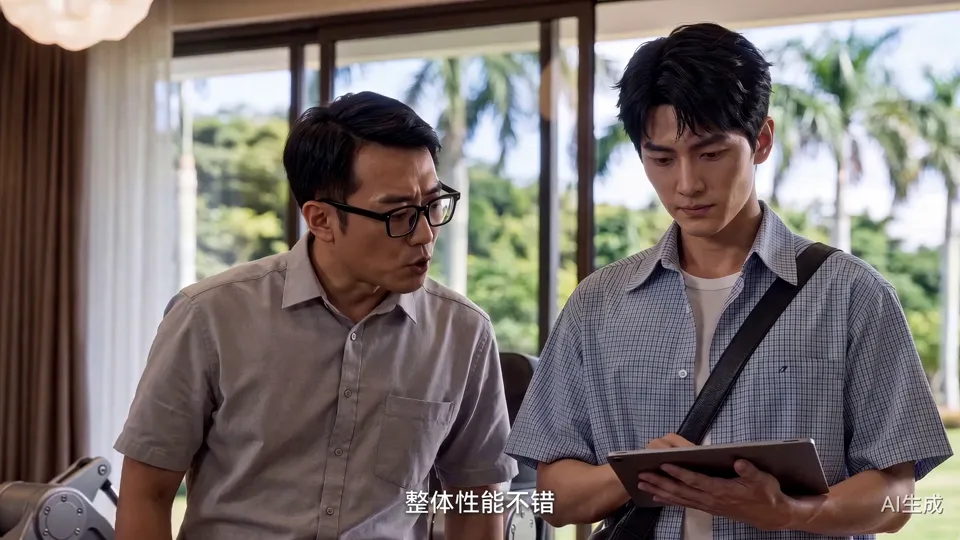
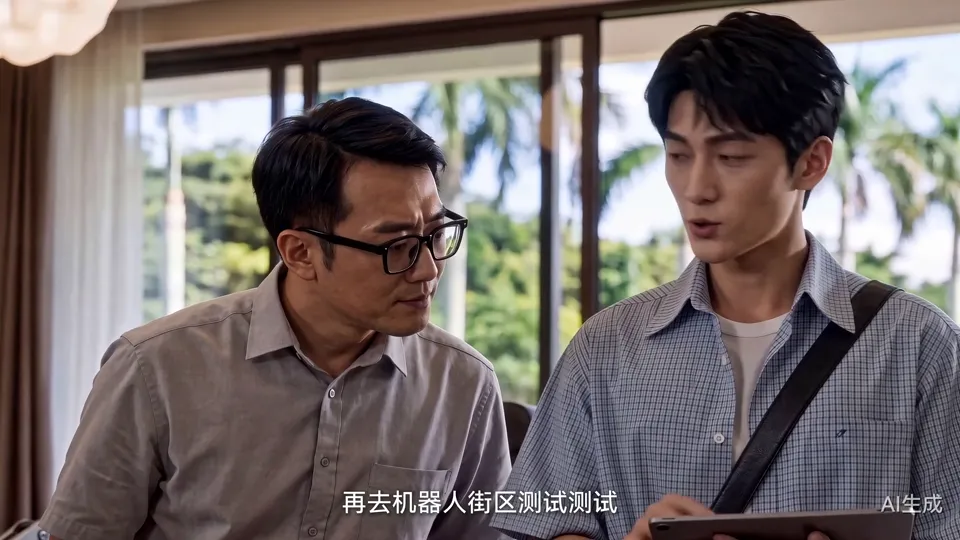
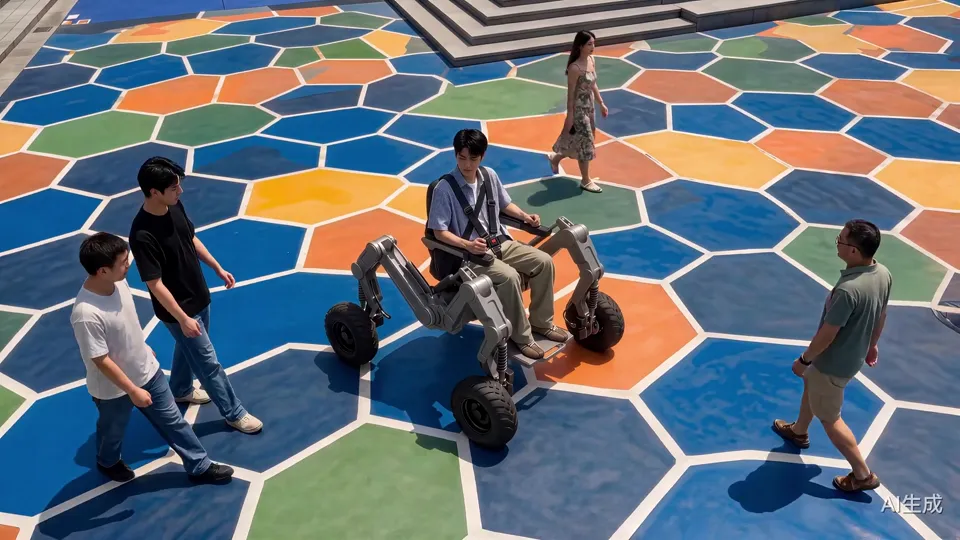
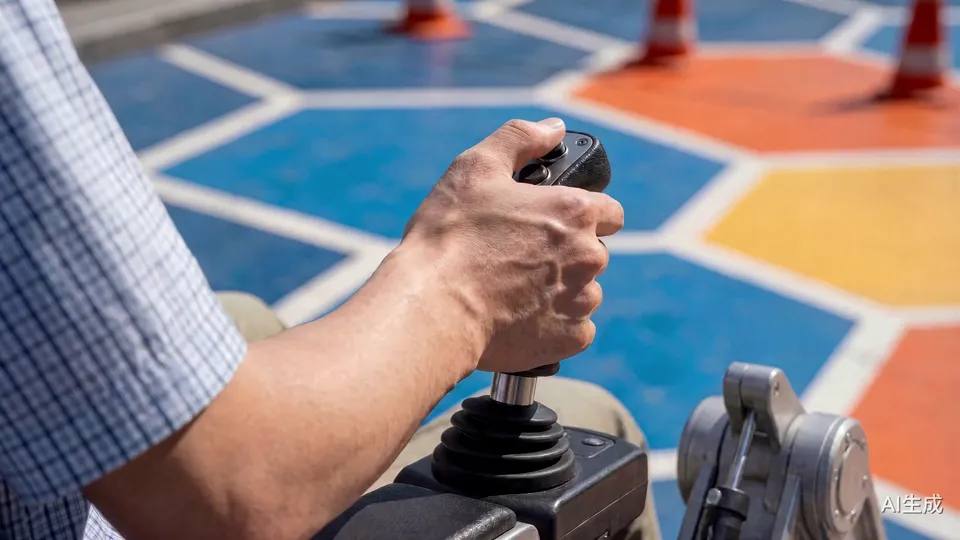
Once assembly is done, Chen Yan takes the robot to his mentor. The mentor says the overall performance is good but the balance isn't quite there; Chen Yan revises the algorithm on his tablet on the spot, then drives the robot down steps and around traffic cones in the test area with its colorful hexagonal paving. One round of “feedback, fix, test again” gives purpose to both the park's meeting area and the test ground on the avenue.
04
From a daytime test ride to a night flight
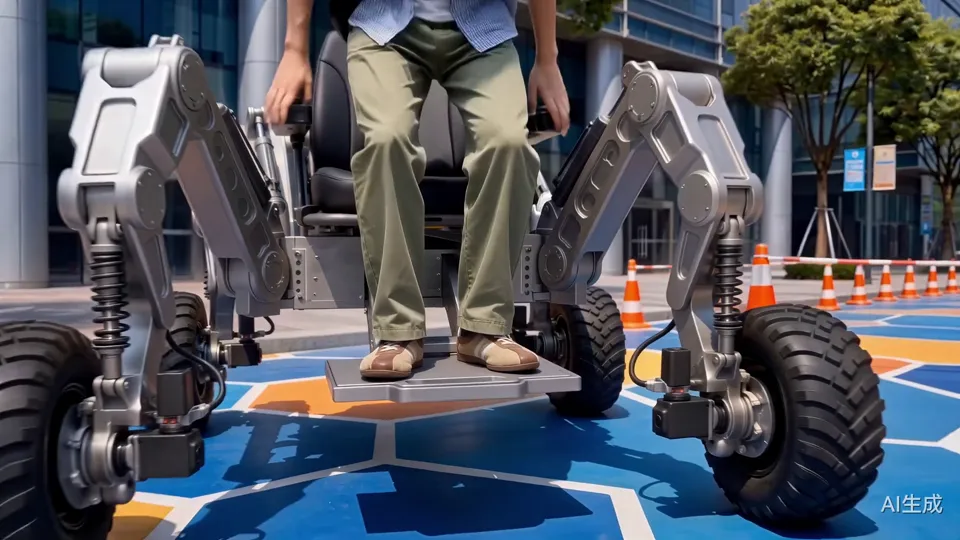
The test segment first shows how the robot is used through the seat, joystick, tires and steps, then spreads its wings and cuts to a wide shot above the street. At the end it takes off again in front of the twin towers, with mechanical details up close and the city at night in the distance driving home the theme of “making.”
03 / Scene Breakdown
From a 2 a.m. blueprint to the sky above the twin towers.
Film · 00:00–00:27
2 a.m.: the design is done
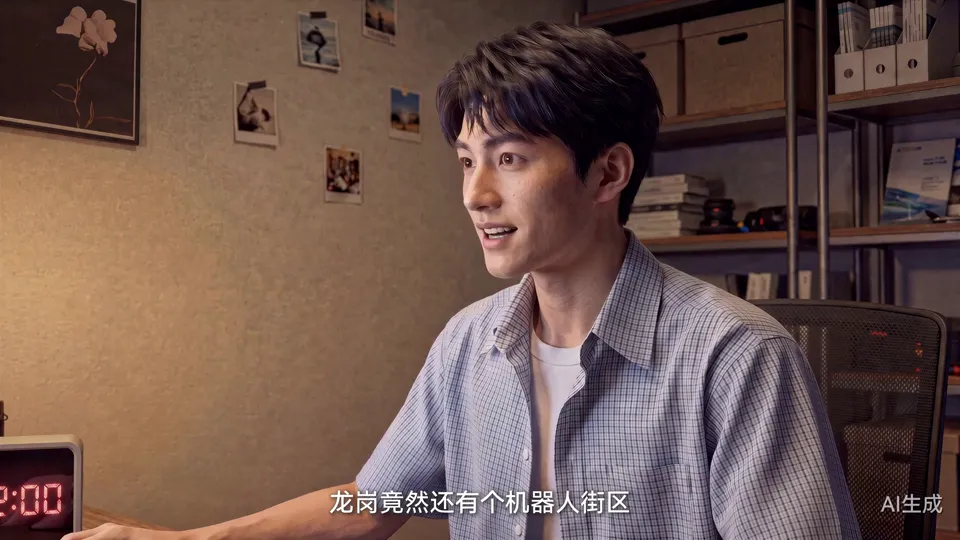
In his rented apartment, Chen Yan finishes the blueprint for a wheel-legged robot, comes across a report about Longgang's Robot Street on his computer, and shows up at the street's entrance first thing the next morning.
Clip · 00:01–00:09
The workbench at 02:00
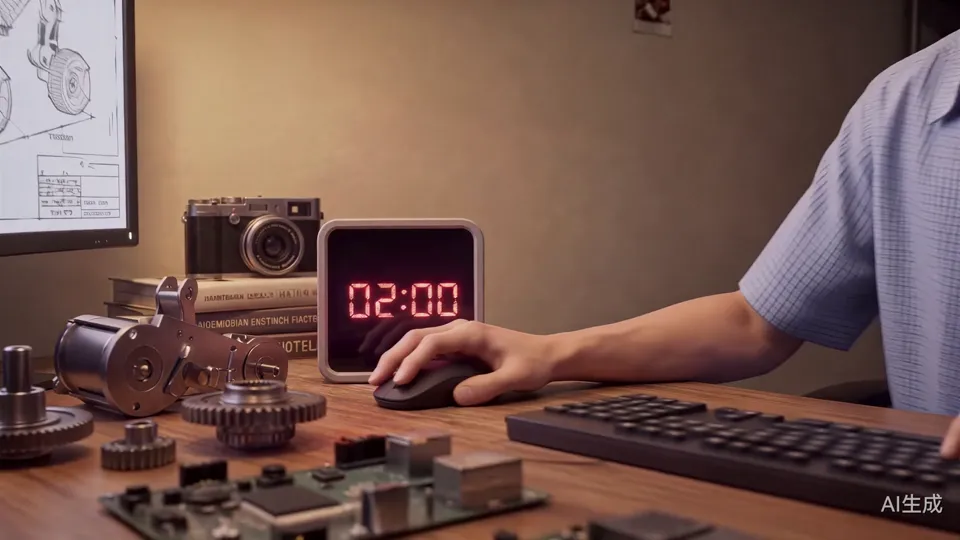
The digital clock flips to 02:00, with gears and circuit boards spread across the desk. Chen Yan taps the last few keys, leans back and stretches: “The design is finally done.”
Clip · 00:13–00:20
Robot Street on screen
He looks at the screen and laughs: “Longgang actually has a robot street.” One thought carries the story from his home to the street.
Clip · 00:20–00:27
At the street's entrance in the morning
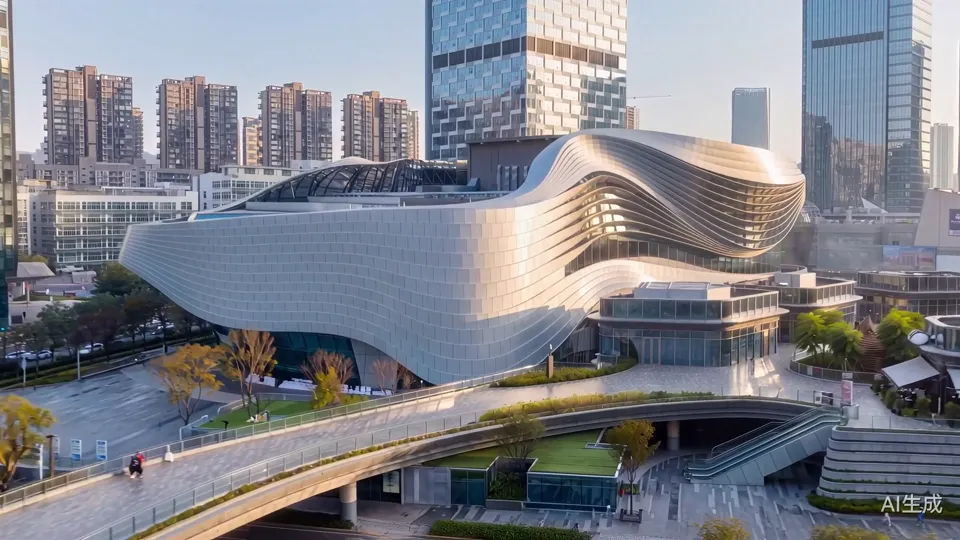
A wide shot of the streamlined entrance building, then down to Chen Yan with a crossbody bag, looking up at the blue “ROBOT BLOCK” sign: “They say any amazing idea can come true here.”
Film · 00:27–00:51
The parts supermarket and shared assembly area
He gathers chips, motors and wheel hubs in the showroom and assembles the robot in the shared assembly area, only to find he's still missing a non-standard part he can't buy.
Clip · 00:27–00:31
The showroom's main wall, covered in company logos
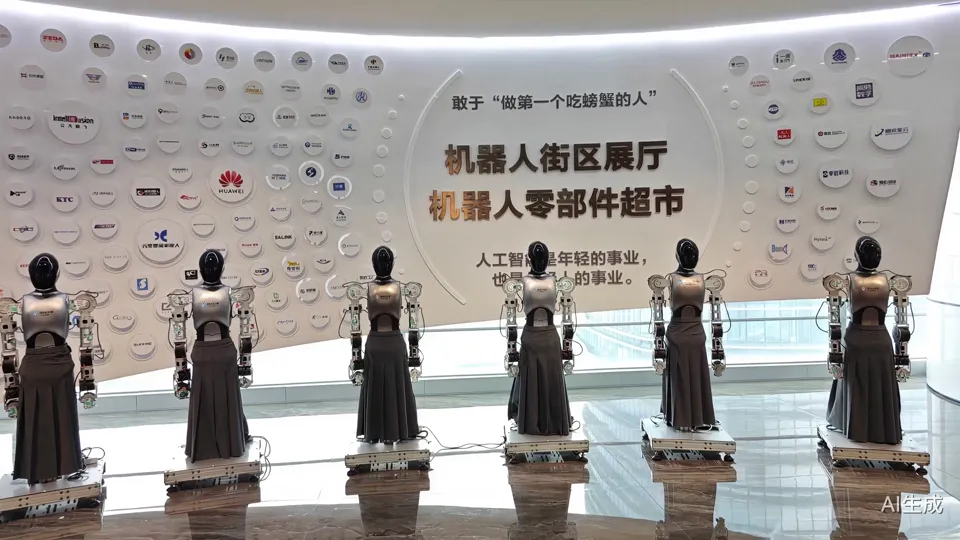
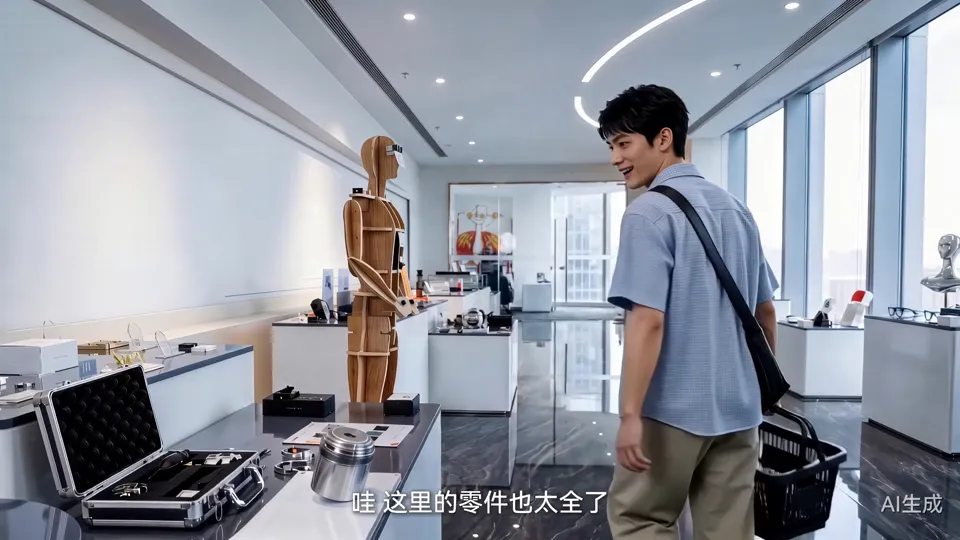
The curved white wall reads “Robot Street Showroom · Robot Parts Supermarket,” with a row of humanoid robots in front of it; Chen Yan looks up from below.
Clip · 00:31–00:39
Picking parts with a basket
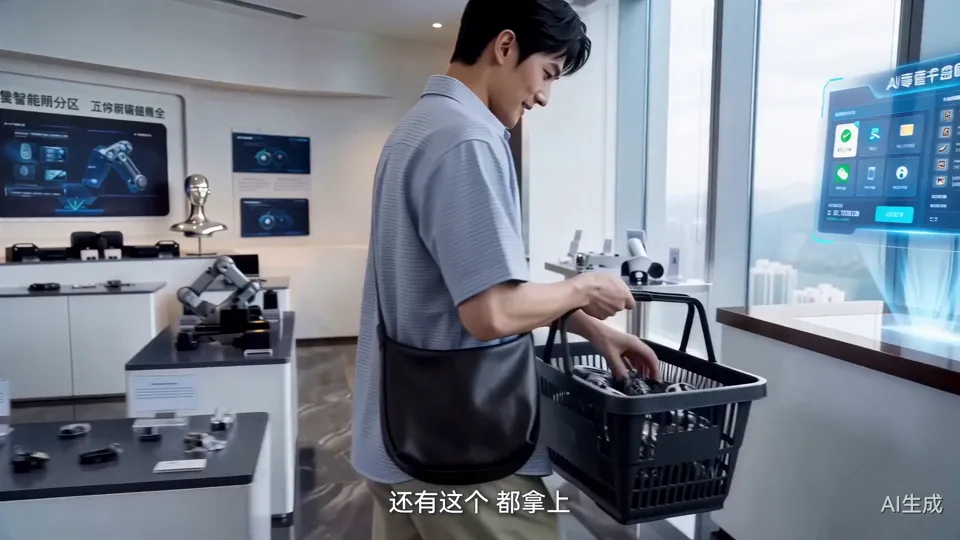
He walks past row after row of display stands with a shopping basket: “Wow, they've got every part here.” He picks up an off-road wheel, exactly the kind his robot needs.
Clip · 00:39–00:46
Paying at the holographic counter
He sets the parts on the counter and a blue holographic interface pops up to complete checkout; the next shot cuts to the shared assembly area, where the robot's frame is already laid out on a long white table.
Clip · 00:46–00:51
Fitting the mechanical legs
Chen Yan fits the mechanical leg section by section and says with satisfaction, “That's it.” But to get the robot fully running, he still needs a non-standard part he can't buy.
Film · 00:51–01:21
The AI 6S Store: printing the missing part
The non-standard part he can't buy is modeled and 3D printed at the AI 6S Store, then fitted back onto the robot.
Clip · 00:51–00:59
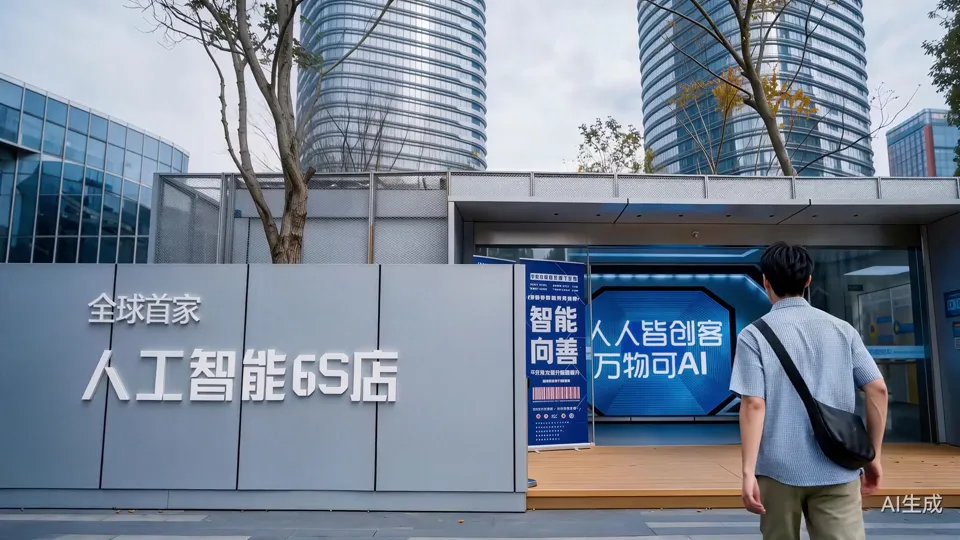
“The World's First AI 6S Store”
The camera moves from the big lettering over the entrance down to Chen Yan: “I heard you can 3D print non-standard parts here.” He hurries inside and sees the printers: “They really do have 3D printers.”
Clip · 00:59–01:05
The hologram becomes a real part
He drags a blue holographic part through the air with both hands; the shot cuts to a printer, where a spring shock absorber of the same shape builds up layer by layer.
Clip · 01:05–01:10
Taking out the freshly printed part
He takes the part out of the print chamber, holds it up to look it over, and says with a smile, “Looks good.”
Clip · 01:10–01:18
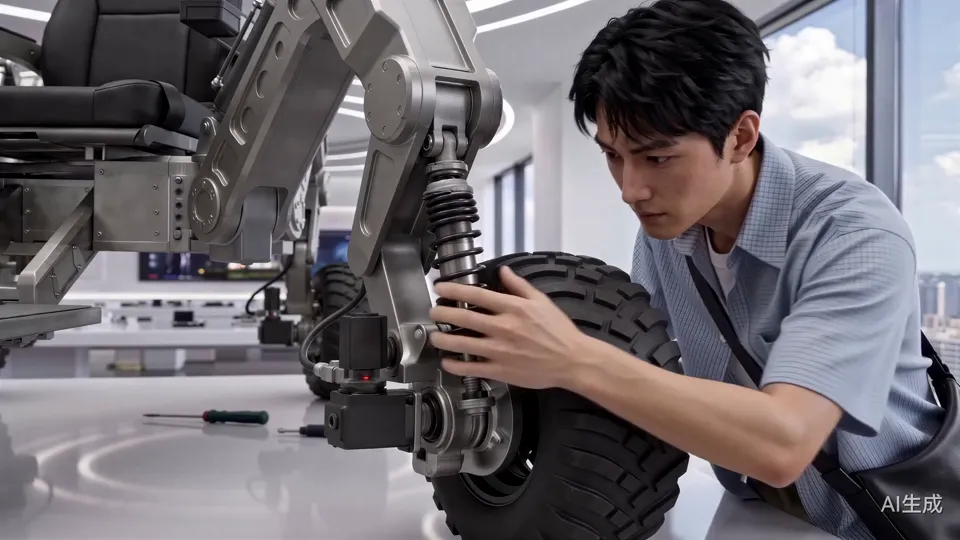
Fitting it next to the wheel
In close-up, Chen Yan fits the new part onto the suspension beside the off-road wheel and presses on the tire; now the robot is complete.
Clip · 01:18–01:21
“Let's show my mentor”
He pats the seat, stands up and decides to take the robot to someone who can check it.
Film · 01:21–01:53
The mentor's review, then a road test
In the industrial park, his mentor points out that the balance isn't quite there; Chen Yan fixes the algorithm on the spot and takes the robot for a test drive on Robot Avenue.
Clip · 01:21–01:27
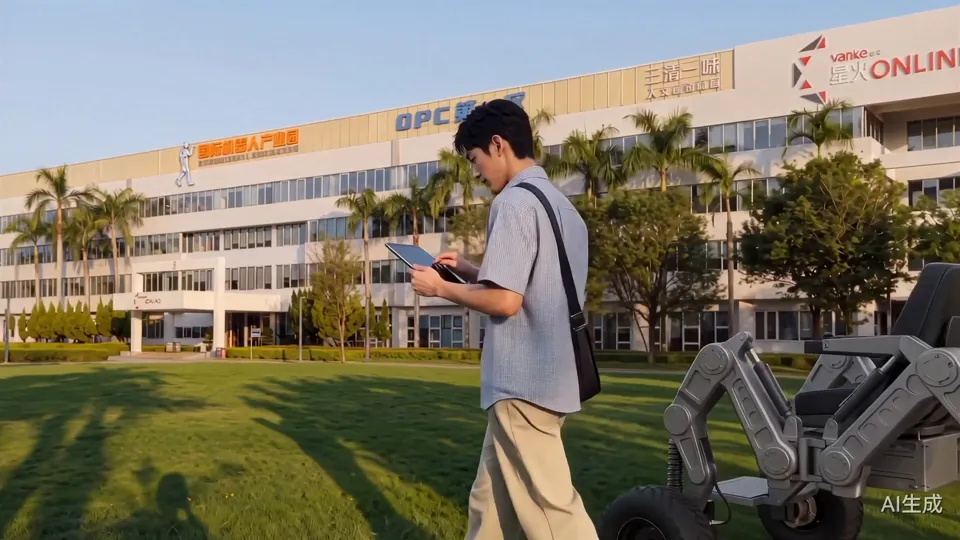
Walking the robot into the industrial park
Past lawns, palm trees and park buildings, Chen Yan walks while looking at his tablet, the robot following behind him.
Clip · 01:27–01:35
“The balance isn't quite there”
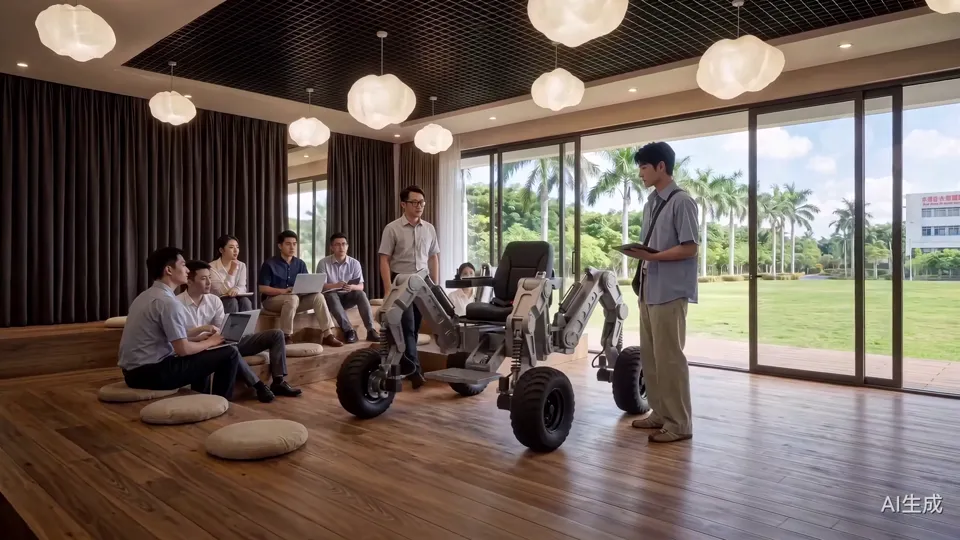
In a meeting area by floor-to-ceiling windows, several engineers gather around the robot; the mentor in glasses takes a close look and says, “Overall performance is good, but the balance algorithm still needs some work.”
Clip · 01:35–01:42
Fix the algorithm, then test it
Chen Yan revises the algorithm on his tablet: “I'll go test it again on Robot Street.” In the next shot he's already in the robot's seat: “Let's see how the new balance algorithm does.”
Clip · 01:42–01:50
Down the steps, around the cones
An overhead shot of pedestrians and robots on the colorful hexagonal paving, then the robot steadily walks down a few steps and drives along a row of orange traffic cones.
Clip · 01:50–01:53
Joystick close-up
A hand pulls the joystick back, the camera moves behind him, and the structures on both sides of the robot begin to unfold.
Film · 01:53–02:16
Spreading its wings, landing an investment
Passersby watch the robot transform and take off; after Chen Yan lands, an investor makes the call on the spot.
Clip · 01:53–01:58
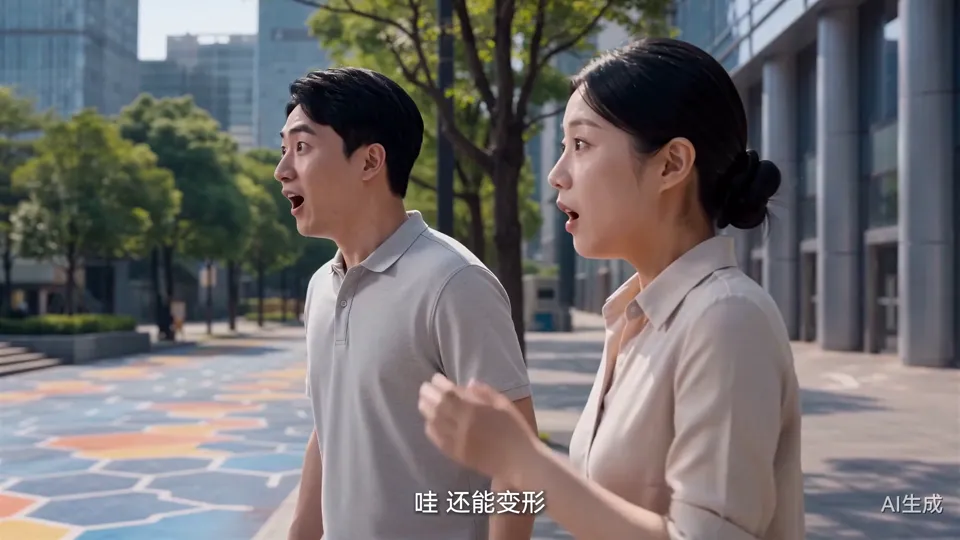
“Wow, it can transform”
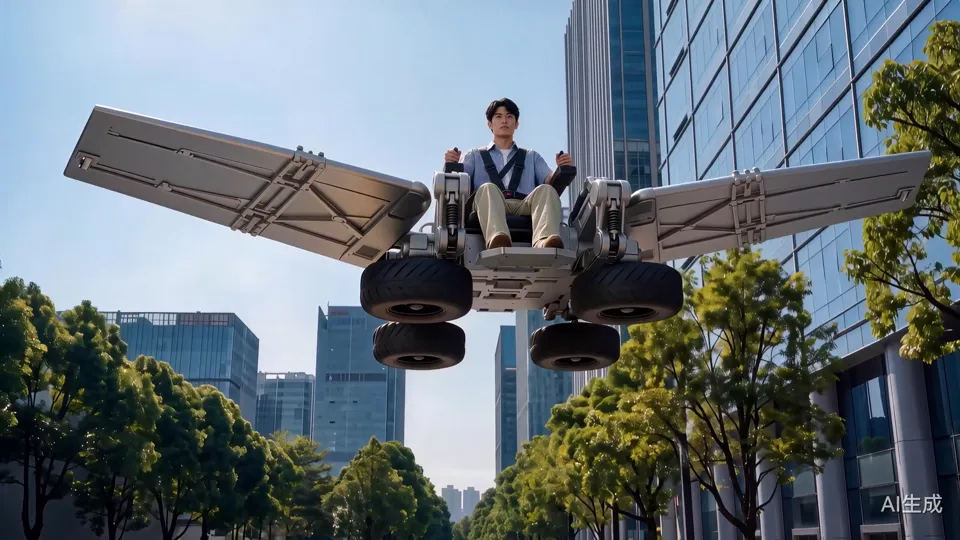
First the surprised reactions of two passersby, then a cut to the robot spreading its wings and lifting off. Strapped into a five-point harness, Chen Yan lets out an excited “Yahoo!”
Clip · 01:58–02:05
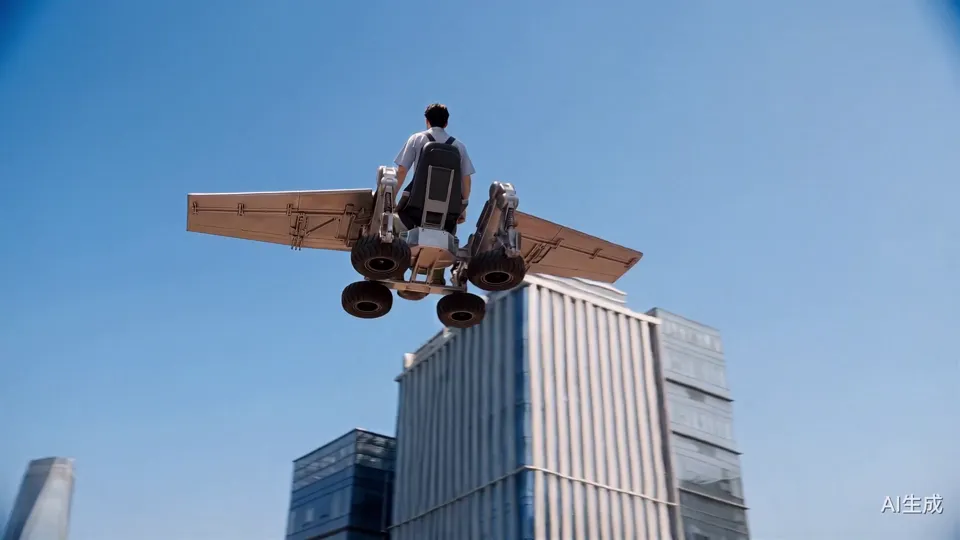
Flying over the street
A low-angle shot as the robot flies off over the buildings; a shout comes from the ground: “Chen Yan, come on down, your investor's here.” The tires touch down, kicking up a cloud of dust.
Clip · 02:05–02:09
Landing to meet the investor
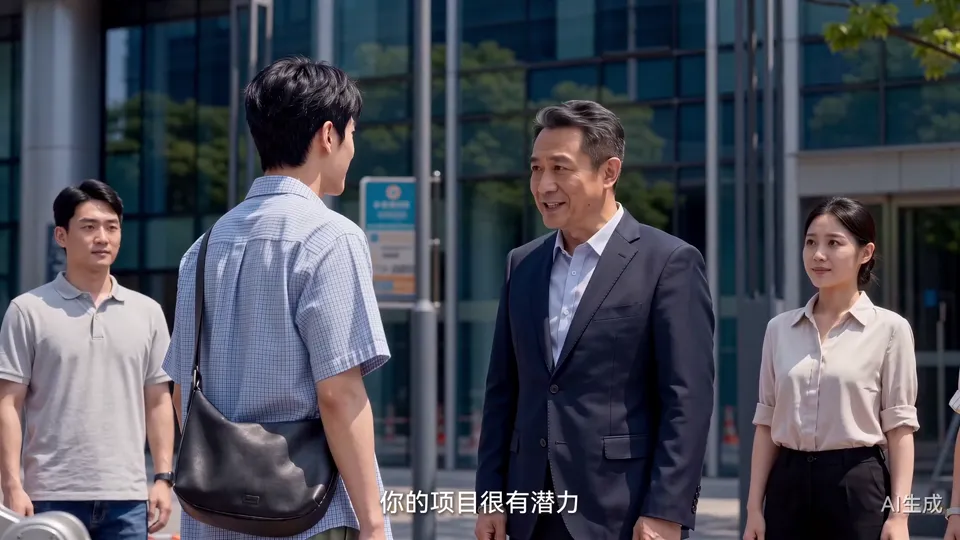
Chen Yan steps down from the footboard and walks up to the investor in a suit: “Mr. Song, have you made up your mind?”
Clip · 02:09–02:16
“I'm in”
The investor pats him on the shoulder and says, “I'm in.” The onlookers applaud, and he adds, “I'll set up mass production right away.”
Film · 02:16–02:41
Months later: mass production and a night takeoff
After a black screen reading “Months later…,” a woman, an elderly man and cargo are all riding wheel-legged robots; at night, Chen Yan takes off again in front of the twin towers, and the closing title appears.
Clip · 02:16–02:23
Robots out on the street
The black-screen caption “Months later…” fades out; on colorful paving, a woman and an elderly man each ride past on a wheel-legged robot, followed by another carrying cargo, while Chen Yan watches from the roadside.
Clip · 02:23–02:31
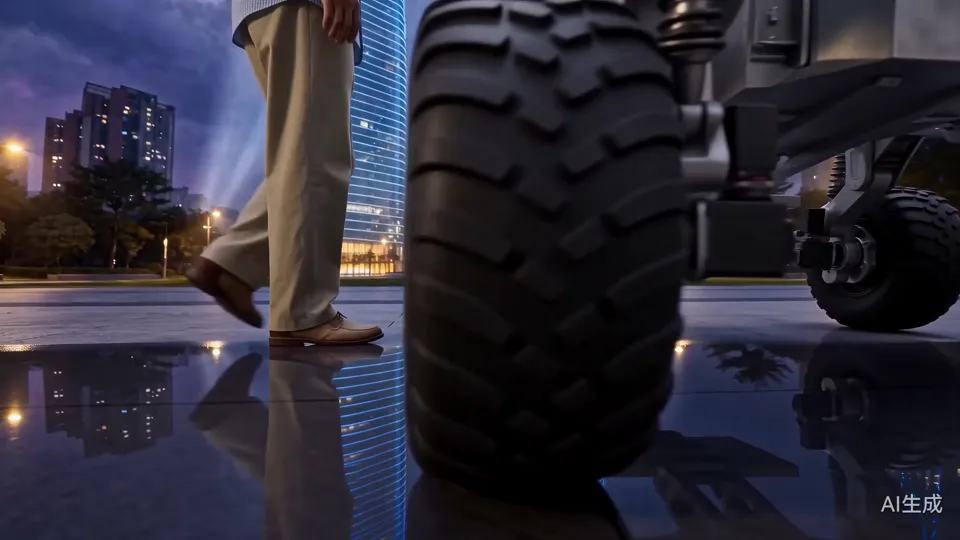
Taking off again in front of the twin towers
A low camera skims the ground, first catching Chen Yan's footsteps and the tires, then from behind as he gets on the robot; the wings spread and he rises toward the illuminated twin towers.
Clip · 02:31–02:36
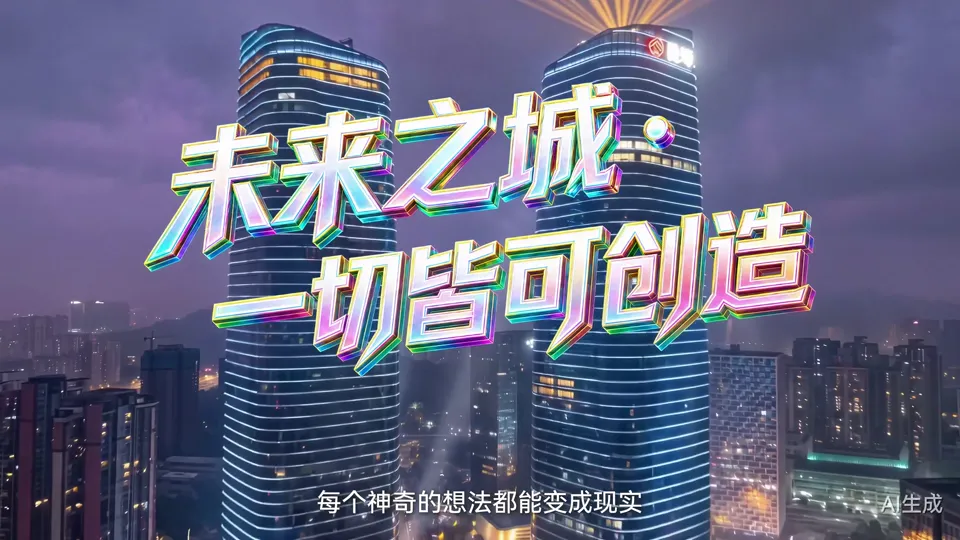
“City of the Future, Where Anything Can Be Made”
Colorful 3D lettering appears above the twin towers and the city at night, with the final line of narration: on Robot Street, every amazing idea can become reality.
04 / Storyboards & Final Frames
Every shot, from reference sheet to final.
First the character and robot reference sheets used throughout the film, then the final frames for each scene in the order of the finished film: for each shot we first note what it shows, then the final frame used to generate the video.
01
Character and robot reference sheets
Used throughout the film
Shot 1.1
Lead: Chen Yan
We locked his face, short black hair, blue-and-white fine-check short-sleeved shirt, khaki trousers and black crossbody bag, and made a full-body three-view sheet that every later shot used as a reference.
Lead: Chen Yan · Final 1Lead: Chen Yan · Final 2
Shot 1.2
Wheel-legged passenger robot
We designed this passenger robot ourselves: a seat, four mechanical legs and four off-road wheels, with dimensions marked at 165 × 140 × 130 cm, plus a three-view sheet and a scale drawing of Chen Yan sitting on it.
Wheel-legged passenger robot · Final 1Wheel-legged passenger robot · Final 2Wheel-legged passenger robot · Final 3
Shot 1.3
Flight mode
The mechanical legs spread sideways into a pair of wings, with the wheels tucked underneath; all the flight shots follow this configuration.
Flight mode · Final 1
Shot 1.4
Two passersby
The two passersby who shout “Wow, it can transform” appear again later, so they got their own three-view sheets to keep the same faces throughout.
Two passersby · Final 1Two passersby · Final 2
02
The workbench before dawn
In the film · 00:00–00:20
Shot 2.1
The digital clock flips to 02:00
Gears, a camera and a digital clock on the desk; the clock flips from 01:59:59 to 02:00:00, showing this is a late night.
The digital clock flips to 02:00 · Final 1The digital clock flips to 02:00 · Final 2
Shot 2.2
The blueprint is finished
In a warmly lit rented apartment, Chen Yan finishes the last details of the wheel-legged robot blueprint on screen.
The blueprint is finished · Final 1The blueprint is finished · Final 2
Shot 2.3
Coming across Robot Street
A report about Robot Street in Longgang, Shenzhen then appears on the screen, and the story turns toward the street.
Coming across Robot Street · Final 1
03
Into Robot Street
In the film · 00:20–00:28
Shot 3.1
Wide shot of the entrance building
A streamlined silver building with apartment blocks in the distance first shows viewers where the street is and what it looks like.
Wide shot of the entrance building · Final 1
Shot 3.2
Looking up at the sign
Morning light falls between the buildings as Chen Yan stands with his bag under the “ROBOT BLOCK” sign.
Looking up at the sign · Final 1
04
Parts supermarket
In the film · 00:28–00:43
Shot 4.1
The showroom's main wall
We recreated the curved white wall covered in company logos and the row of humanoid robots from the real site, with Chen Yan standing below.
The showroom's main wall · Final 1
Shot 4.2
Display stands for picking parts
Rows of white display stands by floor-to-ceiling windows hold robot parts you can buy on the spot.
Display stands for picking parts · Final 1
Shot 4.3
Holographic checkout counter
A blue holographic interface floats above the glass counter; set the parts down and you can check out.
Holographic checkout counter · Final 1
05
Assembly and 3D printing
In the film · 00:43–01:21
Shot 5.1
Shared assembly area
Under a ring of lights, a long white table is covered with the robot's frame and parts.
Shared assembly area · Final 1
Shot 5.2
Fitting the mechanical legs
Chen Yan fits the parts he bought onto the mechanical legs; the second image marks the missing part's position in blue light.
Fitting the mechanical legs · Final 1Fitting the mechanical legs · Final 2
Shot 5.3
AI 6S Store entrance
The entrance with large lettering reading “The World's First AI 6S Store,” with Chen Yan entering the frame from behind.
AI 6S Store entrance · Final 1
Shot 5.4
Modeling and printing area
A printing area divided by wooden slats, with a clear-shelled 3D printer at its center; the second image adds a blue hologram inside the print chamber.
Modeling and printing area · Final 1Modeling and printing area · Final 2
06
The mentor's review
In the film · 01:21–01:38
Shot 6.1
Into the industrial park
In front of lawns and park buildings, Chen Yan looks down at his tablet with the robot beside him.
Into the industrial park · Final 1
Shot 6.2
Discussion in the meeting area
In a wood-floored meeting area by floor-to-ceiling windows, several engineers sit around as Chen Yan shows them the robot.
Discussion in the meeting area · Final 1
Shot 6.3
The mentor gives feedback
The mentor in glasses and Chen Yan look at a tablet side by side; one says the balance isn't quite there, the other fixes the algorithm on the spot.
The mentor gives feedback · Final 1
07
Testing on Robot Avenue
In the film · 01:38–01:53
Shot 7.1
Getting into the robot
In front of an orange exhibition hall, Chen Yan sits in the seat and puts his hand on the joystick.
Getting into the robot · Final 1
Shot 7.2
Colorful hexagonal paving
An overhead shot of the colorful hexagonal tiles on Robot Avenue, with pedestrians walking past the robot.
Colorful hexagonal paving · Final 1
Shot 7.3
Joystick close-up
A hand pulls the joystick back; next comes the transformation.
Joystick close-up · Final 1
Shot 7.4
Looking past his shoulder at the cones
Looking out from behind Chen Yan's shoulder: a row of orange traffic cones and a long test track ahead.
Looking past his shoulder at the cones · Final 1
08
Winged flight and the investment
In the film · 01:53–02:17
Shot 8.1
Moving along the cones
A side view of the robot driving along the cones past a building, getting ready to take off.
Moving along the cones · Final 1
Shot 8.2
Lifting off on spread wings
The mechanical legs spread sideways into wings, and from behind we see the robot rise with Chen Yan aboard.
Lifting off on spread wings · Final 1
Shot 8.3
“I'm in”
In the crowd of onlookers, the investor in a suit shakes hands with Chen Yan as people nearby film on their phones.
“I'm in” · Final 1
09
Months later and the ending
In the film · 02:17–02:41
Shot 9.1
Robots out on the street
A woman and an elderly man each ride past on a wheel-legged robot, with another carrying cargo behind them, while Chen Yan stands by the roadside.
Robots out on the street · Final 1
Shot 9.2
The twin towers at night
The illuminated twin towers serve as the backdrop for the night takeoff and the closing title.
The twin towers at night · Final 1The twin towers at night · Final 2
Shot 9.3
Closing theme title
Colorful 3D lettering reading “City of the Future · Where Anything Can Be Made”; all three films in the series share this ending.
Closing theme title · Final 1
05 / Script Excerpts
Beyond the picture.
Chen Yan
They say any amazing idea can come true here.Line from the film
Chen Yan
The design's finally done; now I just need to buy the parts and put it together!Line from the film
Mentor
Overall performance is good, but the balance isn't quite there; the balance algorithm still needs some work.Line from the film
Chen Yan
Okay, I'll tweak the balance algorithm and go test it again on Robot Street.Line from the film
06 / Results
The second film in the Robot Street series
We delivered a 2 min 41 sec, 16:9 4K narrative promo for Robot Street in Longgang, Shenzhen, the second of three promo films for the street. Through the story of a young man taking a wheel-legged robot from blueprint to the road, it introduces real places: the parts supermarket, the AI 6S Store, the industrial park and Robot Avenue. The video on this page keeps the original film's “AI-generated” label.
Case Study
Liandan AI Studio × Longgang Robot Street | A wheel-legged robot, from a 2 a.m. blueprint to the sky above the twin towers
At 2 a.m., a young man finishes the blueprint for a robot.
Where do you buy the parts? Who makes the piece you can't buy? Will it actually run once it's built?
These are exactly the problems Robot Street in Longgang, Shenzhen solves every day.
In “Geek Ideas,” the second film in the promo series we made for the street, this young man carries those questions all the way through the street.
Client
Longgang Robot Block, Shenzhen
Project Type
AI narrative promo · Second film in the Robot Street series
Timeline
Jun–Aug 2026
Runtime & Specs
2 min 41 sec · 16:9 · 4K
Deliverables
4K film, including the ending shared by all three films in the series
Produced by
Shenzhen Alchemy Technology Co., Ltd. (Liandan AI Studio)
01
How do you keep a promo for the street from feeling like a guided tour route?
The street has many places to introduce: the parts supermarket, the AI 6S Store, the industrial park, Robot Avenue… Film them one after another and it easily turns into a guided-tour video.
We hung all these places on one task: building a wheel-legged robot.
When the lead, Chen Yan, needs parts, he goes to the parts supermarket; when he's missing a non-standard part he can't buy, he goes to the 6S Store to model and print it; once it's assembled and needs checking, he goes to his mentor in the industrial park; after revising the algorithm and needing a test drive, he heads out onto Robot Avenue.
Every place he goes, he goes because he has something to do there. As viewers follow him building the robot, they come to understand what the street can do for people.
The main wall of the parts supermarket showroomAI 6S Store entrance
02
Before production, “locking down” the people and the robot
The film has more than 40 shots, and Chen Yan has to appear again and again in his rented apartment before dawn, the showroom by day, the outdoor test ground and night scenes. If his face changed or the robot's legs changed, the story would fall apart.
So we started with reference sheets. For Chen Yan we locked his face, hairstyle, blue-and-white fine-check shirt, khaki trousers and a black crossbody bag, and made a three-view sheet.
The client didn't specify a design for the wheel-legged robot, so we designed one ourselves: a seat, four mechanical legs and four off-road wheels, with dimensions marked at 165 cm tall and 140 cm wide, plus a three-view sheet and a scale drawing with a person sitting on it.
Every image after that used these sheets as references.
Chen Yan three-view sheetDimension drawing of the wheel-legged robotScale drawing of Chen Yan sitting on the robot
03
Building the film's street from the real one
The scenes in the film weren't made up out of thin air. The client provided reference material of the street's entrance, Robot Avenue and the parts supermarket, and we built the scenes from it.
So people who know the place will recognize many details: the curved white wall covered in company logos in the showroom, the “World's First AI 6S Store” entrance, the colorful hexagonal tiles on Robot Avenue, and the twin towers at the end.
On top of the real locations, we added holographic interfaces, printing equipment and a transforming robot. The places are real, with a little of the future put inside.
For some scenes we first made an empty plate with no people, locking the floor, the lights and the lawn outside the floor-to-ceiling windows, then placed Chen Yan, the engineers and the robot into it. When the characters change poses or positions, the scene doesn't change with them.
Empty plate first: the park meeting area's wooden floor, cloud pendant lights and floor-to-ceiling windowsFinal: the same meeting area with the engineers, Chen Yan and the wheel-legged robot added
Clip · 00:59–01:05
The missing part, from hologram to real object
Chen Yan drags a blue holographic part with hand gestures; in the next shot, the printer produces a metal part of the same shape.
04
Every plot point gets its picture
The second draft of the script added more of the real R&D process: after the robot is assembled, the mentor says, “Overall performance is good, but the balance isn't quite there”; Chen Yan revises the algorithm on the spot and goes to the test area for a test drive.
We gave every one of these turns its own images: when the mentor speaks, the camera shows the two of them looking at a tablet side by side; when the robot spreads its wings, we first cut to the startled faces of two passersby, which gives the line “Wow, it can transform” someone to say it.
The two passersby appear again later, so we made separate three-view sheets for them too, keeping the same faces in every appearance.
The mentor and Chen Yan looking at a tablet togetherPasserby three-view sheets
Clip · 01:53–01:58
“Wow, it can transform”
The passersby react first, then the robot spreads its wings and takes off.
05
When it flies, it has to look safe
One note from the review: in the passenger flight shots, the lead had no protection at all, which made viewers uneasy.
We gave Chen Yan a black five-point harness and updated every later shot of him riding the robot: first revising the final frames, then regenerating the matching video clips, so the harness lines up from the front, side and back.
The robot in the film is imaginary, but the way people ride it has to make sense. In a promo for an industrial street, details like this affect whether viewers believe it.
Clip · 01:55–02:01
Taking off with the harness on
After the wings spread and lift off, we cut to a close shot of Chen Yan, with the five-point harness clearly visible across his chest.
06
What this project achieved
“Geek Ideas” was delivered as a 2 min 41 sec, 16:9 4K narrative promo, the second film in the Robot Street series; all three films share the same “City of the Future” ending.
For the street, it turns several kinds of services into one story a viewer can follow from start to finish: having an idea, buying parts, making a part, getting it checked, testing on the road, landing an investment and putting the product on the street.
For us, the key to films like this isn't how flashy any one shot is, but three things: the characters and the robot stay consistent from start to finish, every scene matches the real street, and every plot turn is shown on screen.
At the end, Chen Yan rides the robot he built and rises in front of the twin towers as colorful lettering appears above the skyline:City of the Future, Where Anything Can Be Made.
Clip · 02:23–02:31
Taking off again in front of the twin towers
From the footsteps and tires on the ground, all the way up to his silhouette rising on spread wings.
FAQ
FAQ
How do you keep the lead and the product the same in every shot of an AI promo?
We make reference sheets before production. For this film, the lead Chen Yan, the wheel-legged robot and the two passersby all got three-view sheets, and the robot also had its dimensions and a scale drawing with a person on it. Every one of the 40-plus shots used these as references, so the character's face, clothes and crossbody bag and the robot's legs and wheels stay consistent throughout the film.
Can AI video be based on real locations and buildings?
Yes. This film drew on the client's reference material of the street's entrance, Robot Avenue and the parts supermarket to recreate the showroom's main wall, the AI 6S Store entrance, the colorful hexagonal tiles and the twin towers, then added imagined elements like holographic interfaces and the transforming robot.
How long did a narrative promo like this take, from script to delivery?
We received the client's script and started in late June 2026, first producing stills and segment videos, with a full edit by mid-July. After several rounds of revisions based on the second draft of the script and review notes, the 4K final was delivered in early August, a little over a month in total.
How do you keep a series of several films consistent?
All three films in the Robot Street series share an ending with the twin towers at night and the colorful 3D lettering “City of the Future, Where Anything Can Be Made,” followed by the street's logo; subtitles were all switched to commercially licensed fonts so the client can use the films on any platform with confidence.
Approach
Continuity across the character, the product and each service
The character and the product each got their own reference sheets first: Chen Yan's face, blue checked shirt and khaki trousers make him recognizable in every scene, while the wheel-legged robot's seat, mechanical legs, tires and controls stay fixed. As the shots move between buying parts, assembly, test rides and flight, viewers always know it's the same person and the same prototype.
The script includes the non-standard part, the mentor's feedback, algorithm tuning and retesting. It opens with Chen Yan finishing his design at 2 a.m. and coming across a report on Longgang's Robot Street on his computer, then heading out on his own first thing the next morning. The film arranges its scenes in a “hit a problem, solve the problem” order: whichever service the R&D needs is the one that appears.
The scenes draw on reference material of the street's entrance, the parts supermarket, the AI 6S Store, the industrial park and Robot Avenue, combined with realistic CG imagery and holographic interfaces. Close shots explain the product's structure through action, medium shots show collaboration in conversation, and wide flight shots carry the theme toward the city of the future.