Glass cards, charts and a light desktop layout organize Kling model information into layered product visuals.
Project Type
Brand & Product
Client
Self-initiated concept promo
Year
2026
Our role
Script, 3D blockout, AI visuals & editing
Original format
3840 × 2160 · 00:18
Film00:18 · Film
01 / Background
Keeping Model Information Clear in a Short Film
The product content for Kling AI Video 3.0 and 3.0 Omni covers several capability areas. The short film had to turn feature names and technical information into visuals recognizable at a glance, laying out the information with cards, charts and geometric objects.
The visuals use a glassmorphism and soft skeuomorphic style: a browser stands for the way into creation, cards separate the model sections, charts and labels lay out the features, and a light desktop brings the technical information back into the creator's working environment. The design principle was “see the key information first, then feel the material,” so decoration never competes with the text for attention.
02 / Creative Highlights
Material and Space, Both in Service of Clear Features
01
Entering the Feature Hierarchy Through Two Sections
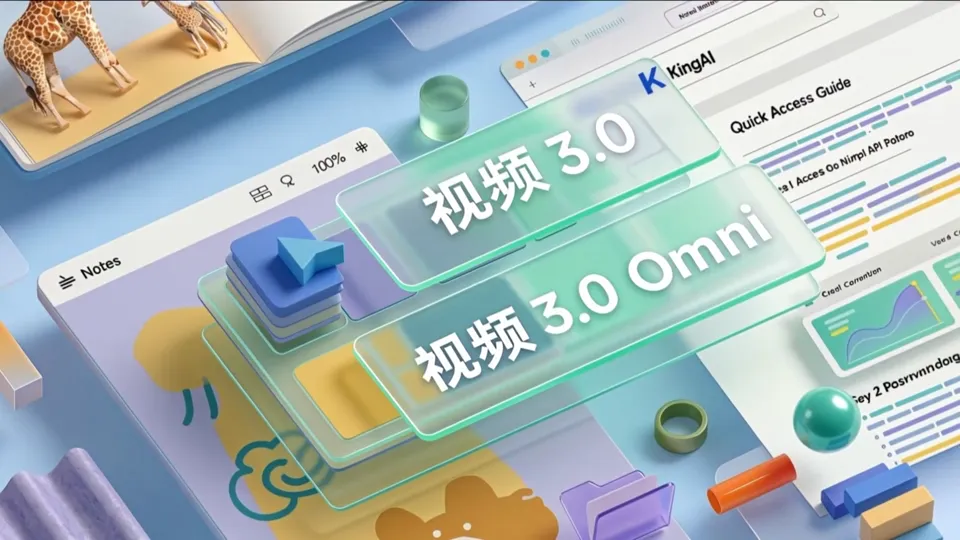
Next to the browser, two labels appear first, Video 3.0 and 3.0 Omni, then the film moves to 3D modules with curves, bar charts and feature names, followed by a separate panel that spotlights Omni. Splitting into sections before expanding the information helps viewers keep up with the film's fast pace; the charts here are only for layout and do not represent real performance data.
02
A Desk Setting That Keeps Creation in Mind
A blue cursor, a monitor and the shadows of trees first build a familiar computer desktop; after the features are shown, the film returns to a round table set with a laptop, a desk lamp and design paper. The technical information sits inside this round trip of “entering the interface, returning to work,” which ties the abstract cards back to the act of creating.
03
The Logo Rises From a Paper Sketch to a Clean End Card
The final shot moves in on the grid paper on the table, the colorful ring logo rises up off the page, and the film cuts to the Kling AI logo on a light gray background. Going from a tactile 3D logo to a clean flat brand mark, the motion and the white space together focus attention on the brand name.
03 / Scene Breakdown
From the Desk to Feature Information and the Brand
Film · 00:00–00:04
From the Computer Desktop Into the Feature Interface
The film first gives viewers a familiar creator's workstation, then uses two glass labels to present Kling's two generations of video models separately.
Clip · 00:00–00:02
Cursor Moving Across the Desktop
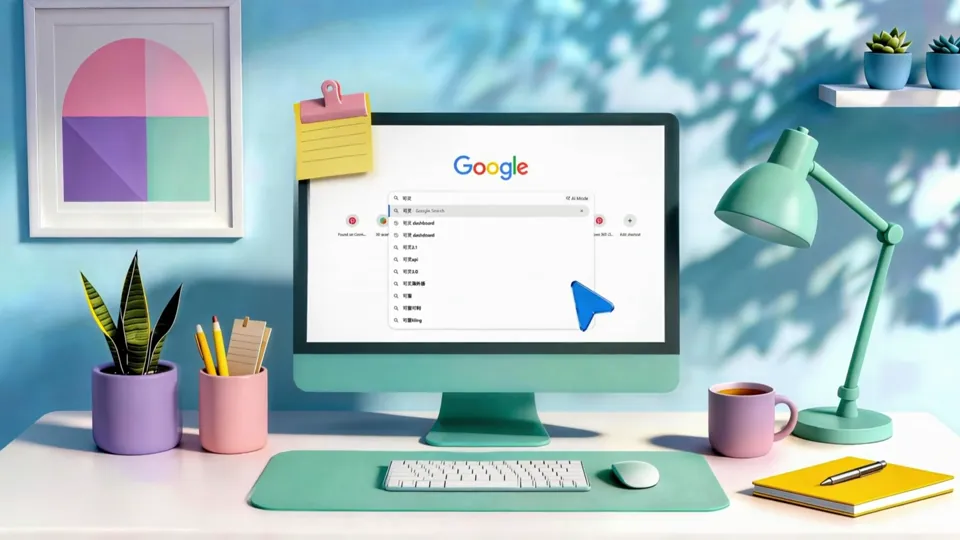
Tree shadows fall on a light blue wall; a green monitor, a pen holder, a desk lamp and a yellow notebook fill the desk, and a blue cursor moves across a browser page.
Clip · 00:02–00:04
Two Labels for Two Generations of Models
The frame shifts to a web page and notes seen from an angle above, with two translucent labels, “Video 3.0” and “Video 3.0 Omni,” layered on top; then the camera glides across a light blue background into the next scene.
Film · 00:04–00:08
Two Sets of Model Features
Each model gets one screen: Video 3.0 lays out five capabilities as 3D charts, and Omni fits four capabilities on a panel of its own.
Clip · 00:04–00:06
Video 3.0's Five Capabilities
Curves, bar charts, a pie chart and a folder become 3D modules, with labels beside them reading Smart Storyboarding, Image-to-Video + Subject Reference, All-in-One Audio & Video, Native-Level Text and 15s Extended Generation, as a green glass ball rolls across the frame.
Clip · 00:06–00:08
Omni Gets a Panel of Its Own
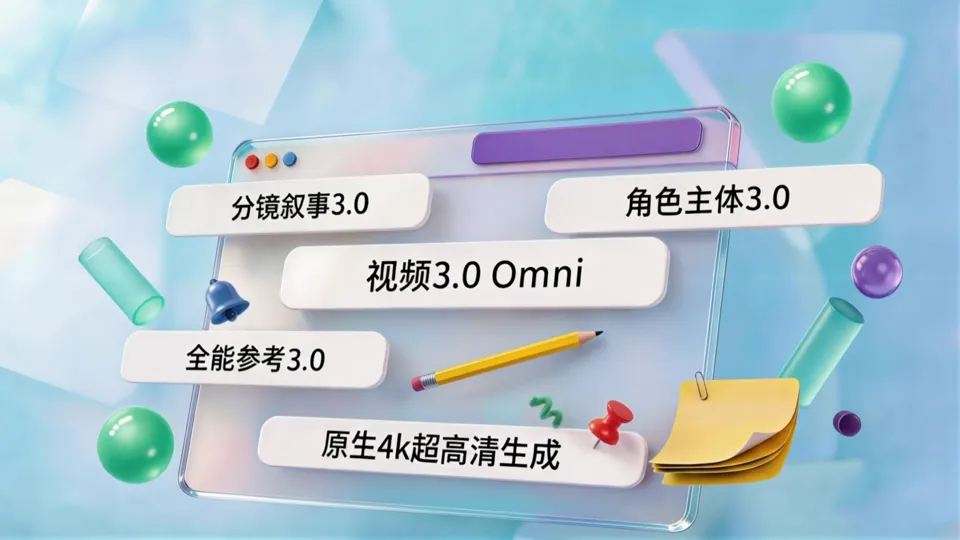
A translucent panel rises with “Video 3.0 Omni” in the center, surrounded by four labels: Storyboard Narrative, Character Subjects, Omni Reference and Native 4K Ultra-HD Generation. A pencil, pushpins and sticky notes make it look like a design draft spread out on a desk.
Film · 00:08–00:13
Back to the Creator's Desk
With the features covered, the camera returns to a pale green round table, where three technical approaches are written in speech bubbles floating beside a laptop showing the Kling AI logo.
Clip · 00:08–00:11
The Workstation on the Round Table
A laptop, desk lamp, yellow notebook, vase and design paper sit on a glass round table, tree shadows fall on the wall, and the Kling AI logo is on the screen.
Clip · 00:11–00:13
Three Technical Approaches
Three speech bubbles with a soft green gradient read: All-Scenario Multi-Task Native Foundation, Native Cross-Modal Audio Engine, and Multimodal Subject Referencing with Decoupled Control.
Film · 00:13–00:18
From Paper Sketch to Brand End Card
The camera pushes in on the grid design paper on the table, the logo rises out of the line drawing, and it settles into a clean flat brand mark.
Clip · 00:13–00:16
The Logo Rises Off the Design Paper
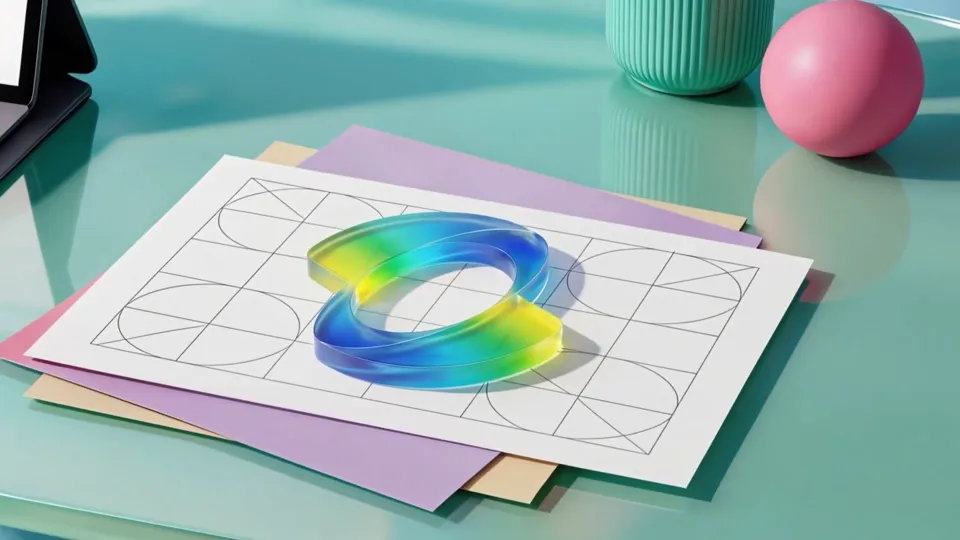
The ring-shaped line drawing on the grid paper turns into a glass logo with a blue, green and yellow gradient; the background then changes to light gray, and the 3D logo turns on its own.
Clip · 00:16–00:18
Kling AI Flat End Card
The film cuts to the black Kling AI logo on a light gray background with plenty of white space, so the brand name is the last thing viewers remember.
04 / Storyboards & Final Frames
The final frame of every shot.
Shown in the order they appear in the film: each shot starts with what it shows, followed by the final frame used in the film. For how each shot went from first draft to final, see the Case Study.
01
From the Desk Into the Feature Interface
In the film · 00:00–00:04
Shot 1.1
Desktop Opening
A light blue wall, a green monitor and desk objects build a creator's workstation. Shadows of the trees outside fall on the wall, and the monitor casts a shadow below it, giving the main objects weight.
Desktop Opening · Final 1
Shot 1.2
Video 3.0 and Omni Labels
The two generations of models are first separated into two labels: two translucent glass labels float above a web page, with colors kept to Kling's teal green.
Video 3.0 and Omni Labels · Final 1
02
Two Sets of Model Features
In the film · 00:04–00:09
Shot 2.1
Video 3.0's Five Capabilities
The five capabilities become an array of 3D modules made of curves, bar charts and labels, with few stray elements so the text reads at a glance.
Video 3.0's Five Capabilities · Final 1
Shot 2.2
Video 3.0 Omni Panel
Omni gets a panel of its own, with the title centered and four capabilities around it. One of them is “Native 4K Ultra-HD Generation.”
Video 3.0 Omni Panel · Final 1
03
Back to the Creator's Desk
In the film · 00:09–00:14
Shot 3.1
The Round Table and Three Technical Approaches
The three technical approaches are written in three speech bubbles above the round table; the bubbles and the computer screen carry a soft green gradient that ties them to the brand color.
The Round Table and Three Technical Approaches · Final 1
04
Brand End Card
In the film · 00:14–00:19
Shot 4.1
The Logo on the Design Paper
The camera pushes in on the grid paper on the table, and Kling's ring logo turns from a line drawing into 3D glass.
The Logo on the Design Paper · Final 1
Shot 4.2
3D Logo
On a light gray background, the colorful glass logo appears on its own, with nothing else in the frame.
3D Logo · Final 1
Shot 4.3
Flat End Card
Ends on the flat Kling AI logo on light gray, with no other elements added.
Flat End Card · Final 1
05 / Results
Product Visual Short
This is a self-initiated Kling AI concept promo by Liandan AI Studio. The final film runs about 19 seconds in 16:9 landscape, using a creator's desk to tie together the features of Video 3.0 and 3.0 Omni and three technical approaches, with all motion generated by Kling.
Case Study
Putting Two Generations of Video Model Features on a Creator's Desk
Kling Video 3.0 and 3.0 Omni were launching together, with more than a dozen features that could be written up.
Explaining them in under 20 seconds was never going to work by piling on captions.
This is a self-initiated Kling AI concept promo by Liandan AI Studio: borrowing the glassy look and soft skeuomorphic shapes of the Microsoft style, we turned the features into cards and charts you can see on a desk, and all the motion was generated with Kling.
Client
Kling AI (Video 3.0 / Video 3.0 Omni)
Nature of Project
A self-initiated product concept promo, not a client commission
Project Type
AI Product Film · Microsoft-Style Glassmorphism
Timeline
Mar–May 2026
Runtime & Specs
About 19 s · 16:9 landscape
Produced by
Shenzhen Alchemy Technology Co., Ltd. (Liandan AI Studio)
01
Too Many Features, So First Split Them in Two
The earliest script crammed in Video 3.0's five highlights, Omni's three highlights and all three technical approaches, which would have needed thirty seconds to a minute.
We changed the order: first, two labels tell viewers “there are two generations of models here,” then each generation gets a screen of its own. Video 3.0's capabilities are laid out as 3D charts, Omni gets its own panel, and the technical approaches are saved for the desk scene at the end.
Clip · 00:02–00:04
Two Labels for Two Generations of Models
Once “Video 3.0” and “Video 3.0 Omni” are introduced separately, the information that follows has room to breathe.
The curves and bar charts in the frame are only there to lay out the information; they do not represent real performance data. What viewers need to remember are the feature names, not the numbers.
02
Starting From Blockouts So Every Frame Can Be Edited Separately
Microsoft-style visuals look simple; the hard part is making several shots look like they come from the same design system, and making sure a change in one place doesn't ripple through everything.
Our approach was to sketch first, then build a blockout in Blender with simple shapes like planes, cubes and cylinders, locking in the angles and positions of the cards. On export we split the scene into layers, background, left cards and right cards, and applied materials to each layer separately with material references and color codes, before cutting them out in Photoshop to adjust size, color and layout.
Exploration stage: a Blender blockout sets the positions of the ribbon and cards firstThe same scene after materials were applied layer by layer
The benefit of layering is direct: if one card's material is off, we only change that layer and leave everything else alone. With this method, we could finalize three detailed storyboard frames in a day, and the style stayed consistent across shots.
03
Color and Material Serve the Information First
The first storyboard had lots of colors and scattered elements. It looked busy, but the key information didn't stand out. When revising, we set a few rules:
Keep the color restrained and the gradients narrow; keep the main color within Kling's tech teal green; use translucent acrylic so nothing feels too solid or hard; make the front cards carrying information more solid and let the ones behind grow more transparent; cut small decorations wherever possible; and use one typeface for text, which must stand out more than any decoration.
First draft of the Video 3.0 shot: colorful bars scattered across the frameFinal: 3D charts with labels, readable at a glance
Following these rules through each revision, the Video 3.0 shot went from a screen full of bars to a neatly arranged set of 3D modules, with all five capability names clearly legible.
The two labels in the opening were refined the same way: the first draft used colorful cards with clock and envelope icons, an interim version tried white pill buttons, and the final settled on translucent glass labels floating above the web page, with colors kept to Kling's teal green.
First draft: colorful cards with clock and envelope iconsInterim draft: white pill buttonsFinal: glass labels floating above the web page
04
Ending: The Logo Rises Off the Design Paper
Once the features are covered, the camera doesn't jump straight to a brand page; it returns to a round table set with a laptop, a desk lamp and design paper. The three technical approaches are written in speech bubbles floating beside the laptop.
Then the camera pushes in on the grid paper on the table, the ring-shaped line drawing turns into a colorful glass logo, and the film cuts to the flat logo on light gray. Moving from the “workbench” to the “brand” leads viewers to connect all those features with the act of creating.
Clip · 00:13–00:16
The Logo Rises Off the Design Paper
The line drawing becomes a 3D glass logo, and the background then turns light gray.
For the three technical approaches on the round table, we tried glass panels and ribbons before settling on speech bubbles. We also tried several end cards: a dark background and an ocean-wave background, both with “KLING 3.0” lettering. In the end we chose a single glass logo on light gray, the cleanest frame, with all attention on the brand.
End card test: dark background with “KLING 3.0”End card test: ocean-wave background with “KLING 3.0”Final: just the glass logo on light gray
In the edit, the rough cut ran over thirty seconds and felt slow, so we tightened it to about 19 seconds, keeping just one idea per screen.
05
Getting Every Detail Right
There was one more round of fine-tuning before final: the Omni panel originally showed “Storyboard Narrative 3.0” twice, so we replaced the duplicate with “Native 4K Ultra-HD Generation”; the white bubbles on the round table looked plain, so we gave every bubble and the computer screen a soft green gradient.
Before revision: a duplicate label on the panelAfter revision: replaced with “Native 4K Ultra-HD Generation”
In the desk scene, the shadows of window blinds were replaced with tree shadows, and the computer got a cast shadow and reflections; after the motion was generated, the logo on the laptop screen was corrected in AE so every character was crisp before the end card.
06
What this project achieved
This film tested a method for making product feature shorts: group the information first, lock the composition with blockouts, apply materials layer by layer, and finally generate the motion with a video model.
Any product film with lots of features that needs to be clear and look good, such as a software launch, a model upgrade or a SaaS feature introduction, can follow this approach: the visuals stay controllable, and revisions are fast.
FAQ
FAQ
How can an AI product film explain a dozen-plus features clearly?
Group them first, then give each group one screen. This film first uses two labels to separate Video 3.0 and 3.0 Omni, gives each model its own screen, and saves the technical approaches for the desk scene at the end, covering three groups of information in about 19 seconds.
How do you keep Microsoft-style (glassmorphism) visuals consistent across several shots?
We first build a blockout in Blender to lock the composition, then apply materials in separate layers for the background and cards, with every layer using the same material references and color codes, and finally unify the typeface and layout in Photoshop. That way the color and texture match from shot to shot.
How was the motion in this film made?
Each shot starts as a finalized still, then the motion is generated with Kling, choosing the take with the most stable lettering from several results; local details such as the logo on the screen are corrected in AE, and the final edit is a 16:9 landscape film of about 19 seconds.
How long did a film like this take from start to final?
Scripting and storyboarding for this concept film began in March 2026, the first edit was done at the end of March, and after another round of refining the copy and color palette in May, it was finalized.
Approach
Glassmorphism Visuals and Card Structure
We first used sketches and a Blender blockout to set the angles and positions of the cards, then applied AI materials to the left and right cards and the background as separate layers, and finally adjusted the size, color and layout of elements in Photoshop. The benefit of layering: when one material or module needs changing, everything else stays untouched.
When revising the frames, we checked the brand's tech teal green, the translucent acrylic texture and the information hierarchy together: front information cards more solid, those behind gradually more transparent, and fewer stray small elements; text and labels had to stand out more than decorations in complementary colors. The desk has tree shadows, a cast shadow from the computer and reflections, so even in a soft image the main objects still have weight and are easy to recognize.
The roughly 19-second film presents the browser, the module charts, the Omni panel, the creator's desk and the brand logo in turn. Interface information and ambient atmosphere each get their own stretch and both read clearly, before the film closes on the brand end card so viewers remember Kling AI.