Changes in celestial bodies show how the solar system formed step by step, while orbital lines, timestamps and short captions tell viewers which stage each shot belongs to.
Project Type
Science & Tech
Client
Self-initiated science demo
Year
2026
Our role
Script, AI keyframes & video, editing
Original format
1928 × 1072 · 00:31
Preview
Click an image to view it full size
Cosmic Science: The Birth of EarthFilm keyframe · click to enlarge ↗Film00:31 · Film
01 / Background
Turning billions of years of cosmic change into images people can follow
A science film about Earth's history has to turn billions of years of change and vast reaches of space into images viewers can follow. This is a science visual sample made in-house by Liandan AI Studio, focused only on how the solar system formed: in about half a minute it links a gathering nebula, a core that glows white-hot, a spinning disk and a planetary system.
Cosmic imagery alone doesn't tell viewers when or where something is happening, so the film overlays fine-line coordinates, orbits and brief captions: the celestial images show the change, while graphics and text tell viewers which stage they are watching.
02 / Creative Highlights
The celestial images show the change; graphics and text explain it
01
Push in for detail, pull out for the big picture
In the nebula stage, the camera slowly pushes toward the bright core so viewers can see where the matter is gathering; then it pulls back, placing that core within the spinning disk and surrounding material. Moving from the detail to the whole helps viewers grasp how the bright point relates to the larger structure, and the two stages connect naturally.
02
Explanatory graphics stay close to what is changing
Rings, axes and captions sit in the lower part of the frame, leaving the bright celestial bodies in the main area. The title changes across the three stages of nebula, Sun and planets, and the graphics follow the lines of the disk and orbits; the images show the change, while text and graphics tell viewers what they are looking at.
03
One collision turns a process into an event
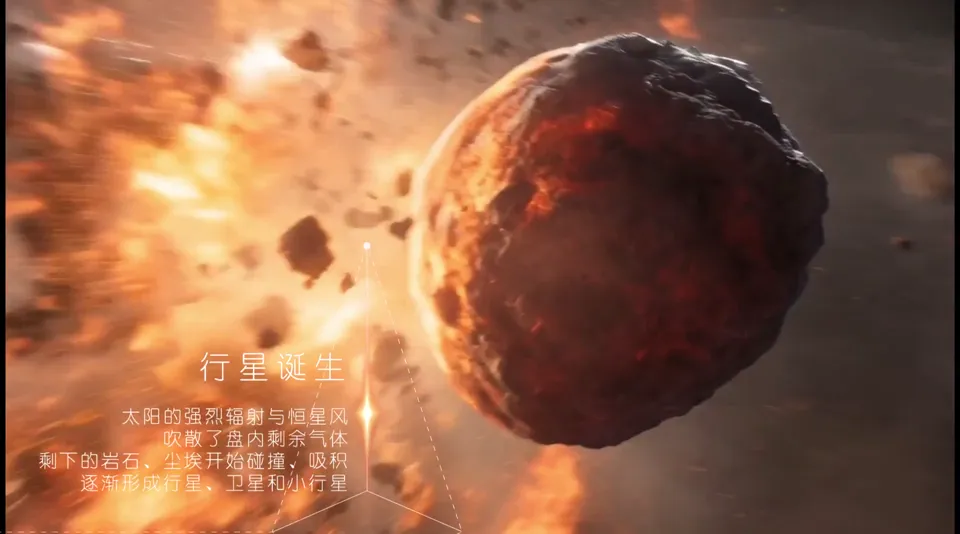
After the wide view of the disk, the camera moves into a cluster of rocks: two boulders draw close, the point of impact flares, and the impact cuts to a molten sphere. “Planet formation” is an abstract idea, but shot this way it gains a cause and an effect; the camera then pulls back to multiple bodies and the whole system comes into view again.
03 / Scene Breakdown
Follow the captions as the solar system takes shape.
Film · 00:00–00:11
A nebula gathers and its core lights up
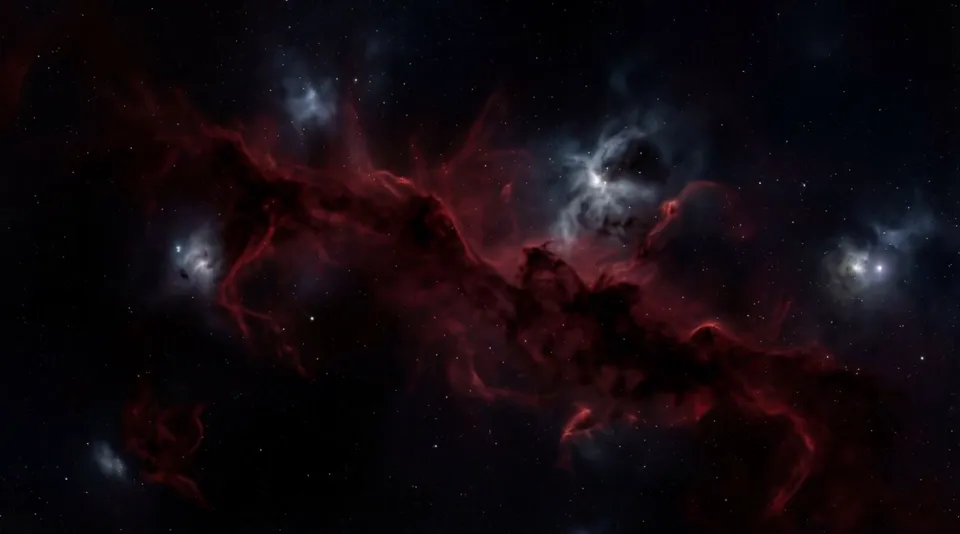
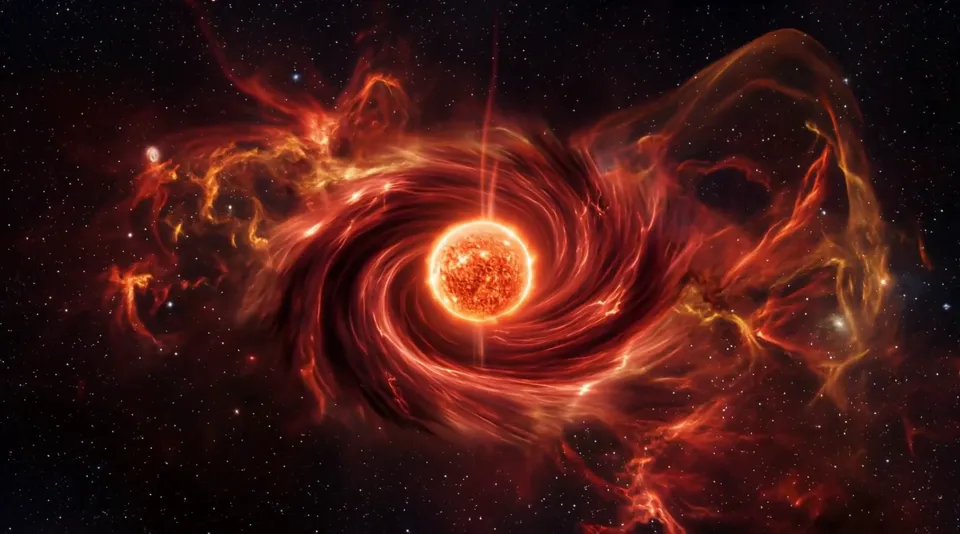
A point of light slowly brightens inside a dark red nebula as a vortex pulls matter toward the center. The captions “4.5 billion years ago” and “Over tens of millions of years” appear in turn, marking this as the time before the star was born.
Clip · 00:00–00:05
A point of light appears in a dark red nebula
The film opens on a thin, dark red nebula. A few seconds in, a bright point appears at its center and the surrounding gas begins to circle it; a ring and “4.5 billion years ago” fade in at the lower left.
Clip · 00:05–00:11
Pushing in on the glowing protostar
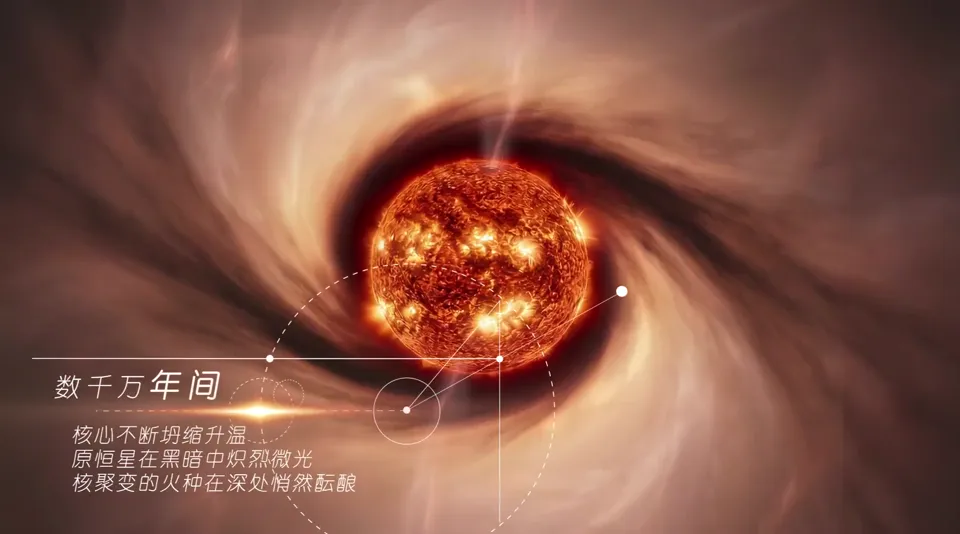
The camera pushes toward the bright point as it grows into an orange-red sphere of light, the swirl around it tightening. The caption changes to “Over tens of millions of years,” referring to the core steadily contracting and heating up.
Film · 00:11–00:18
The Sun is born and the disk spreads out
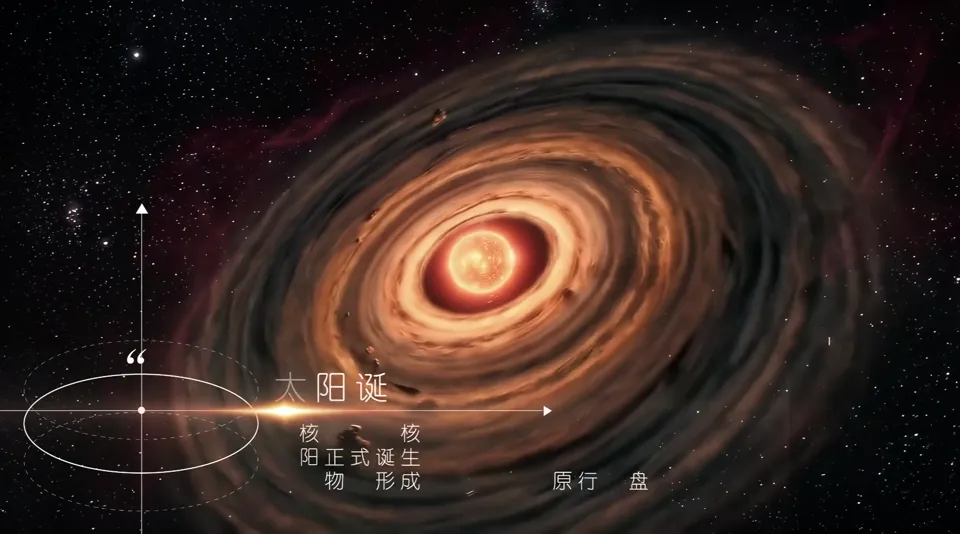
The camera pulls back from the Sun's surface as the surrounding matter flattens into a spinning disk. The title “The Sun Is Born” and fine-line coordinates appear at the lower left, and finally the camera drops low to view the whole disk edge-on.
Clip · 00:11–00:14
Pulling back from the Sun's surface
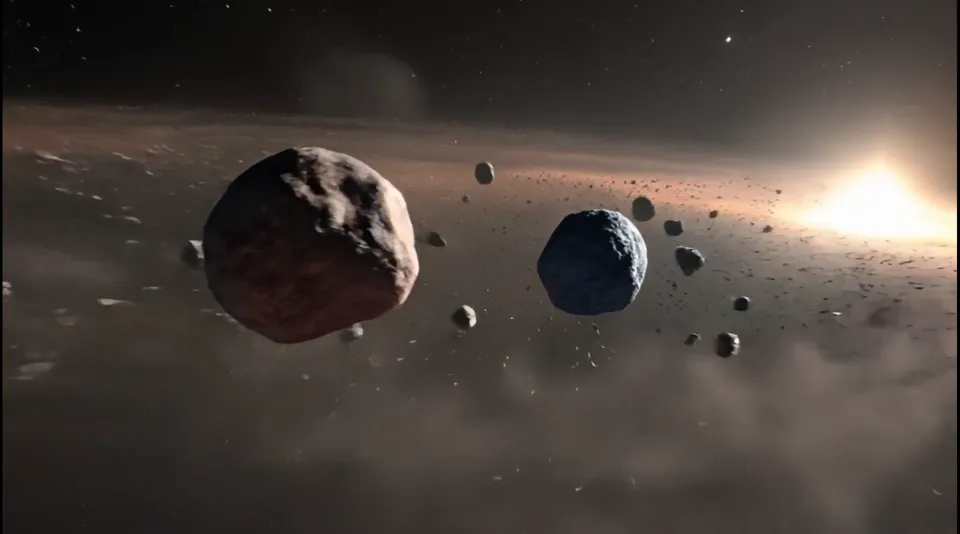
The frame retreats from the nearby sphere of light, the pale swirl of gas becomes ring after ring of bands, and a few rocks streak past the lens.
Clip · 00:14–00:18
The protoplanetary disk in full
The full disk comes into view with coordinate lines and the title “The Sun Is Born” at the lower left; the camera then drops to the level of the disk, where small bodies can be seen orbiting along it.
Film · 00:18–00:23
Rocks collide and planets form
The camera dives into the debris belt in the disk: two rocks collide, and after the flash it cuts to a molten sphere. The caption “Planets Are Born” explains that planets are built up through collision after collision like this.
Clip · 00:18–00:21
Two rocks collide head-on
Amid the debris, two large rocks slowly draw together; the point of contact glows red, then bursts into a blinding flash.
Clip · 00:21–00:23
After the impact, a molten planet
As the flash fades, the rock becomes a sphere with lava churning across its surface, and the camera pulls back as the distant Sun and other bodies enter the frame.
Film · 00:23–00:31
Back to the full solar system
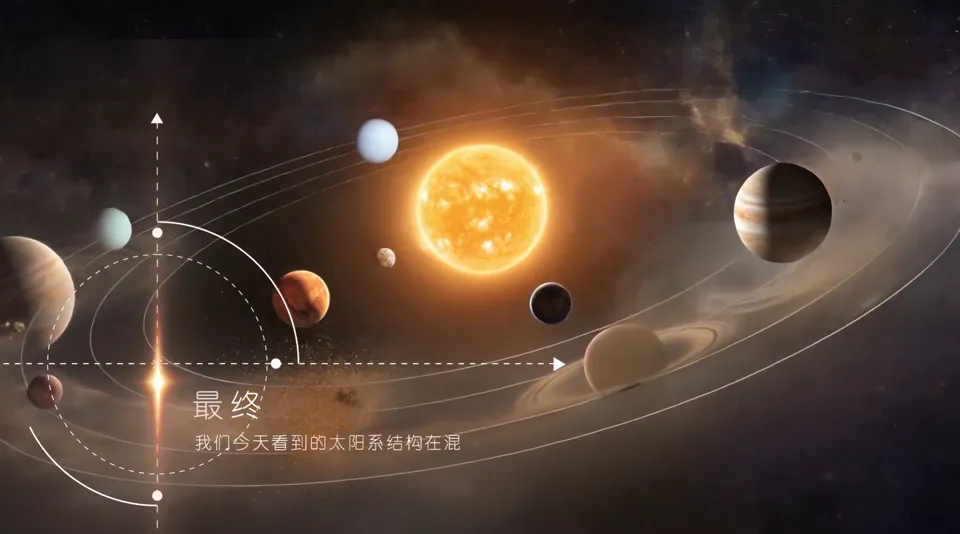
Several young planets keep colliding as the camera pulls back all the way, finally resting on a wide view of the eight planets lined up along their orbits, with closing captions.
Clip · 00:23–00:27
Young planets still colliding
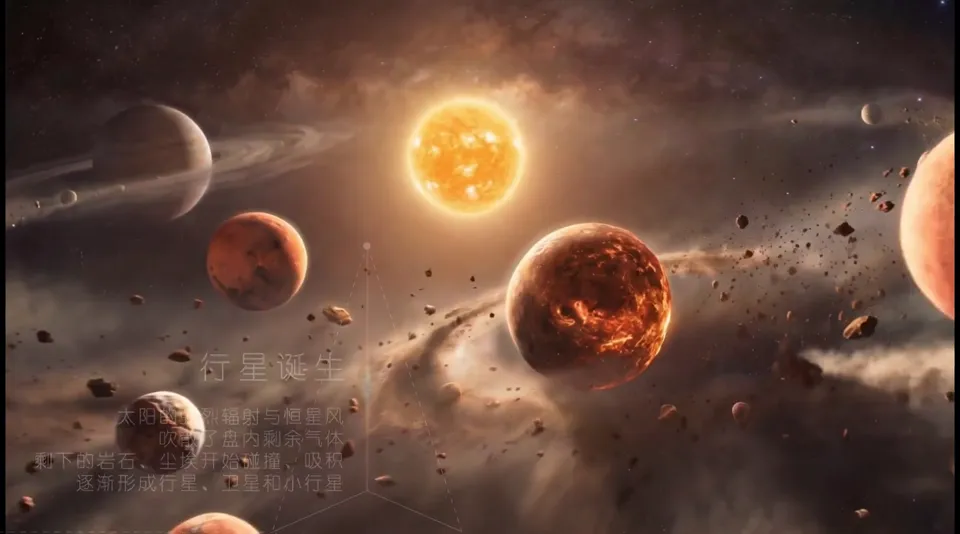
Below the Sun, planets and debris of all sizes crowd together, and another impact bursts on the right, showing how chaotic this stage still is.
Clip · 00:27–00:31
The eight planets in place
The view shifts to clean orbital lines with the Sun at the center and each planet on its own orbit; the caption “Finally” tells viewers this is how today's solar system took shape.
04 / Storyboards & Final Frames
Every shot starts with a keyframe.
In the order of the final film. Each shot shows a final 5504×3072 keyframe, from which that shot in the film was generated.
01
The nebula gathers
In the film · 00:00–00:11
Shot 1.1
Dark red nebula
A wide view of dark interstellar space, where a thin, dark red nebula slowly rotates: the starting point of the film.
Dark red nebula · Final 1
Shot 1.2
The core lights up
The center of the nebula grows brighter and denser as gas flows inward, finally settling on a glowing orange-red sphere of light.
The core lights up · Final 1
02
The Sun and the protoplanetary disk
In the film · 00:11–00:18
Shot 2.1
Pulling back from the Sun's surface
Picking up from the previous shot, the camera pulls back from the sphere of light as the pale gas around it is drawn into a swirl.
Pulling back from the Sun's surface · Final 1
Shot 2.2
Protoplanetary disk
A flat, spinning disk of dust and gas forms around the Sun, and the small particles in it begin to collide and stick together.
Protoplanetary disk · Final 1
03
Collisions form planets
In the film · 00:18–00:23
Shot 3.1
Rocks collide
The camera enters the debris belt, where two rocks collide in a flash; in the film, this impact cuts to a molten planet.
Rocks collide · Final 1
04
The solar system takes shape
In the film · 00:23–00:31
Shot 4.1
Young planets
The camera pulls back as several planetary embryos collide with debris along their orbits, the Sun glowing in the distance.
Young planets · Final 1
Shot 4.2
The full solar system
Back to the full solar system: the eight planets move quietly along their orbits as the Sun gives off a warm yellow light.
The full solar system · Final 1
05 / Results
Solar System Formation Clip
We completed a 31-second science visual sample on the formation of the solar system, with five stage captions, coordinate graphics and continuous celestial change. It serves as a portfolio piece, showing clients who make science and education videos what this kind of film looks like when finished.
Case Study
31 seconds, from a nebula to today's solar system
Billions of years, explained in half a minute.
Viewers can't see time or feel scale; all they can see is the picture changing.
This film is a science visual sample made in-house by Liandan AI Studio: how a nebula becomes the Sun, how debris collides into planets, and finally how the eight planets settle into their orbits.
Here is how we made it, step by step.
Nature of Project
Science visual sample made in-house by Liandan AI Studio, not a client commission
Project Type
AI science animation short (space and Earth science)
Timeline
April 2026
Runtime & Specs
31 sec · 1928 × 1072 · Landscape
Purpose
Portfolio piece, showing clients who make science and education videos what this kind of film looks like when finished
Produced by
Shenzhen Alchemy Technology Co., Ltd. (Liandan AI Studio)
01
Billions of years in half a minute: first, break the story into 8 shots
Science films tend to fail in one of two ways: beautiful images nobody understands, or thorough explanations nobody wants to watch.
So before production, we wrote a script table. The film is divided into four stages: molecular cloud collapse, the birth of the Sun and the protoplanetary disk, accretion of planetary embryos, and the formation of the solar system, 8 shots in all.
Each shot spells out three things: how the camera moves, what is in the frame, and which caption goes with it. For example, shot one reads “Wide, top-down view: a thin, dark red nebula drifts in dark interstellar space,” and shot two continues, “The center of the nebula gradually brightens and grows denser, finally settling on a glowing orange-red sphere of light.”
Shot 1 keyframe: a thin, dark red nebulaEnd of shot 1: the nebula's center brightens into an orange-red sphere of light
Between every two adjacent shots, we kept something viewers have already recognized: the sphere of light, the rocks in the disk, the molten planet. When the camera pushes in or pulls out, the eye has somewhere to land, so the picture never feels like it has suddenly jumped somewhere else.
02
First a 4K keyframe, then bring it to life
Space imagery has no point of reference, so when AI generates video directly, each shot can easily end up with different colors and textures.
Our approach: for each shot we first create a 5504×3072 keyframe to lock in composition, color and lighting, then use it as the first frame to generate the video. The whole film uses three main colors, dark red, lava orange and dust gray, so the nebula, the Sun and the disk look like they belong to the same universe.
When generating video, the prompts describe specific motion rather than a general scene. For example: “The camera pulls back to reveal the Sun and a flat, spinning disk of gray-brown dust and gas around it, with small particles colliding and sticking together into clumps.” The more specifically the prompt says where the camera goes and what moves in the frame, the closer the result comes to the script.
Clip · 00:11–00:14
Pulling back from the Sun's surface to the disk
The keyframe sets the look of the sphere of light and the swirl; following the “camera pulls back” description, the video retreats as the bands unfold ring by ring.
03
“Planet formation” is too abstract, so we filmed a collision
“Dust and rock keep colliding and accreting, gradually forming planets.” Written as a caption, this sentence is hard for viewers to picture even after reading it.
We replaced it with a concrete event: the camera dives into the debris belt, two rocks draw closer and closer, collide, flash, and become a planet with lava churning across its surface.
Keyframe for the collision shotNext stage: several young planets still colliding
With a cause and an effect, the words “Planets Are Born” finally have an image. The camera then pulls back, and viewers see that more than one planet is going through collisions like this; the solar system is still in its chaotic youth.
Clip · 00:18–00:23
Rocks collide and become a molten planet
Two rocks collide in a flash, cutting to a planet of churning lava as the caption “Planets Are Born” appears.
04
Captions and coordinates on a separate layer, readable however the image changes
Cosmic imagery alone doesn't tell viewers when something is happening or what is going on. So each stage has its own caption: 4.5 billion years ago, Over tens of millions of years, The Sun Is Born, Planets Are Born, Finally.
The captions, rings, axes and orbital lines were not drawn into the image by AI. Instead they were built as a separate layer with After Effects caption animation, placed consistently in the lower part of the frame, while the bright celestial bodies stay in the middle. The colors and brightness of the bodies keep changing, but the text always stays in the same place, so it is easy to read.
After the first cut, we switched to a more refined caption animation template, unifying how the text appears with the fine-line graphics, before locking the final version.
Clip · 00:27–00:31
Orbital lines and closing caption
In the last shot, fine-line orbits and the caption “Finally” are overlaid on the full solar system, with image and explanation each in their own space.
05
What this project achieved
This 31-second sample proved out a workflow for making short science films: break the script into shots, lock a 4K keyframe for each shot, generate video from specific motion descriptions, and build captions and explanatory graphics as a separate layer.
It took about two days from a finished script to the first cut.
For clients who need science, exhibition or education videos, it shows one thing: subjects that can't be filmed, such as the universe, geology and the evolution of life, can be turned by AI into complete, consistent and clearly explained visuals.
For people learning AI video, two lessons carry over directly: keep a shared object between shots to link them; and don't count on AI to render explanatory text accurately, it is more reliable to build it as a separate layer.
FAQ
FAQ
Can AI make science videos about the universe or Earth's evolution?
Yes. This film is about the formation of the solar system, and every image was generated by AI: first a keyframe for each shot based on the script, then video. The science is conveyed through captions, one for each stage, while the images act out what each caption says.
How long does a science short of around 30 seconds take?
For this 31-second sample, the first cut was ready about two days after the script was finished; we then switched to a new caption animation set before finalizing. More shots and more revisions will add time accordingly.
Are AI-generated science visuals sharp enough?
Each shot's keyframe was produced at 5504×3072, and the final film is 1928×1072, close to 1080p, suitable for online platforms and standard screens.
Can the captions and graphics in the film be changed later?
Yes. The captions, rings, axes and orbital lines were made in After Effects as a separate layer, not drawn into the AI imagery. To change the copy or the language, only that layer needs to be edited; the images don't need to be regenerated.
Approach
Script breakdown, 4K keyframes, captions on a separate layer
The script first divided the subject into stages: the nebula, the Sun and the protoplanetary disk, planet formation, and the full solar system, and gave adjacent shots linking objects: the glowing core, the rocks in the disk, the molten body. Before each push-in or pull-out, we tried to keep the shapes and light sources viewers had already recognized.
In production, each shot started with a 5504×3072 keyframe; once its composition and color were approved, it became the first frame for generating video from a specific motion description. Captions and coordinate graphics were made separately with After Effects caption animation, so however the celestial bodies change, the text stays in a fixed position and remains clear and readable.
The film alternates wide views of the disk, close-ups of rocks colliding and groups of planets, finally resting on the orbital structure. In about 31 seconds it covers just one thing, the formation of the solar system: wide shots set the overall scene, close-ups show the collisions, and the full view shows how the bodies relate to one another.